



The place and what it needed
Midway Town Center is a shopping center in Midway, North Carolina. It holds restaurants, entertainment, services and shops under one roof line and one parking lot, and it belongs to the same ownership group as several of the businesses I already build for and support. I was already handling IT for the group, so when the center needed a site of its own, it came to me.
The brief was simple to say and harder to build. A shopping center's website has three jobs. It tells a visitor who is there and when they are open. It tells a prospective tenant what space is available and how to ask about it. And it tells everyone what is happening at the center this month. Each of those changes on its own schedule, and none of it should need a developer to update.
So I treated the site as a management system first and a set of pages second. The owner and manager needed to be able to add a business, change its hours for a holiday, post an event, put up a notice about the parking lot, and work through leasing inquiries, all from one place. The owner also wanted tenants to be able to keep their own entry current if they chose to, the way a business keeps its Google profile up to date, without that becoming a requirement for anyone.
What was there before
The center had a basic GoDaddy site. It went offline shortly before the new holding page went up, and for a short stretch the domain showed GoDaddy's parked page. The domain's DNS lived on GoDaddy's nameservers, and the center's email ran on Microsoft 365 through records in that same zone.
Nothing from the old site carried over. There was no directory, no leasing information and no event listing to migrate, so the new site started from an empty database and a clear list of what the center needed.
The build
I set up the repository on August 22, 2026. Two days later the first pull request (#1) landed the public site and the management panel together: the store directory with a page per business, leasing with an inquiry form, center events, announcements, visitor information, a contact inbox, a media library, four staff roles, system checks and an activity log.
The first version
The first version was built for the same shared cPanel hosting the group's other sites used at the time: PHP 8.3 and MySQL behind two React single-page apps, one for the public site and one for the admin. It was the first client site built on my shared backend and admin kits from the first day, so it used their response format, routing, sign-in guard, request-origin check, rate limiting, mailer, HTML sanitizer and audit log without any adapting.
The second pull request (#2, August 24) added photo galleries for storefronts and units and holiday hours, and it fixed three defects I found before anything shipped:
- •The database used its own server clock for "now", while the center's data was stored in Eastern time. Events would have dropped off the site four hours early, and announcements would have opened and closed at the wrong times. I pinned the session clock, added a system check for it and wrote a test.
- •Uploaded images would have been stored in one folder and linked from another. Every image request would have returned the app's page shell with a success code, so the site would have looked broken with no error anywhere. I fixed it by building image links from a configured setting when they are read, which needed no data changes.
- •Saving a storefront with split hours deleted its second open period. The hours editor now keeps every period.
Over the next three weeks the build picked up the pieces a real launch needs. The site can email an alert when it returns a server error (#7, August 31). The deploy package was locked down so it could never expose configuration or source files (#11, September 7). Every uploaded image is resized into a set of WebP sizes so a phone never downloads a desktop-sized photo (#18, September 11), and staff choose which part of a photo a directory card keeps when it is cropped (#19). The repository got the same maintainability guardrail as the other client sites (#22, September 12), with line budgets measured from this code.
The move before launch
That first version was never deployed. By mid-September I had decided to move the group's sites off shared hosting and onto Vercel, Turso and Cloudflare R2. The town center was the obvious pilot. It had no production data to move and no live traffic to protect, so it could prove the whole route cheaply.
On September 13, 2026, I moved it in a series of pull requests merged the same day:
- •#28 converted the database schema to libSQL for Turso, with strict column types and stored times in UTC.
- •#29 ported the public API to Next.js route handlers.
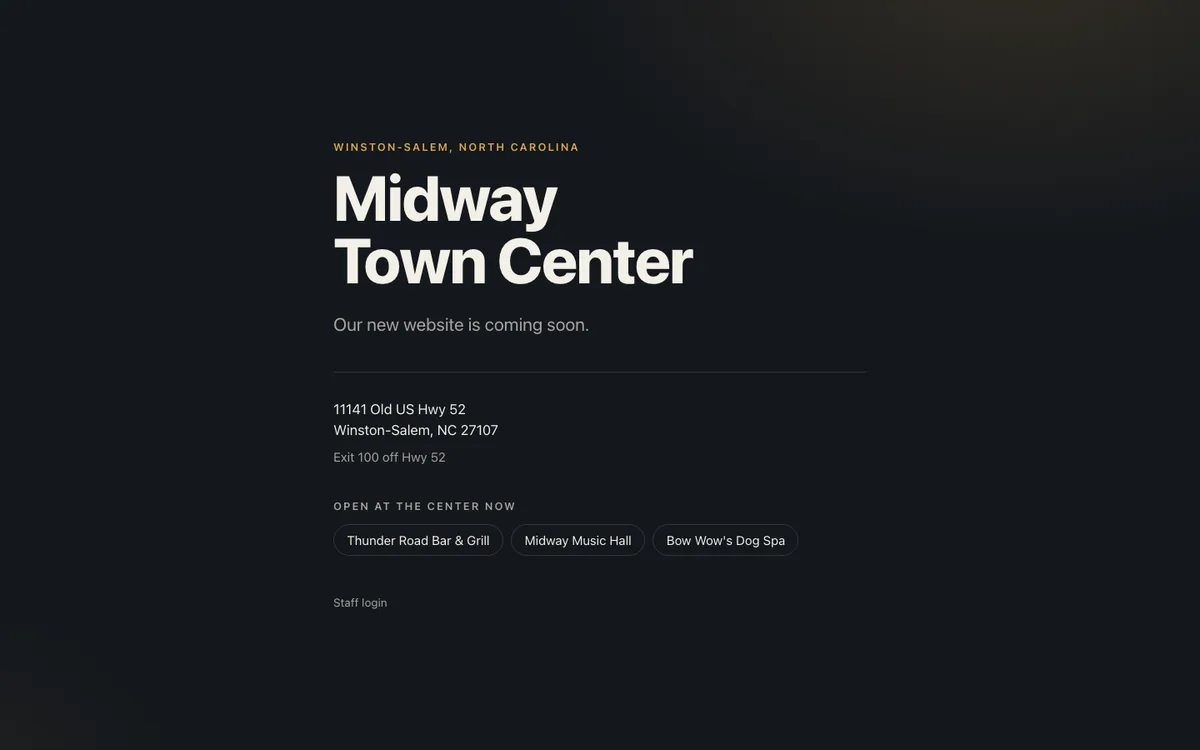
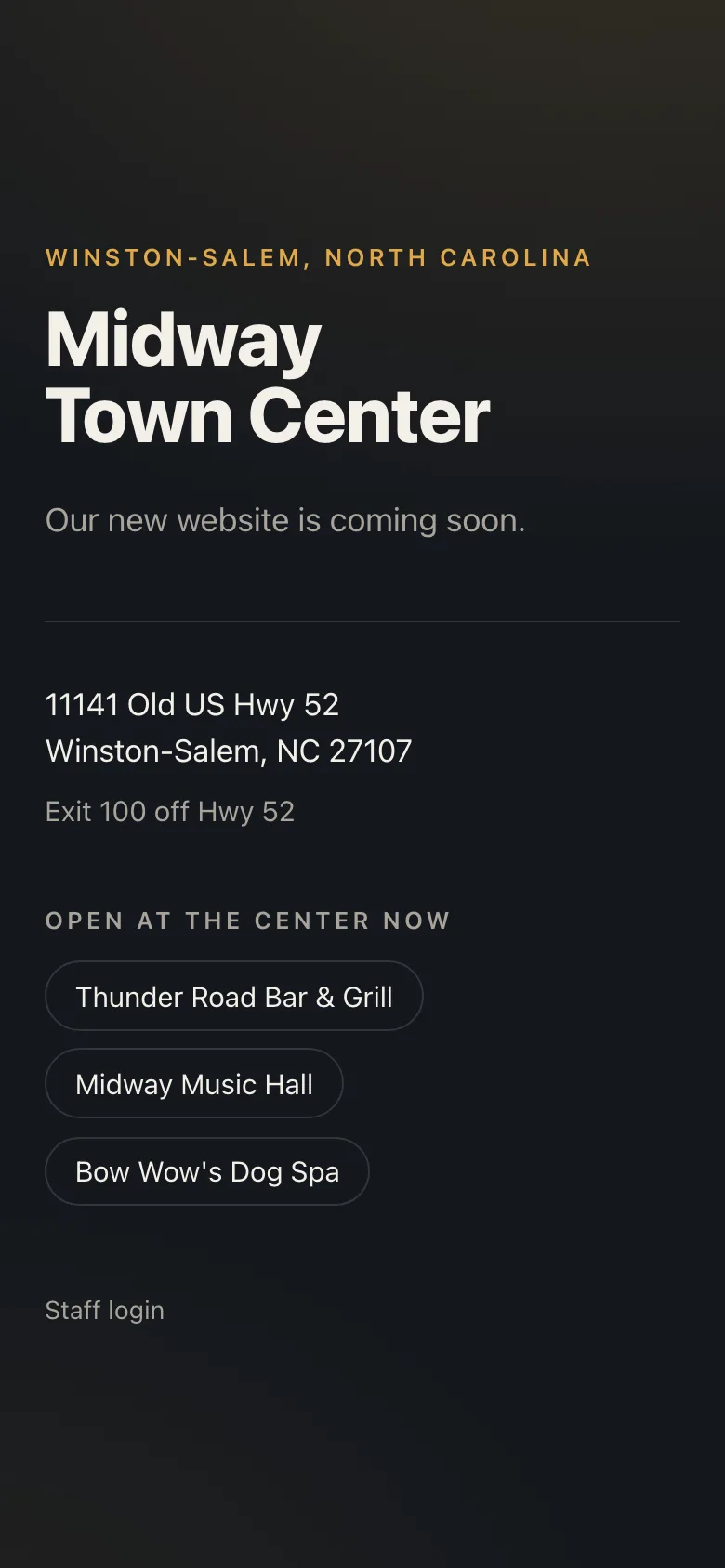
- •#30 added the Coming Soon holding page.
- •#31 rebuilt the public site as server-rendered Next.js pages behind a launch switch.
- •#32 ported the admin API, with signed-cookie sessions and sign-in throttling kept in the database.
- •#33 served the existing React admin app at
/adminand added the security headers. - •#34 resized large photos in the browser before upload.
- •#35 added the staff login link to the holding page.
The rule for the move was that nothing a visitor or staff member does could change. To hold the new app to that, I ran the PHP version against a seeded MySQL database and recorded its responses: 33 public requests, a 142-step admin session signed in as each of the four roles and signed out, and 318 cases for the small parsing helpers. The Next.js app replays every one of them in its test suite. The handful of deliberate differences are written down in the repository's README with the reason for each.
The same day, DNS moved to Cloudflare, SendGrid domain authentication validated, and media began serving from the center's own cdn subdomain. By the end of the day the Coming Soon page was live.
Since then the work has been hardening. The full web test suite runs in four time zones in CI (#39, September 16). A local database hazard that could silently drop writes after a failed transaction start was fixed (#40, September 17). CI moved to my own runners (#47), the admin learned to tell someone when their tab is out of date and to show a plain error panel per screen (#49, #51), and every outgoing email is tagged with the site (#50), all on September 24. Analytics and an updated privacy page followed on September 30 (#61, #62). On that date the web suite passed 594 tests. As of October 5, 2026, the repository has 68 commits and 67 merged pull requests.
The public site
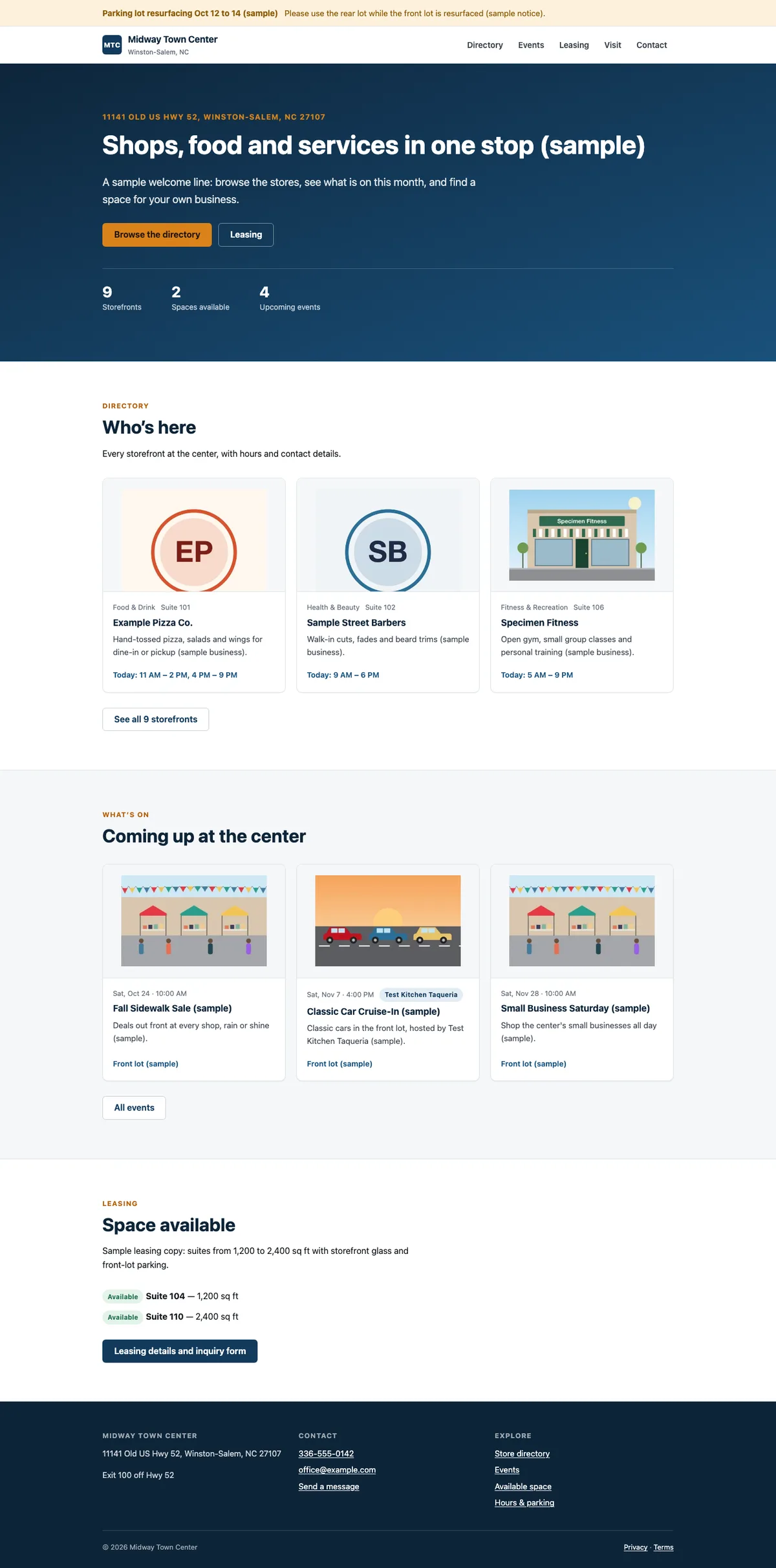
The public site is finished and deployed. It sits behind a launch switch, so for now every address shows the Coming Soon page. When the switch goes on, this is what visitors will see.
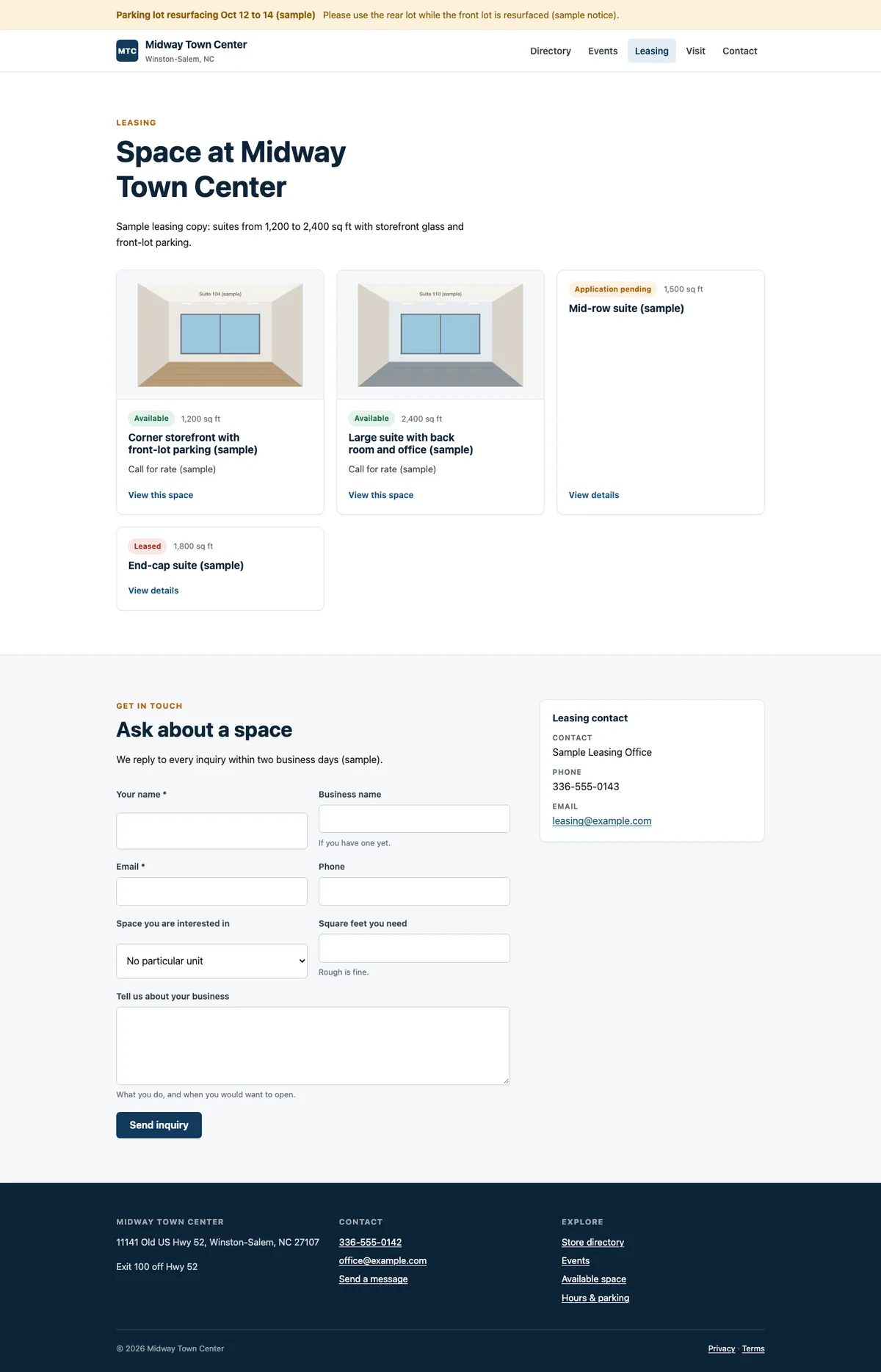
The home page opens with a short welcome, then a "Who's here" grid of featured businesses, the next few events at the center, and any space that is open for lease. A strip across the top of every page carries announcements, colored by how urgent they are, with start and end dates so a notice about lot resurfacing takes itself down when the work is done.
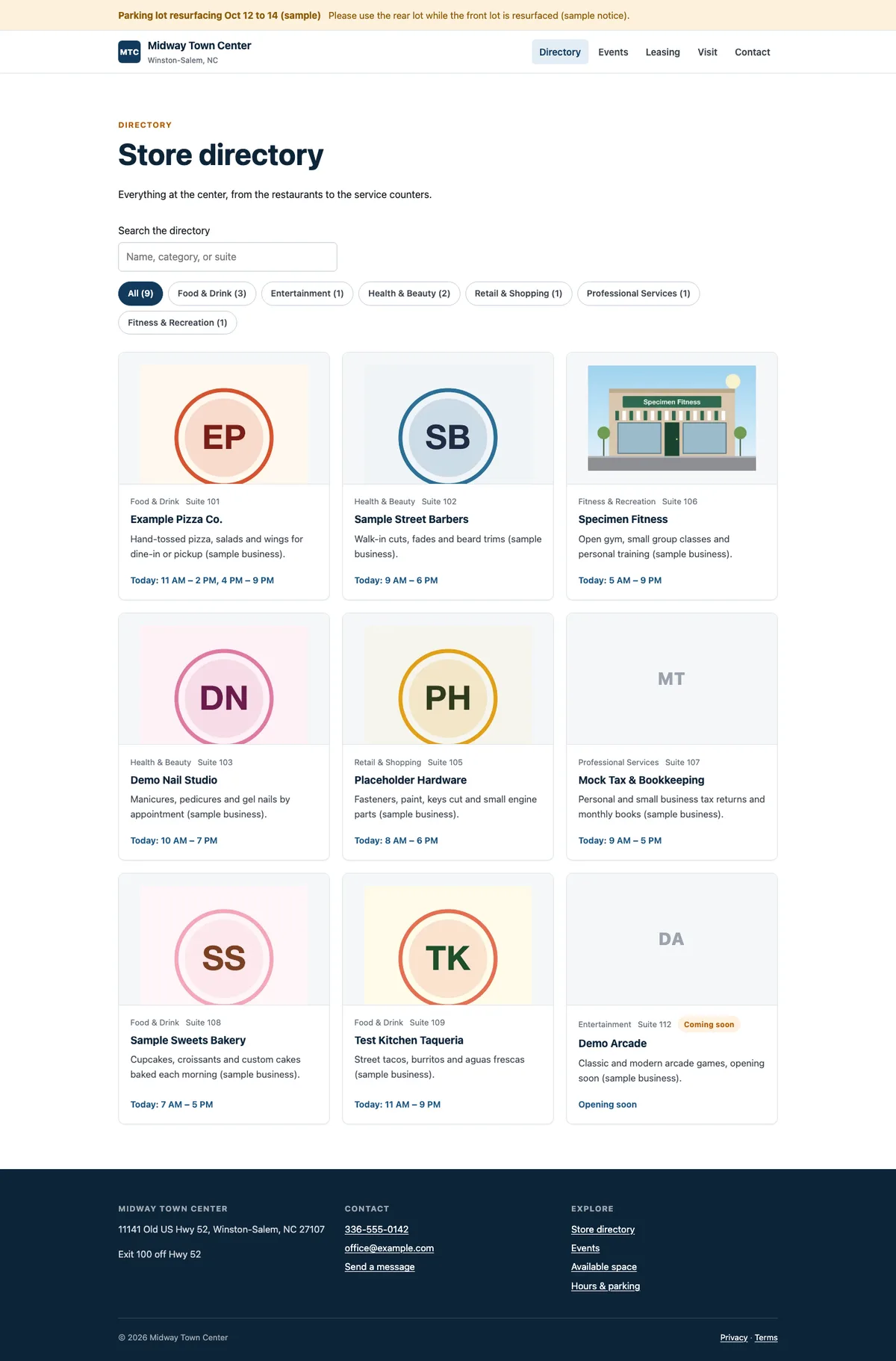
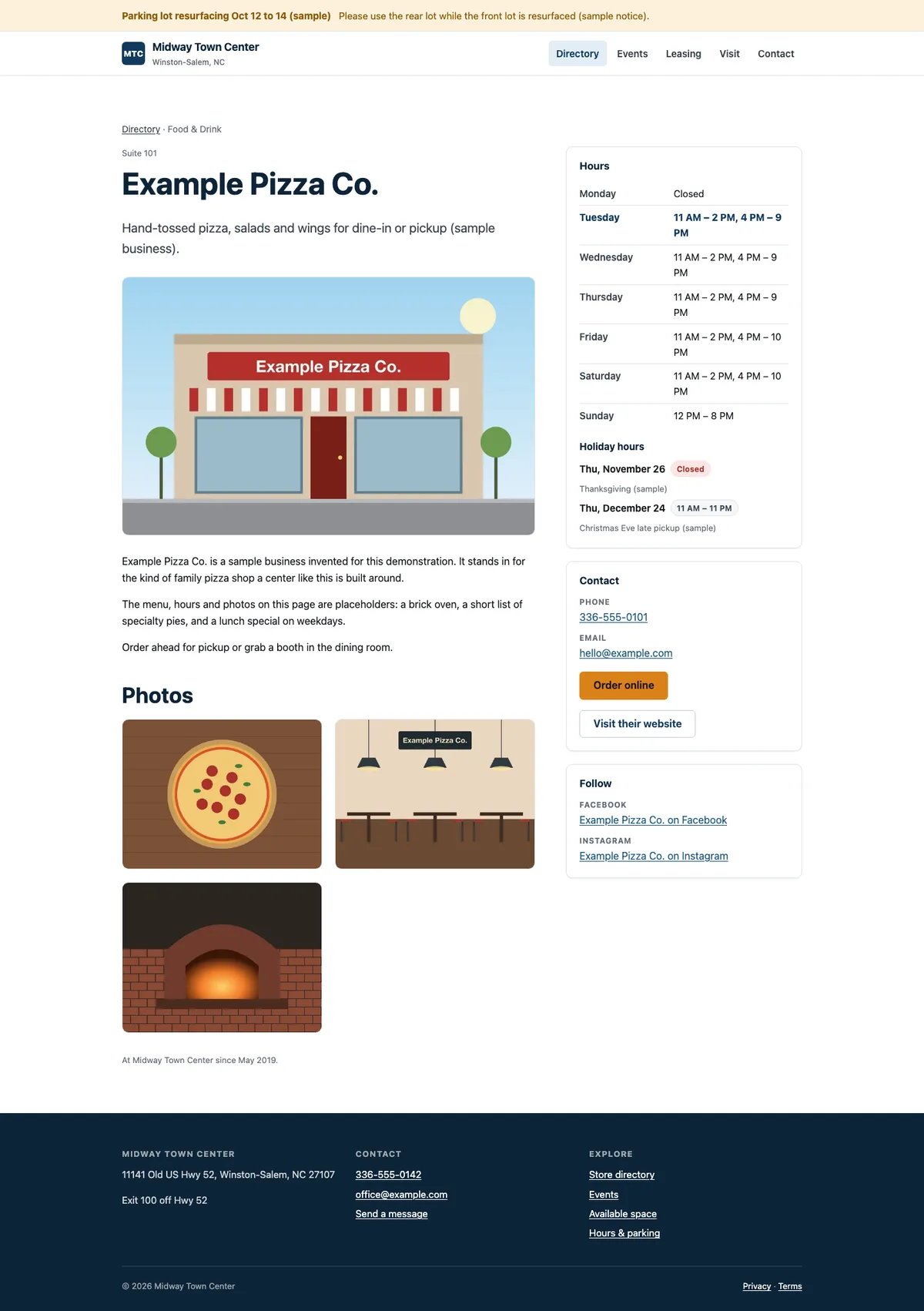
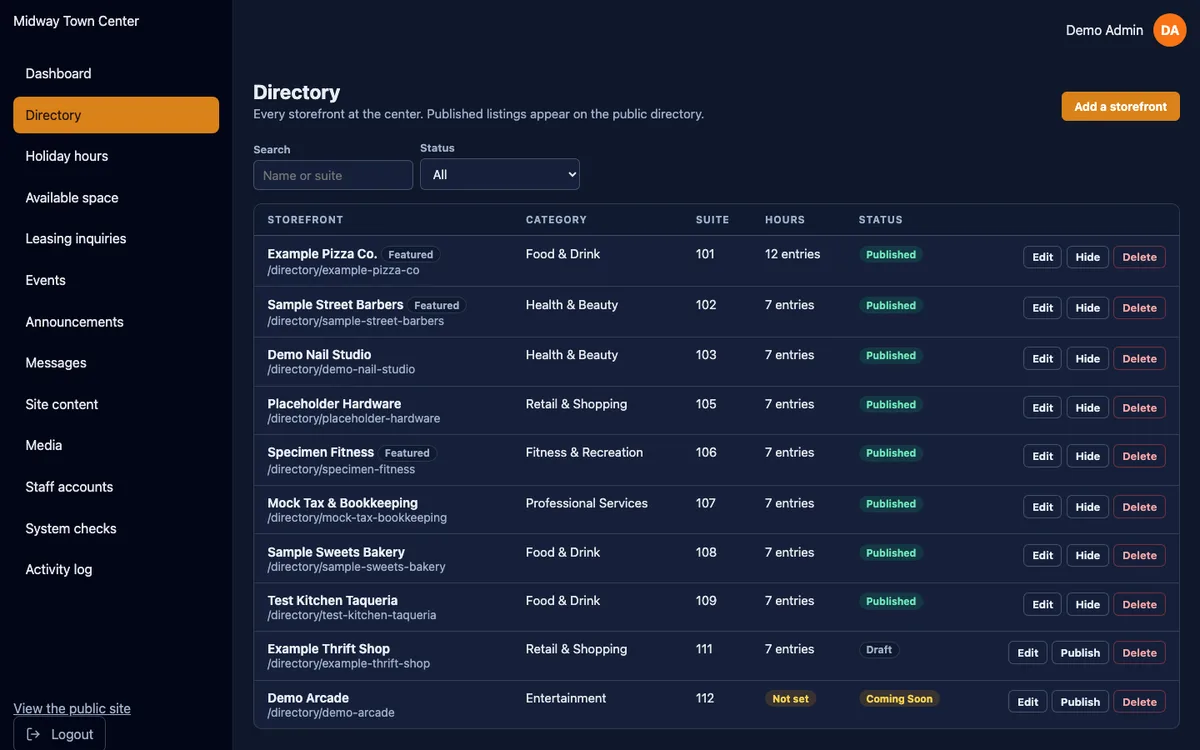
The store directory lists every business at the center. A search box and a category filter narrow the list as you type, over a list the server has already rendered, so the page is useful before any script runs. Each business gets its own page with a description, a photo gallery, contact, ordering and social links, and a weekly hours table.
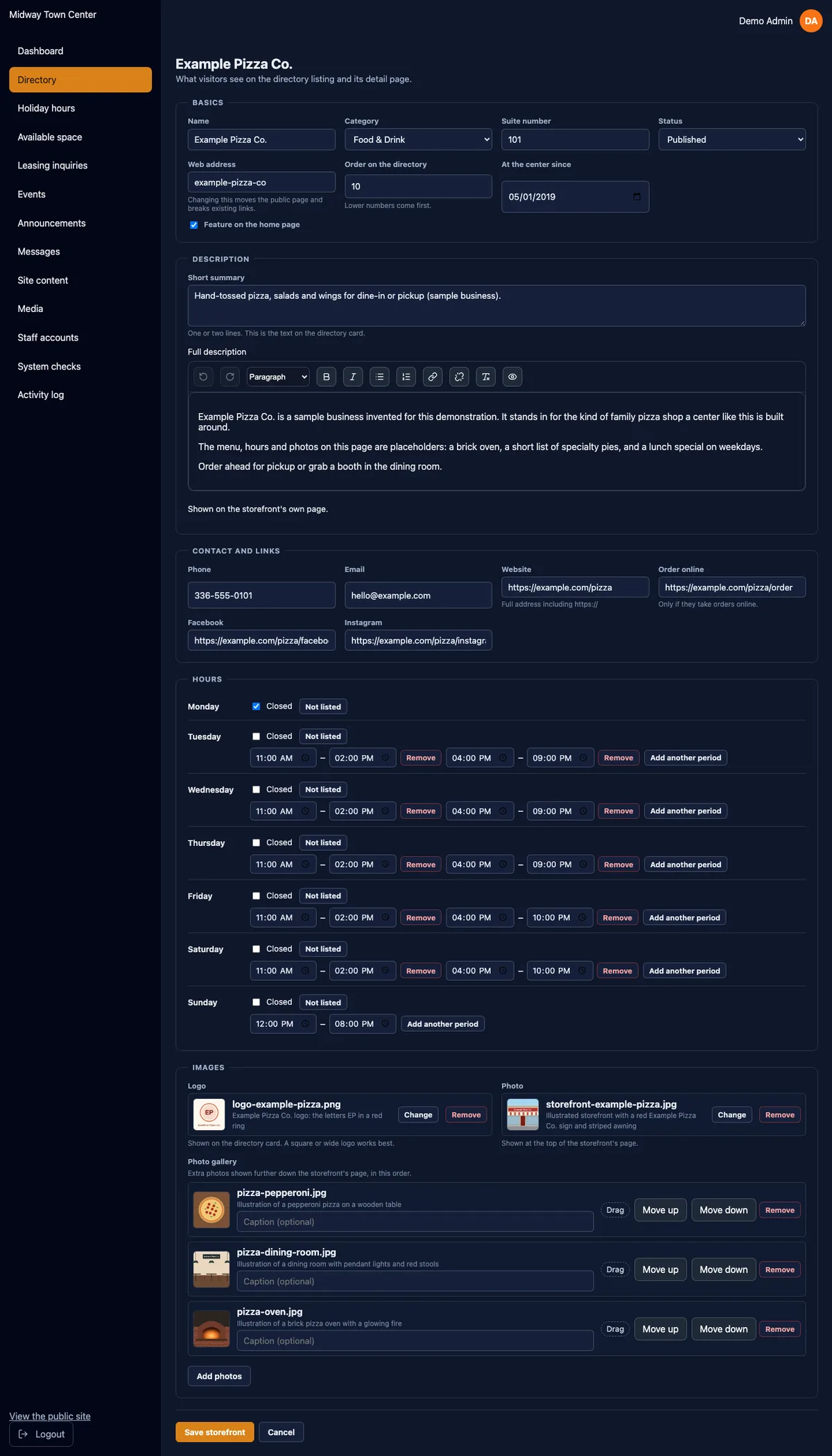
Hours got more care than anything else on the public side, because they are what someone standing in the parking lot actually needs. Hours are stored as rows, one per open period, so a lunch break is easy to show. A day can be marked "Closed", which is different from a day that is simply not listed, and the page says which. Holiday hours can be set once for the whole center, and a single business can replace them for its own storefront when it keeps different hours.
The leasing page lists available units, each with a gallery, a feature list, a floor plan and its availability. The "Ask about a space" form only offers units that are published and still open, so nobody inquires about a unit that is already leased.
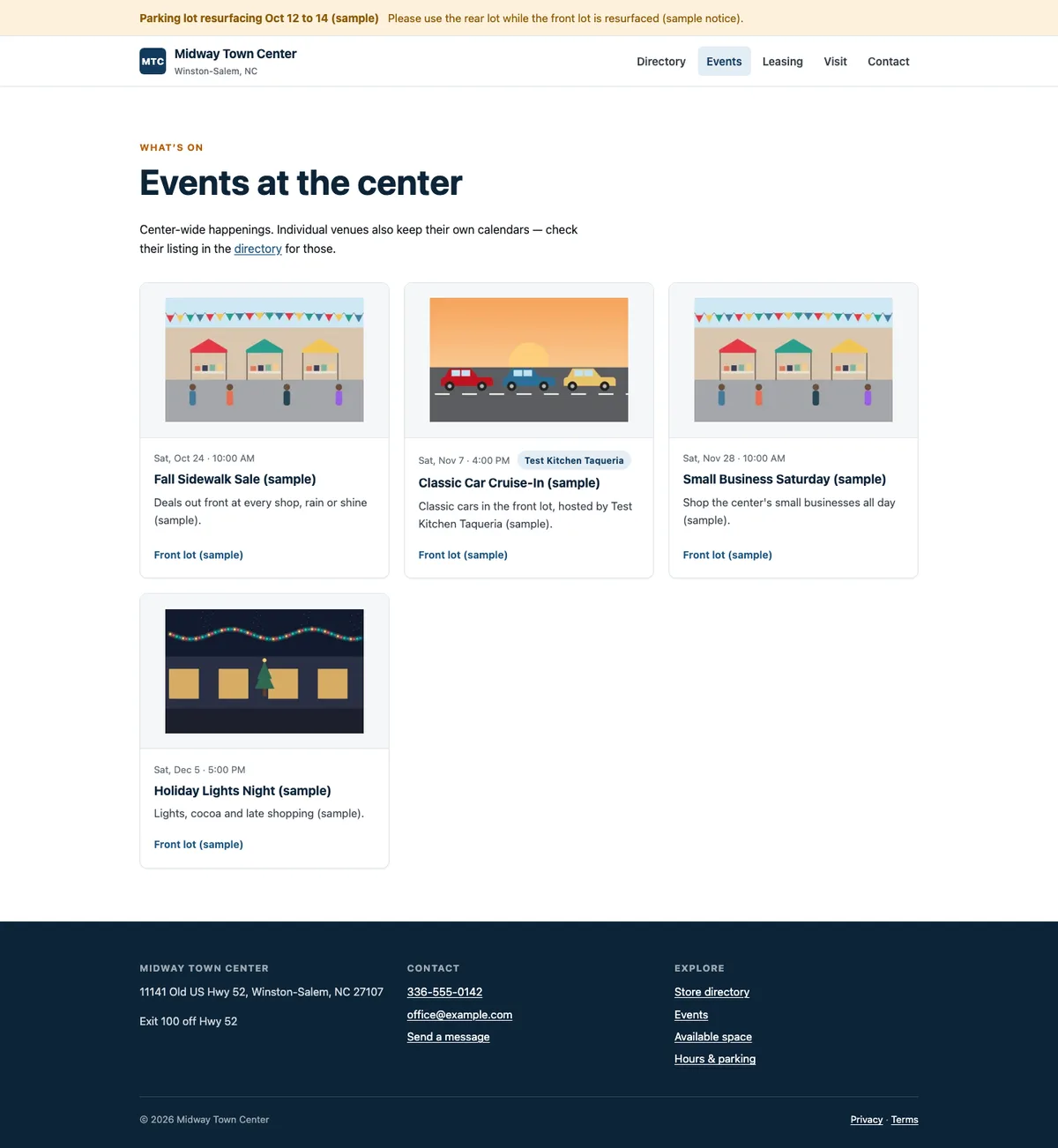
The events page covers center-wide events: sidewalk sales, cruise-ins, holiday nights. Businesses that run their own calendars keep them on their own sites, and an event here can link to the business hosting it. That keeps one source of truth for every event.
The visit page carries directions, parking and accessibility notes and any upcoming center-wide closures. The contact page has a form that saves every message to the staff inbox before it sends any notification, so a mail problem can never lose a message.
Behind the pages, every form is rate-limited, every storefront, unit and event that does not exist returns a real 404, and the sitemap is built from the records that are published. Until launch, the robots file asks search engines to stay away, so the holding page is all they see.
What the owner and tenants run
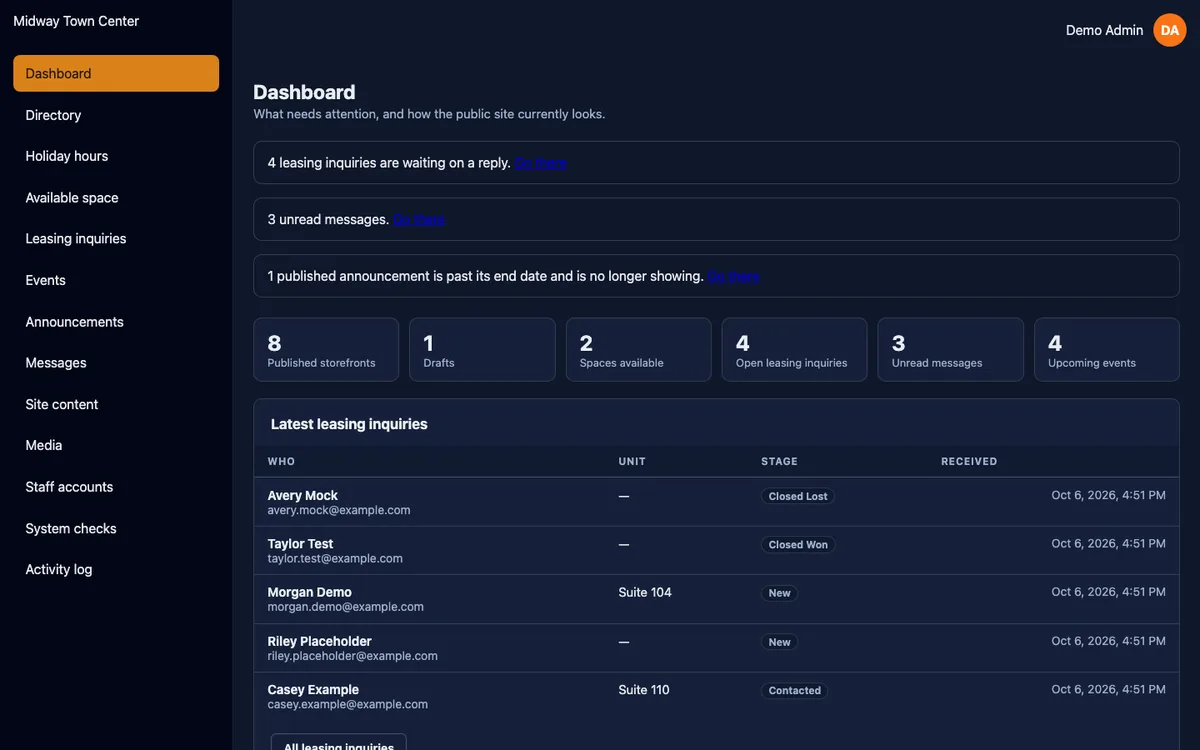
The owner and manager run the center from the admin at /admin. It opens on a dashboard that works as a to-do list: new leasing inquiries, unread messages, published storefronts that are missing hours or a summary, and announcements that have gone stale. Each item links straight to the place that fixes it.
From there the sections follow the work:
- •Directory: add or edit a business with its status, category, suite, summary, a formatted description, contact and social links, logo, hero photo, a captioned and ordered gallery, and weekly hours with up to three open periods a day.
- •Holiday hours: center-wide dates, with per-storefront exceptions.
- •Available space: units with galleries, floor plans, features, and separate switches for "available" and "published".
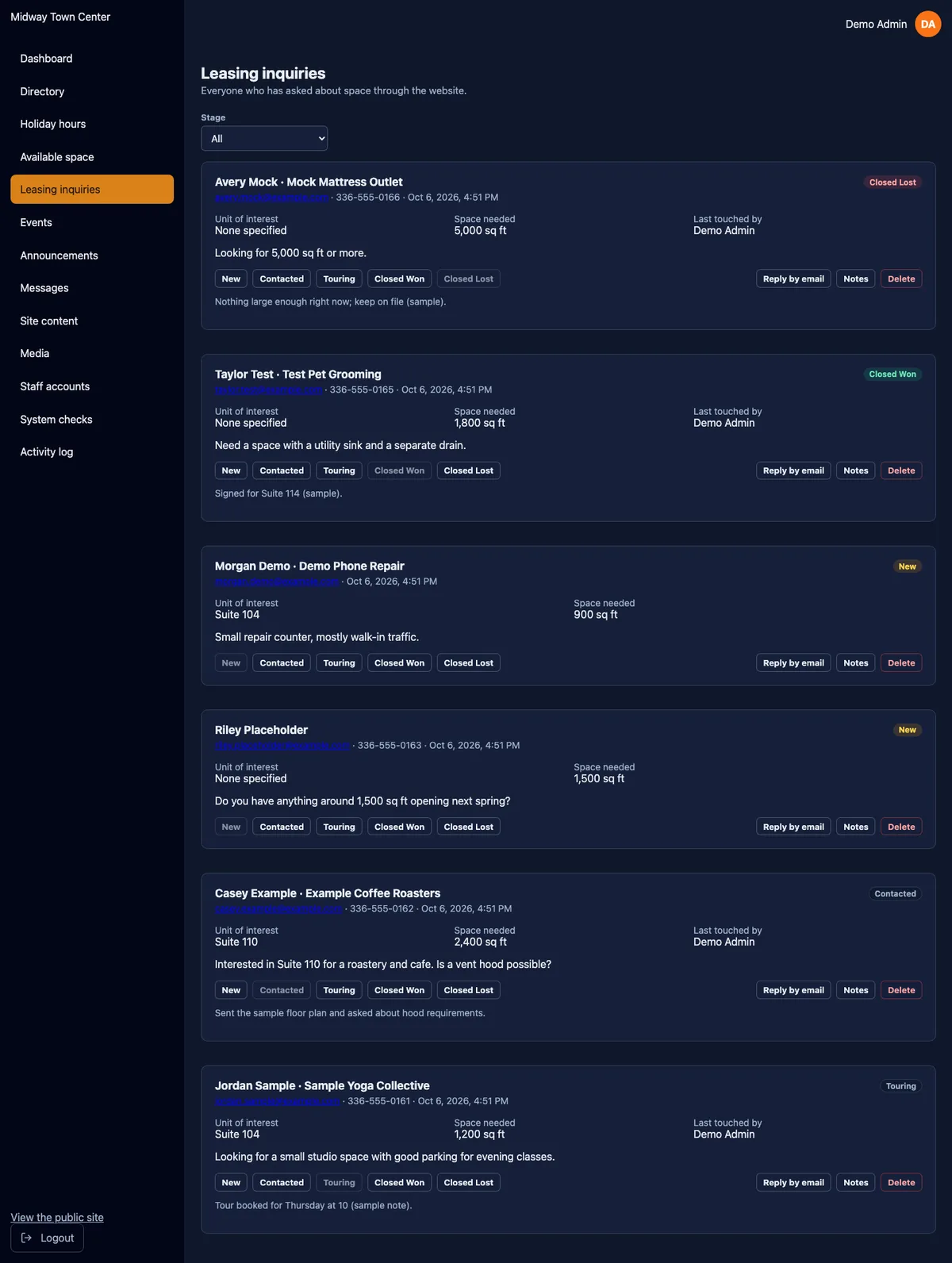
- •Leasing inquiries: a pipeline from new to contacted, touring, closed won or closed lost, with private notes on each inquiry.
- •Events and announcements: event pages with a photo and an optional host business, and announcements scheduled by severity.
- •Messages: read, reply by email and mark as handled.
- •Site content: the home page, visit details, leasing copy and search settings, limited to the fields that are safe to edit.
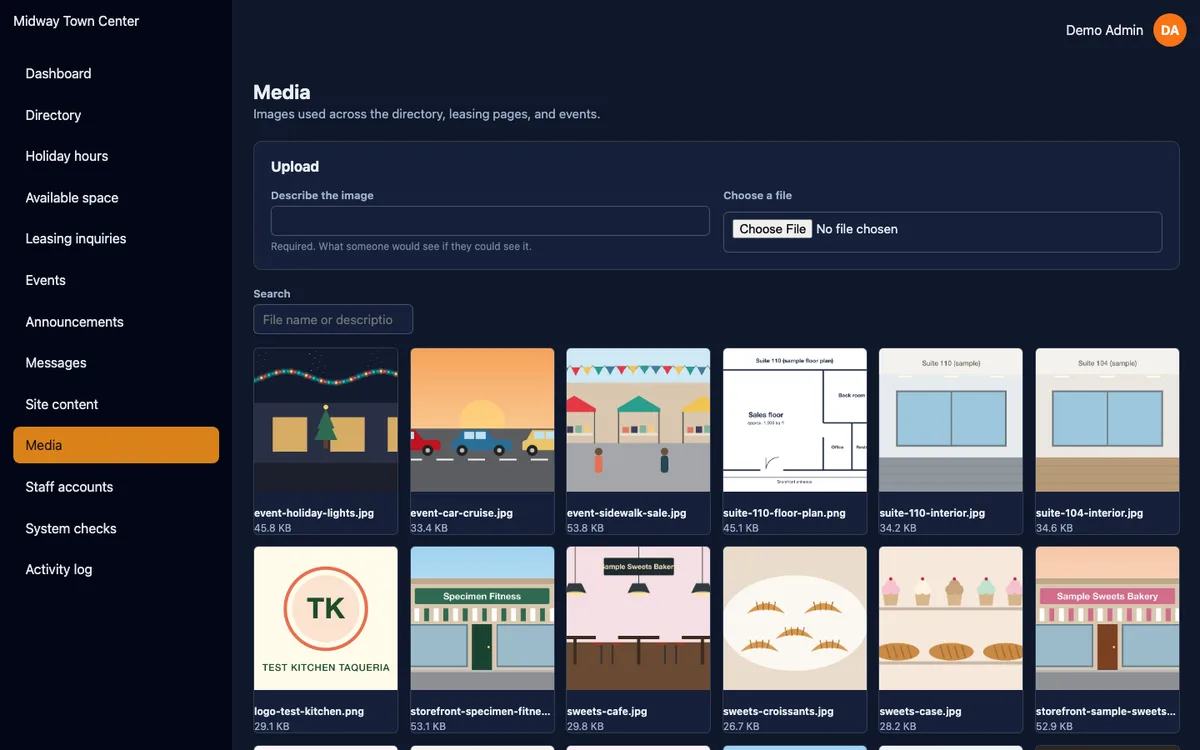
- •Media library: every photo needs alt text, shows where it is used and cannot be deleted while a page still uses it.
- •Staff accounts, system checks and an activity log.
Staff roles
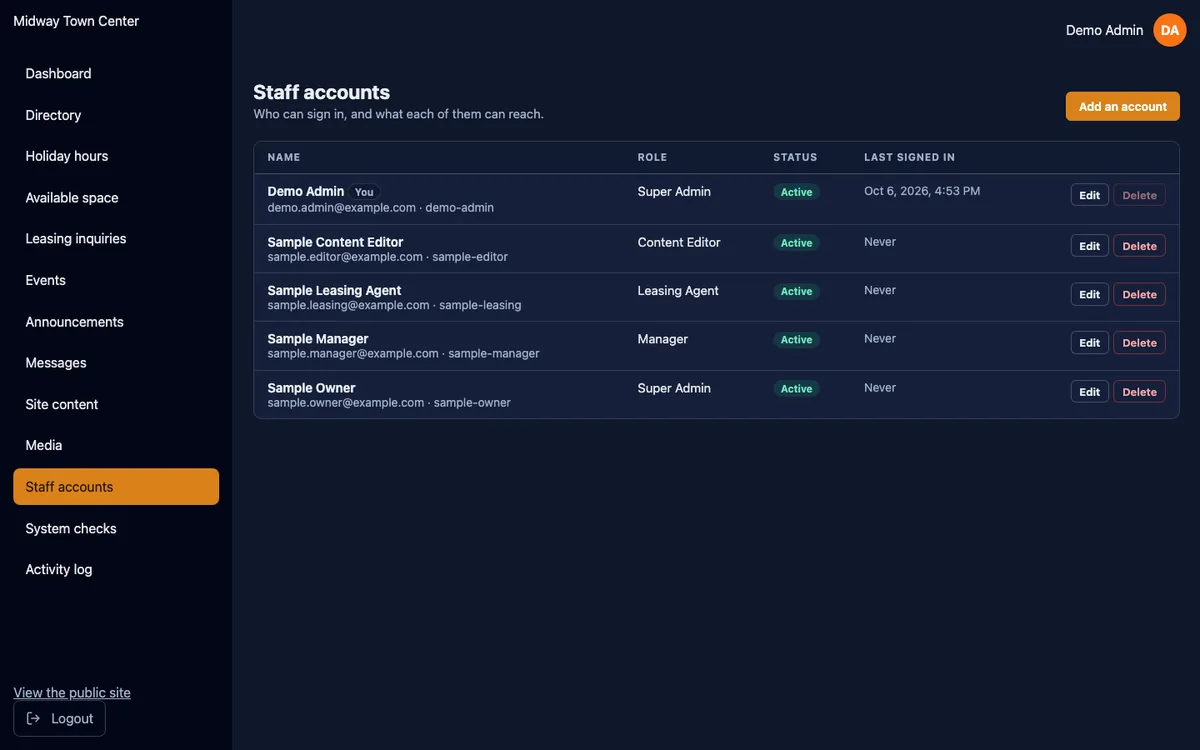
There are four roles. A super admin can do everything, including managing staff accounts. A manager can do everything except manage accounts. A leasing agent sees only space, leasing, messages and media. A content editor sees the directory, events, announcements, site content and media. Hiding a menu link is only presentation: every section is checked again on the server for every request.
The last super admin cannot be deleted, demoted or disabled, and nobody can do any of those things to their own account, so the center can never lock itself out. Sessions are signed cookies that recheck the account on every request, and an account can be signed out of every device at once. After five failed sign-ins in fifteen minutes, further attempts have to wait. Staff accounts are created by a command the owner runs with a hidden password prompt, so no one else ever sets or sees a staff password.
Tenant self-edit
Tenant logins are optional and planned to follow the launch. When they are switched on, each tenant can log in and keep their own entry current, like a Google profile. The owner made the rules in advance: text and hours edits go live immediately, new photos wait for staff approval unless a tenant has been trusted to post directly, and a tenant sets their first password from a single-use link sent by email.
I designed that shape into the database during the move, before any data existed. Tenant accounts live in their own table, separate from staff accounts, and one business can have several logins. Invite and reset links are stored only as hashes and work once. Every photo records which tenant it belongs to, who uploaded it and whether it has been approved. Building the tenant sign-in on top of that is a new screen and a new guard, with no change to the directory data the center has entered by then.
Infrastructure
Domain and DNS
The domain is midwaytowncenter.com, with www redirecting to it. I moved DNS from GoDaddy's nameservers to Cloudflare on September 13, 2026. The Microsoft 365 mail records were copied across intact, so the center's email never stopped.
One thing from the move is useful to anyone doing the same. For several hours afterward, some AT&T customers still saw GoDaddy's parked page. GoDaddy's nameservers kept the old zone, and that zone's own records pointed back at GoDaddy, so a resolver that trusted the zone over the registry kept finding the old answer. It cleared on its own within the day, and I noted it for the moves that followed.
Hosting
The site is a Next.js 16 app on Vercel, built from the web folder of the repository. A merge to the main branch is a production deploy. Preview builds turn the full public site on and point at their own copy of the database and their own storage, so a change can be reviewed with real pages without touching production. Every response carries security headers, including HTTPS-only (HSTS).
Database
The database is Turso, which runs libSQL, a SQLite-compatible database. The schema is 19 tables with strict types, and it is checked by a script of 62 accept-and-refuse tests. On September 30, 2026, this was the first client database I ran a full restore drill on: restored to an hour earlier into a separate database, it matched production exactly, and the drill copy was destroyed.
The center's own mail stays on Microsoft 365. The site sends through SendGrid with an authenticated domain and branded links, and every send is tagged with the site so delivery can be traced. Site email is wired and tested, and it stays switched off until launch, when the owner names the addresses that should receive contact and leasing notifications. Server-error alerts are built in and get their address at launch along with the others.
Storage
Photos are stored in Cloudflare R2 and served from the center's own cdn subdomain. Each upload is saved in a set of WebP sizes, and the page asks for the size it actually shows.
Analytics and search
Vercel Web Analytics runs on the public pages and the Coming Soon page. It sets no cookies, and the privacy page lists exactly what each form collects and which services are involved. The site is set up in Google Search Console, and the sitemap is submitted at launch, because until then the robots file blocks crawling and a sitemap would only report blocked pages.
Decisions worth explaining
A launch switch, read on every request
The public site and the Coming Soon page are the same deployment. A small piece of code in front of every page checks one setting, PUBLIC_SITE_ENABLED. While it is off, every page address shows the holding page, so a link someone shares early still lands somewhere sensible. The API, the admin, the sitemap and the robots file pass through untouched, so staff can set everything up before anyone sees it. The setting is read on each request, so launch is a configuration change with no rebuild.
Moving before the first deploy
Deploying the PHP version first and moving it later would have meant moving live data. Moving it before launch turned the town center into a low-risk test of the whole route, and the recorded responses made the test strict. The PHP version stays in the repository as the reference the new app is checked against.
Time stored one way, shown another
Shopping center data is full of times: hours, events, announcements, holidays. Early on I found that a time with no time zone attached, read by a browser east of Eastern time, moved all-day events a day early. In the libSQL schema every stored instant is UTC with milliseconds, and the database refuses anything else. One module converts to Eastern time for display, and the whole test suite runs in four time zones in CI so a mistake shows up before it ships.
Real 404s
Every storefront, unit and event page is rendered on the server, so a missing record returns a real "not found" to visitors and search engines. I left out the loading screen on purpose: streaming a loading state would send a success code before the page knew the record was missing.
Photos and Vercel's upload limit
Vercel refuses request bodies over 4.5 MB, and phone photos are often bigger. The admin resizes any photo over 4 MB in the browser before upload, at high quality and never below 2048 pixels on the long side. Smaller files are sent untouched, and GIFs and PDFs are never resized. The owner chose this on the condition that quality would not suffer. The site never shows an image wider than 1440 pixels, so it does not.
HSTS without subdomains
The site tells browsers to use HTTPS only, but not for every subdomain. A few leftover GoDaddy workspace subdomains remain in the zone, and their certificates do not cover them. A stricter header, once cached by a browser, cannot be withdrawn, so I kept it narrow.
Stale admin builds
After one dependency update, Vercel's build cache shipped the admin with the old packages. The build now stamps the admin's lockfile with a hash and reinstalls whenever it changes (#38). That fix became the pattern for the other sites.
The security gate checks what ships
In October a linter advisory that only affects development tools turned the security check red across many repositories at once. The gate now fails on vulnerabilities in code that ships to visitors and reports the rest without blocking (#63).
Where it stands and what happens at launch
The site is complete and deployed. The Coming Soon page has been live at midwaytowncenter.com since September 13, 2026, and staff can sign in to the admin today. The live directory is empty on purpose, because the center has not yet collected every tenant's details, and I would rather show a holding page than a half-filled directory.
Launch is a short list:
- •Collect each tenant's name, category, hours, links and photos, and enter them in the admin.
- •Set the addresses that receive contact, leasing and error notifications, and turn site email on.
- •Turn
PUBLIC_SITE_ENABLEDon in production. The holding page stops answering and the full site takes its place, with no rebuild. - •Submit the sitemap to Google Search Console.
After launch, the optional tenant logins are the next piece of work, built on the tables and rules already in place.
Ongoing support
Like the other sites in the group, this one is mostly hands-off unless something breaks. Once the alert address is set at launch, server errors email me, throttled so one recurring problem does not flood the inbox. CI runs the full test suite on every change, a weekly security scan runs on a schedule, and minor and patch dependency updates merge on their own once checks pass. The database has a tested restore, and the system checks screen tells staff in plain words whether email, storage and accounts are set up correctly. When the center needs something new, it goes through the same pull request process as everything above.