
PC repair & IT support in Winston-Salem
Computer problems, fixed at a price you see first.
Viruses, slow startups, Windows that will not boot, the upgrade that makes an old computer usable again, and the office Wi-Fi that keeps dropping. For homes and small businesses in Winston-Salem and the Triad: drop it off by appointment or book a visit, and you will know what is wrong and what it costs before any repair starts.
Or call (336) 754-2633
At a glance
Diagnostic
$40, credited to the repair
Area
Winston-Salem and the Triad
Drop-off
By appointment
House calls
$25 or $40 trip charge per visit
Office work on site
$95/hr, travel included
Covers
Windows PCs and laptops, small business networks, Mac software
What I do
Repair, upgrades, setup, and IT support.
For Windows desktops and laptops, inside and out, and for the small business that needs its workstations and Wi-Fi to just work. Hardware work covers parts that unscrew rather than unsolder.
Repair and troubleshooting
- •Diagnosing hardware and software problems
- •Viruses, malware, and pop-ups removed and cleaned up
- •Slow, freezing, or crashing Windows computers
- •Startup failures, blue screens, and failed updates
- •Wi-Fi, printer, sound, and display problems after an update
Upgrades and maintenance
- •RAM and SSD upgrades
- •Desktop power supply, CPU cooler, drive, and graphics card replacement
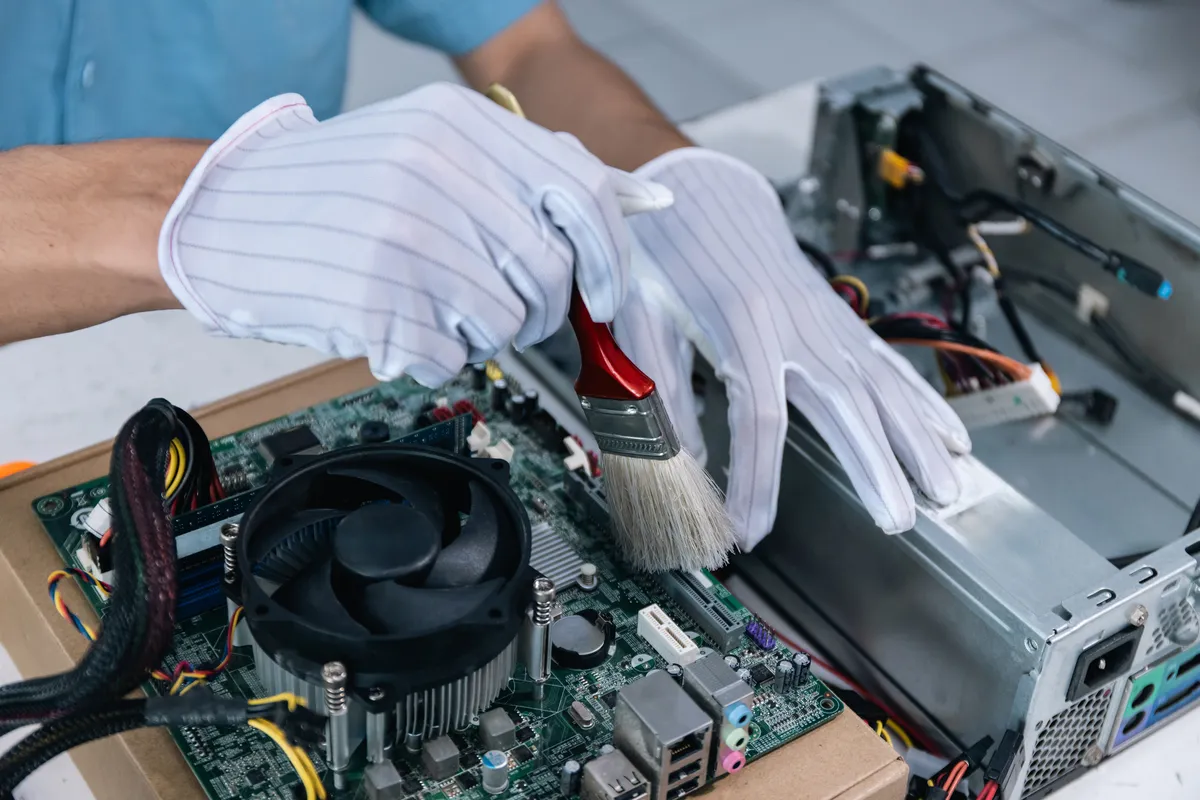
- •Desktop dust cleanouts, and laptop fan cleaning with fresh thermal paste
- •Laptop keyboard and battery swaps on models with replaceable parts
Setup and configuration
- •New computer setup, fully updated
- •Software installs and system updates
- •Files moved over from the old computer
- •Help setting up backups
Small business IT support
- •Workstations troubleshot and kept maintained
- •Network and Wi-Fi problems: routers, printers, and shared devices back online
- •New hardware set up and configured
- •Practical help with the technology the business already has
Macs: software help, setup, and slowdowns. Mac hardware repair is not offered.
For small businesses
One person for the computers, the network, and the website.
The workstation that will not print, the Wi-Fi that drops every afternoon, the new computer that needs setting up before Monday. Office work on site is $95 an hour with travel included, and most single-computer problems are cheaper on the bench.
When the trouble turns out to be the domain, the email, or the website, that is the other half of the work: websites and the systems behind them.
Tell me what needs attention
How many computers, what is going wrong, and whether it can wait. You hear back within one business day with a plan and a price.
Prices
Flat prices, published.
Fixed labor prices for the common jobs. Anything not listed is quoted after the diagnostic, and parts used in your repair are charged at cost.
- DiagnosticFor when you are not sure what is wrong: the cause and what it costs to fix. Credited in full if you go ahead.$40
- Virus and malware removalRemoval, cleanup, and a check that it is gone. Your files are left where they are.$95
- Slow computer tune-upStartup programs, updates, disk space, and whatever else is dragging it down.$80
- Driver and update problemsFailed updates, missing drivers, and devices that stopped working.$60
- Windows repair or reinstallRepaired where that works, reinstalled cleanly where it does not.$90
- Windows reinstall with file backupYour files copied off first, as far as the drive allows, and put back afterward.$130
- New computer setup and file transferSet up, updated, and your files moved over from the old one.$100
- RAM upgradeInstalled and tested. Parts extra.$35 + parts
- SSD upgrade with data transferUsually the most noticeable upgrade for an older computer. Parts extra.$90 + parts
- Desktop dust cleanoutDust cleared from the case, fans, vents, and CPU cooler.$35
- CPU cooler repasteDesktop cooler removed and cleaned, fresh thermal paste, reinstalled and retested.$40 + parts
- CPU cooler replacementA stronger cooler for a desktop that runs hot, with fresh thermal paste. Parts extra.$60 + parts
- Desktop power supply replacementThe old supply tested, the new one tested and installed, with a dust cleanout. Parts extra.$75 + parts
- Laptop internal cleaningDust cleared from the fan and vents, with fresh thermal paste. The higher price is for laptops that come apart down to the board.$90 – $100
- Laptop keyboard or battery replacementOn models with replaceable parts. Parts extra.$60 + parts
- House call trip chargePer visit, on top of the job: $25 within about 12 miles of Midway, $40 out to about 25 miles. Farther is quoted. No charge when you drop it off.$25 / $40
- Office work on siteFor longer office and network jobs at your business. Travel included; one-hour minimum.$95/hr
How the price works
- •Not sure what is wrong? It starts with the $40 diagnostic, which tells you the cause and the price.
- •Go ahead with the repair and the $40 is credited in full: a $35 fix after a diagnostic comes to $35.
- •Know exactly what you need, like a RAM upgrade? Then the diagnostic can be skipped.
- •Listed prices are fixed for the job described. Anything beyond it is quoted first.
- •Parts used in your repair are charged at cost and quoted before they are ordered. You can bring your own; if it will not work in your computer, you hear that before it goes in.
- •House calls add a trip charge of $25 or $40 per visit, by distance. Dropping it off costs nothing extra.
- •No repair starts without your approval.
How it works
Drop-off by appointment, or a visit.
01
Book
Send the make, the model, and what it is doing. You get a drop-off time back, or a visit for a network or office problem.
02
Drop off
Bring the computer and its charger, and for Windows, its BitLocker recovery key if it has one. The address comes with your appointment.
03
Diagnose and quote
I find the problem and tell you the price. Nothing is repaired until you approve it.
04
Pick up
The computer comes back with a plain explanation of what was fixed.
On the bench so far
What has already been taken apart.
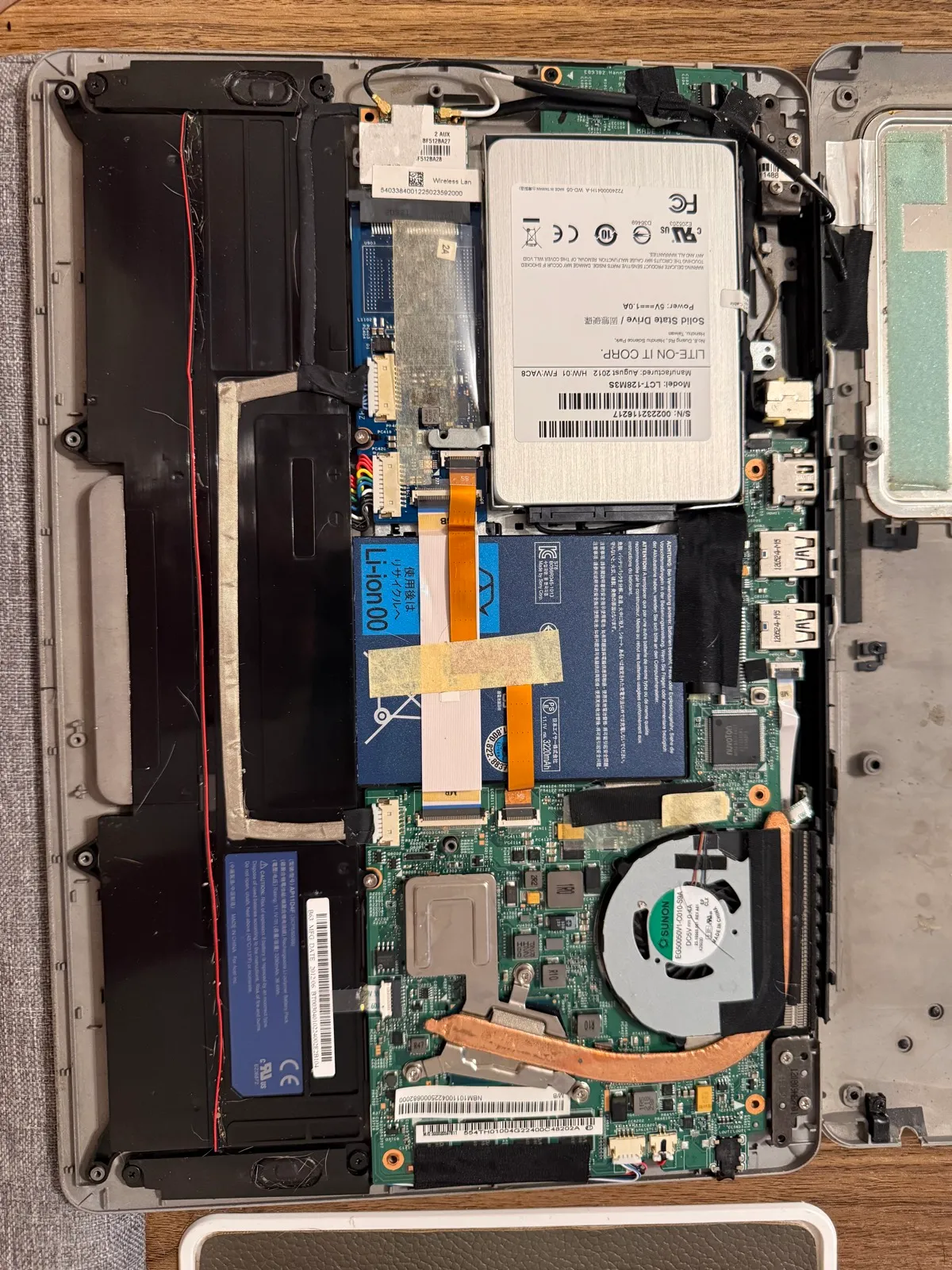
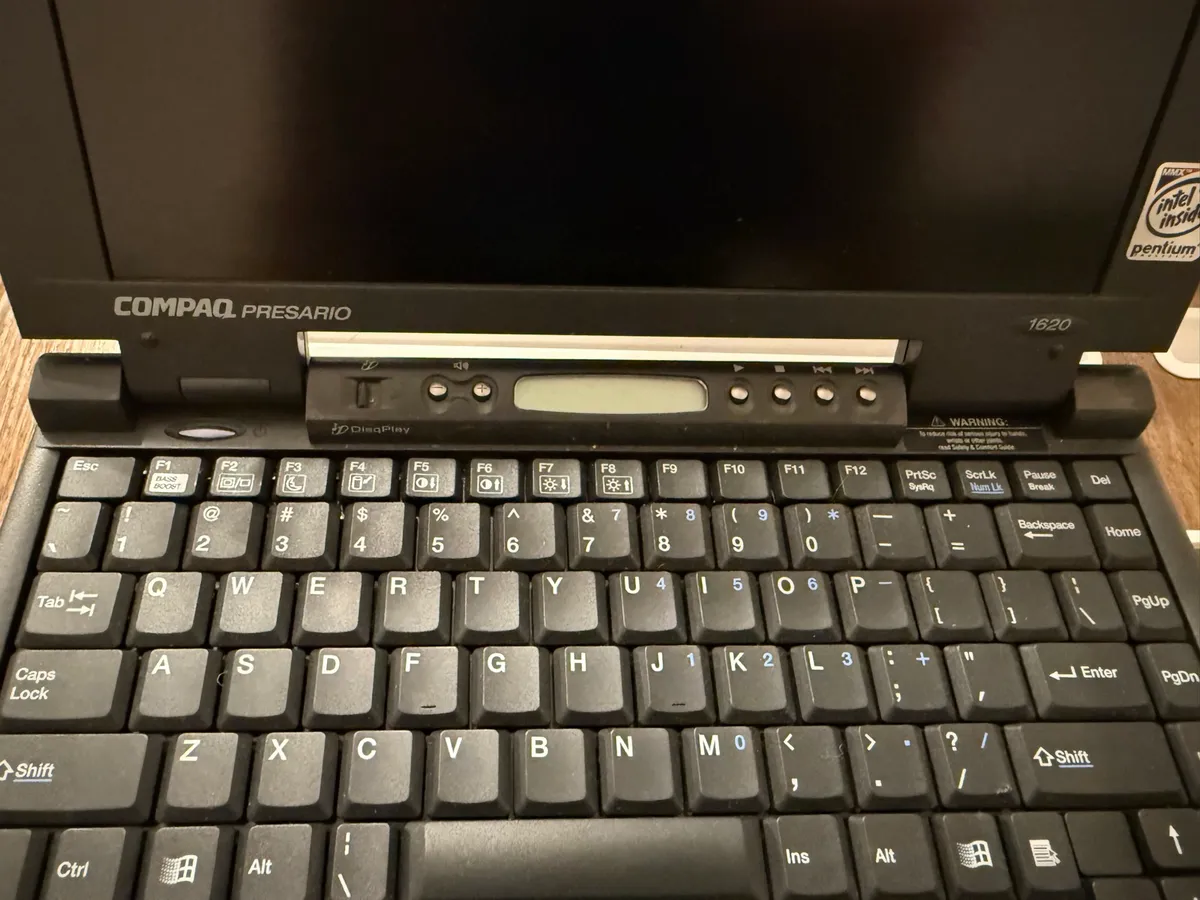
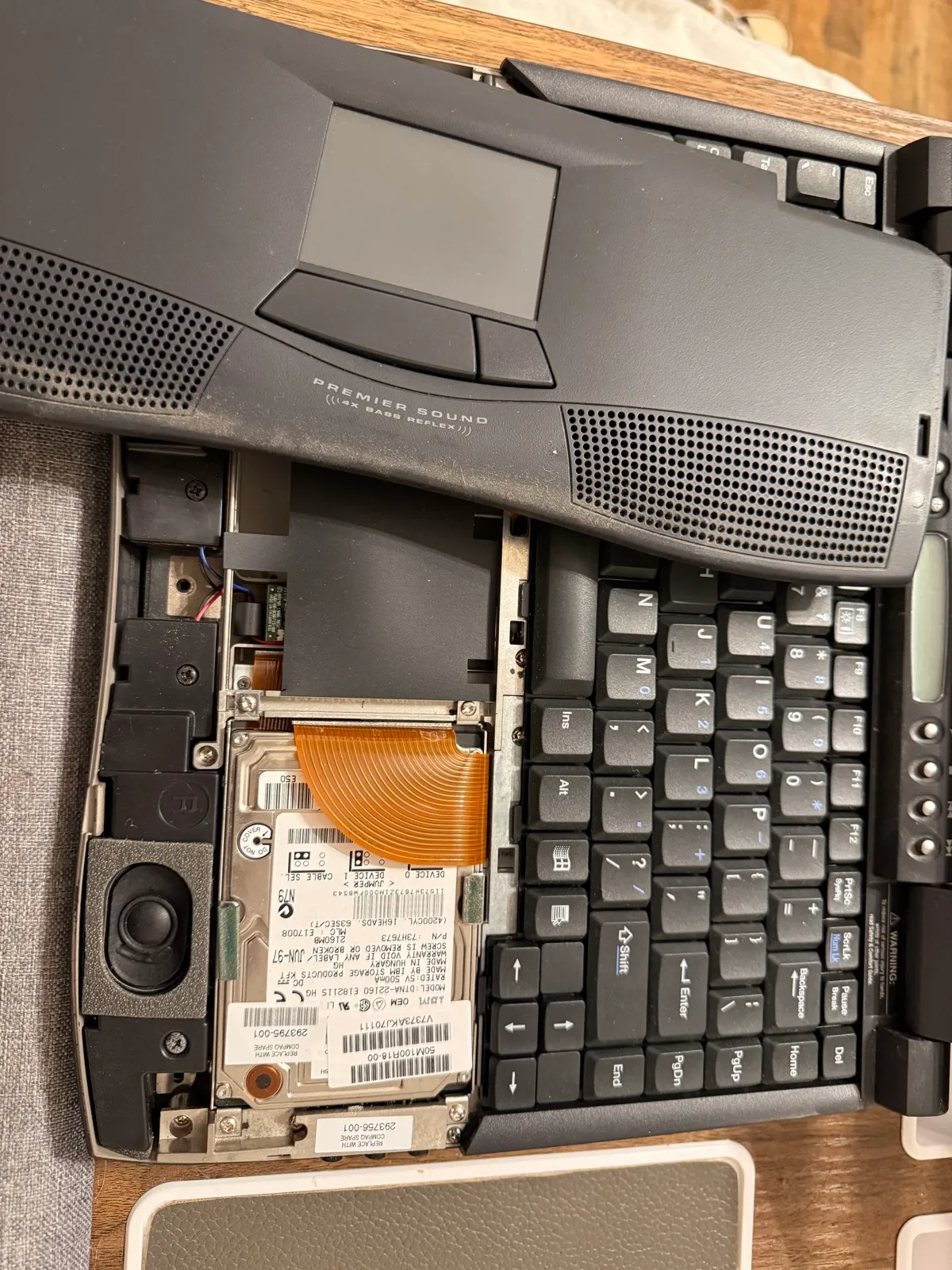
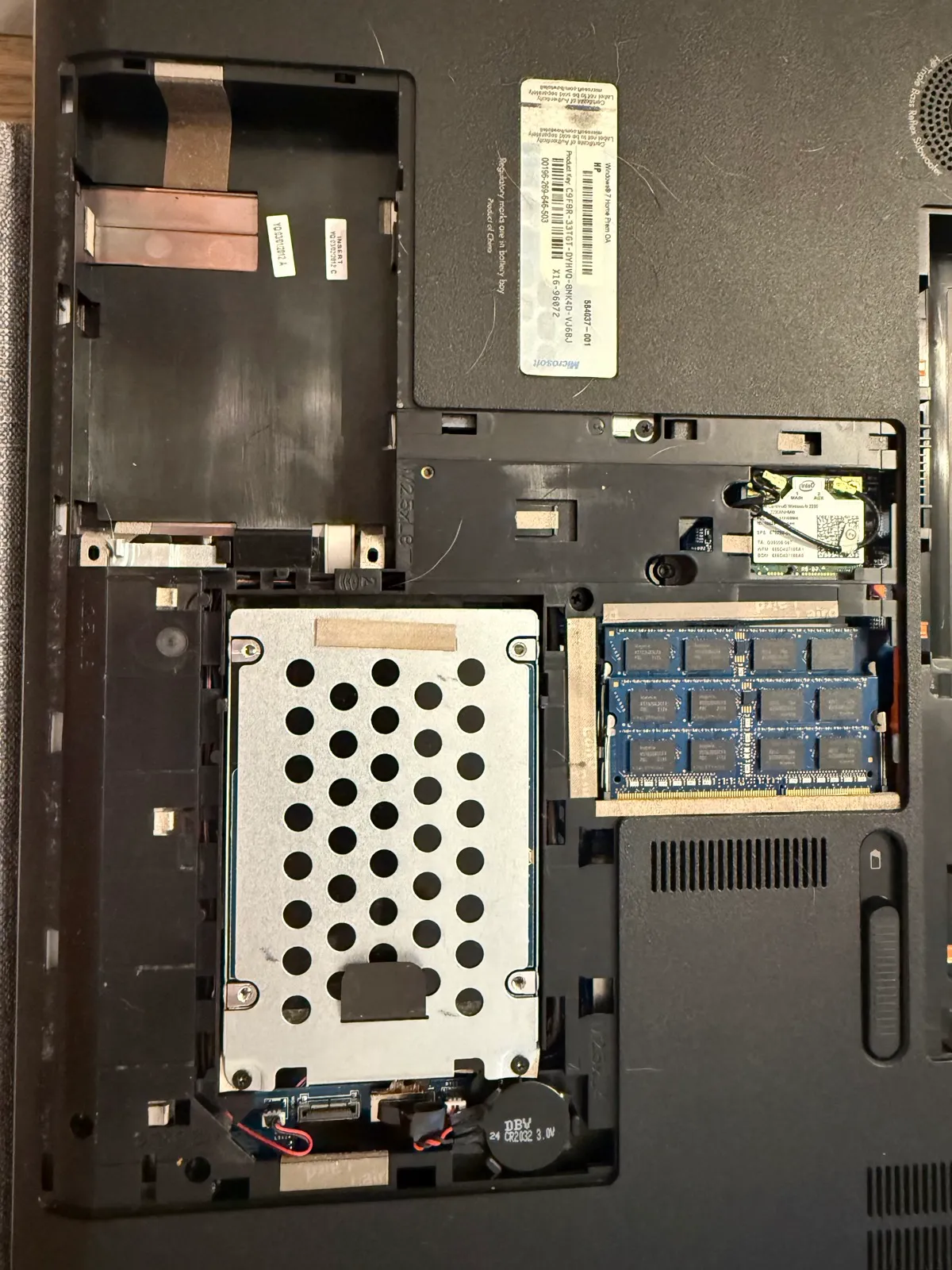
The bench record so far, kept specific: a client desktop repaired, laptops taken apart to the drive, and a diagnostic drive in the making.
A house call, November 2026
- •A desktop that would not turn on: the failed power supply confirmed with a meter and replaced, a heavy dust cleanout, and a full hardware diagnostic afterward. CPU cooler work follows once the parts arrive.
- •On the same visit, unauthorized remote-access software removed from a laptop, at no charge.
- Ten laptops taken apart and decommissioned so far, with the drives pulled first.
- One laptop battery replaced.
- For hardware diagnostics I am building a bootable drive that checks memory, drives and temperatures and writes a report. It has run on a handful of machines and is still being refined, so it is a tool I use, not a service I sell.
Not taking on yet
- •Data recovery from failing or damaged drives
- •Phone and tablet repair
- •Board-level repair and soldering
- •Liquid damage
- •Mac hardware repair
Data recovery is next on the list.
Questions
Do I need an appointment?
Yes. Drop-off is by appointment so someone is there when you arrive. Book through the contact form and the address comes with your time.
Can you come to my home or business?
Yes, by arrangement. A house call is the job's listed price plus a trip charge per visit: $25 within about 12 miles of Midway (Lexington and most of Winston-Salem), $40 out to about 25 miles (Clemmons, Thomasville, High Point, Kernersville), and farther is quoted. Longer office and network work at a business is $95 an hour with a one-hour minimum, travel included. Most single-computer problems are quicker and cheaper to fix on the bench.
Do you work on Macs?
Software only: macOS problems, slow Macs, and setup. Mac hardware repair is not offered.
What does the diagnostic check?
The drive, memory, processor, cooling, and battery, tested from a separate system on a USB drive, so it works even when Windows will not start. The tests are read-only and are built not to write anything to your drive, but a drive that is already failing can get worse with any use, so if one shows signs of failing you hear that before anything else is tried. Most finish within an hour; a full scan of a large hard drive runs overnight.
Do I always pay for a diagnostic?
Only when the cause is unknown. The $40 diagnostic is credited in full if you go ahead with the repair, so you pay it only if you take the computer back unrepaired. If you already know exactly what you need, such as a RAM or SSD upgrade, it can be skipped.
Can every problem be fixed?
No. Some faults cost more to fix than the computer is worth, and some are outside what I repair, like the ones under Not offered yet. The diagnostic tells you which, and what it would cost, before you pay for a repair.
Can I bring my own parts?
Yes. The labor price is the same either way. If the part is the wrong one for your computer, you will hear that before it goes in, and I can quote one that fits.
Which computers can the diagnostic test?
Windows desktops and laptops with Intel or AMD processors. Macs, and Windows laptops with Snapdragon processors, are checked with their own built-in diagnostics instead. Mac hardware repair is not offered, so a Mac hardware fault goes to Apple.
What is a BitLocker recovery key, and why do you ask for it?
Many newer Windows computers lock their drive with BitLocker, often without the owner knowing. Some repairs and settings changes make Windows ask for the recovery key at the next start, and without it nobody can open the drive, you included. The diagnostic never needs it. Find yours by signing in at aka.ms/myrecoverykey with the Microsoft account used on that computer; for a work computer, ask your IT department. If there is no key, nothing that could trigger the prompt is done without your say-so.
Can you recover files from a dead drive?
Not yet. If a drive is failing, stop using it, because every attempt to run it can make recovery harder. If a diagnostic turns up a failing drive, you will hear that before anything else is tried.
Should I back up before I bring it in?
If it still works, yes. Most repairs never touch your files, but a backup is the only guarantee. If it will not start, the reinstall with file backup copies your files off first.
What if I cannot pick it up right away?
You will hear when it is ready, and again at 14 and 30 days. After 30 days, storage is $2 a day until pickup. Nothing is thrown out or sold without a final written notice first.
Computer acting up?
Send the make, the model, and what it is doing. You will hear back within one business day with a drop-off time.
Prefer to call? (336) 754-2633. Hours are on JAMARQ Digital’s Google profile ↗.
Had a repair done? Leave a Google review ↗
Looking for web work instead? See web services