

The business and what it needed
Bow Wow's Dog Spa is a dog grooming shop serving Winston-Salem and the Triad in North Carolina. It has the same owners as Midway Music Hall, and I already build and look after the websites for that ownership group. When the owners asked for a site for the grooming shop, they were asking for something they had never had: a real website of their own.
What they needed was simple to say. Customers should be able to find the shop, see what it offers and roughly what it costs, look at dogs the shop has groomed, and ask for an appointment without a phone call. The owners should be able to change all of that themselves, from their phones if need be, without waiting on me.
Grooming has a few details a generic booking widget does not handle well, and they shaped the build from the start:
- •An appointment is a request. The shop decides whether a time works for that dog, that coat and that temperament, so nothing is booked until a person confirms it.
- •Many customers bring more than one dog, and two dogs take longer than one.
- •The shop needs vaccination records, and customers have them as photos or PDFs on their phones.
- •The owners are busy grooming. Anything they have to do in the admin has to be short and plain.
What was there before
Before this project, Bow Wow's had a Facebook page and nothing else. That page did a fair job of showing photos and posting updates, but it could not list services in a way a customer could scan, it had no way to take an appointment request with the details the shop needs, and the shop did not own it. Anyone searching for a groomer in the area found a social profile, and every question turned into a phone call or a message thread.
There was no old website to migrate, no content to carry over and no domain history to clean up. That made the starting point clean, and it meant every word and photo on the site would eventually have to come from the owners or be written fresh.
Version 1: the cPanel build
The repository starts on January 3, 2026, with the first working pieces already in place: a PHP API, a React public site, a separate React admin, branded email templates, privacy and terms pages and a full favicon set. By March 19 the full public site and admin worked end to end. On April 20 I added the shop catalog and the groundwork for calendar sync.
The first version was built the way I built the group's other sites at the time:
- •Two React apps built with Vite: the public site and the admin. They share nothing at runtime except the API.
- •A PHP 8.3 API that answered every request the two apps made, covering content, services, bookings, photos, the inbox and accounts.
- •MySQL (MariaDB) on a cPanel shared host, with numbered migration files for every schema change.
- •Apache routing through
.htaccessand a smallindex.phpthat served the right page shell for each address. - •Photos stored on the host, with image variants produced by PHP's GD library.
- •SendGrid for outgoing email.
- •ZIP archives for deploys, built from a staging folder by a script so nothing from development could ship by accident.
Production did not serve the full site right away. From May 3 the domain showed a standalone placeholder page, marked so search engines would not index it, while the real site stayed in local testing. Through May and June the work was hardening: a standard Playwright test suite (May 17), my shared PHP backend kit brought in with an admin System Checks page (May 25), a secret scanner, spam traps on every public form, and guards on the deploy archives.
On August 4 the backend was converged fully onto that shared kit (#40, #41). Bow Wow's was the first site to make that move, and it became the worked example for how to converge an existing site. I wrote the tests first: a suite of 29 tests against a real database proved the site behaved the same before the old code was removed.
The first week of August was a client-ready pass (#38). The admin went dark and into the shop's colors (#48), the sidebar was grouped by job, lists became orderable by dragging, and every homepage section gained its own photo. Then I built the pieces that let the site go to production before the owners' content existed:
- •A launch switch that replaces the whole public site with a holding page (#82).
- •Withholding the site's data while that page is on, so the content cannot be read through the API either (#83).
- •A staff sign-in link on the holding page (#86).
- •Online booking held closed for launch (#51).
The full application replaced the placeholder in production in August 2026, with the holding page on. Later that month I added publishing section by section with a staff preview of the real site (#95), stopped seed migrations from resetting settings the shop owns (#97), installed the legal copy (#98, #99), and guarded the account screens so nobody could lock every admin out (#100). On August 31, server errors started sending an alert (#108).
On September 13, just before the move, migration 022 (#134) rewrote the public copy in one voice. I had found that the text in production was early development wording rather than anything the owners had written, so I replaced it with copy that sounds like a grooming shop: an FAQ of eleven questions and seven plain policies. Each change was guarded by the exact wording it replaced, with backups, so a sentence the owners had edited would be left alone.
Why the site moved, and what changed
In September I moved the ownership group's sites off cPanel and onto one platform: Next.js on Vercel, with Turso for the database. I recorded the decision as an architecture decision for the whole fleet. The reasons were practical. A change should deploy when it merges, without a ZIP upload. Every change should get a preview copy of the site to check before it goes live. Each site should run the same way, so fixing something once fixes it everywhere.
Midway Town Center went first as a pilot, but it had no production data. Bow Wow's was the first site in the group to leave cPanel with real data on it: staff accounts, settings, services, the schedule and the audit log. The cutover happened on September 13, 2026.
The new build was four pull requests, all merged on September 13:
- •#135 laid the foundation: the Next.js app, the database layer and the configuration.
- •#136 ported the public API and all 47 admin routes.
- •#137 added the page shells, the upload limits and the data-move tool.
- •#140 fixed the export from MariaDB and recorded the cutover.
The two React apps did not change. The Next.js app builds them and serves them, and its route handlers answer the same API calls the PHP code used to answer. Underneath, almost everything moved:
- •MySQL became Turso, a hosted SQLite-compatible database. The schema is one file of 22 strict tables, and every timestamp must be stored as UTC.
- •Photos moved to Cloudflare R2. Image variants are now made with sharp, under the same file names the PHP build used, so existing links kept working.
- •PHP sessions became signed cookies.
- •Rate limits that lived in files moved into database tables.
- •The maintenance flag file became an environment setting.
- •Vaccination paperwork now uploads straight from the browser to a private R2 bucket. That gets around the size limit Vercel puts on a request body, which is smaller than the 8 MB the form allows.
The move was done without freezing the site. A freeze would only have broken the holding page the public was seeing, so instead I checked the live database for edits just before DNS moved. The export first failed on the production MariaDB version, where OFFSET is a reserved word, after passing a rehearsal on MySQL 8. I fixed it (#140), cleared the target, ran a dry run, then applied and verified. The whole sequence had been rehearsed on a throwaway Turso database first. The holding page and paused booking carried across, so the public saw nothing change.
The PHP build stays in the repository. It is the reference the new build was tested against, and it is the rollback: the old host still has the code and a database backup, and pointing DNS back would restore it.
The public site, page by page
The public site is one homepage made of sections. The owners set the order, and each section can be hidden or given its own photo, either beside the text or behind it under a dark overlay. Short addresses open the homepage at the right section, so a link to /services, /booking, /gallery, /products, /reviews, /about, /contact, /faq or /policies goes straight to it. Each address gets its own page title and canonical address, and the sitemap lists only pages the site actually serves (#173, #174).
Home
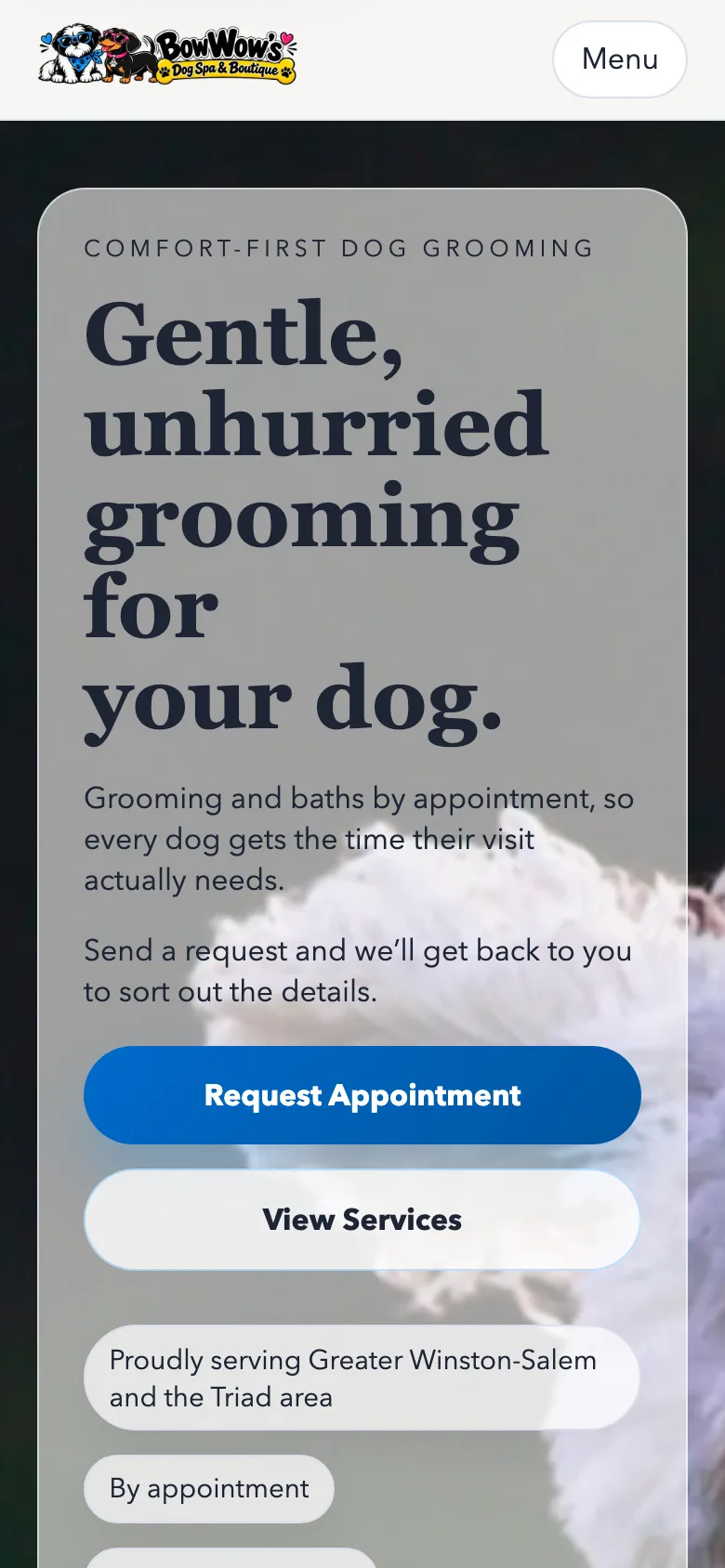
The opening section carries the shop's name, a short line about comfort-first grooming and buttons to request an appointment or call. Below it, a section on what a visit is like explains how the shop treats nervous dogs, puppies and seniors. Location, hours and the serving area sit near the bottom with the footer.
Services
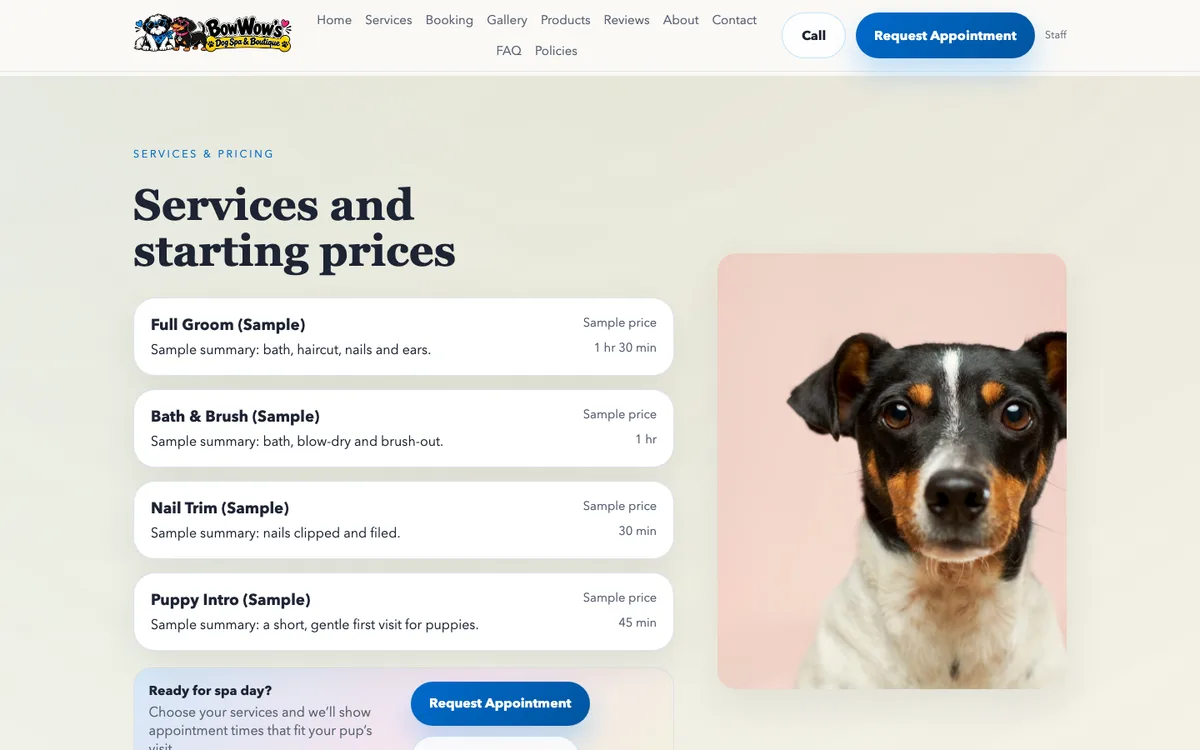
Each service shows its name, a short summary, how long it takes, a starting price and a note on breed or weight. The owners can hide prices across the board while they settle them. The Services section ships hidden, because the starting prices were drafts. Turning off the holding page cannot publish a price nobody has confirmed.
Request an appointment
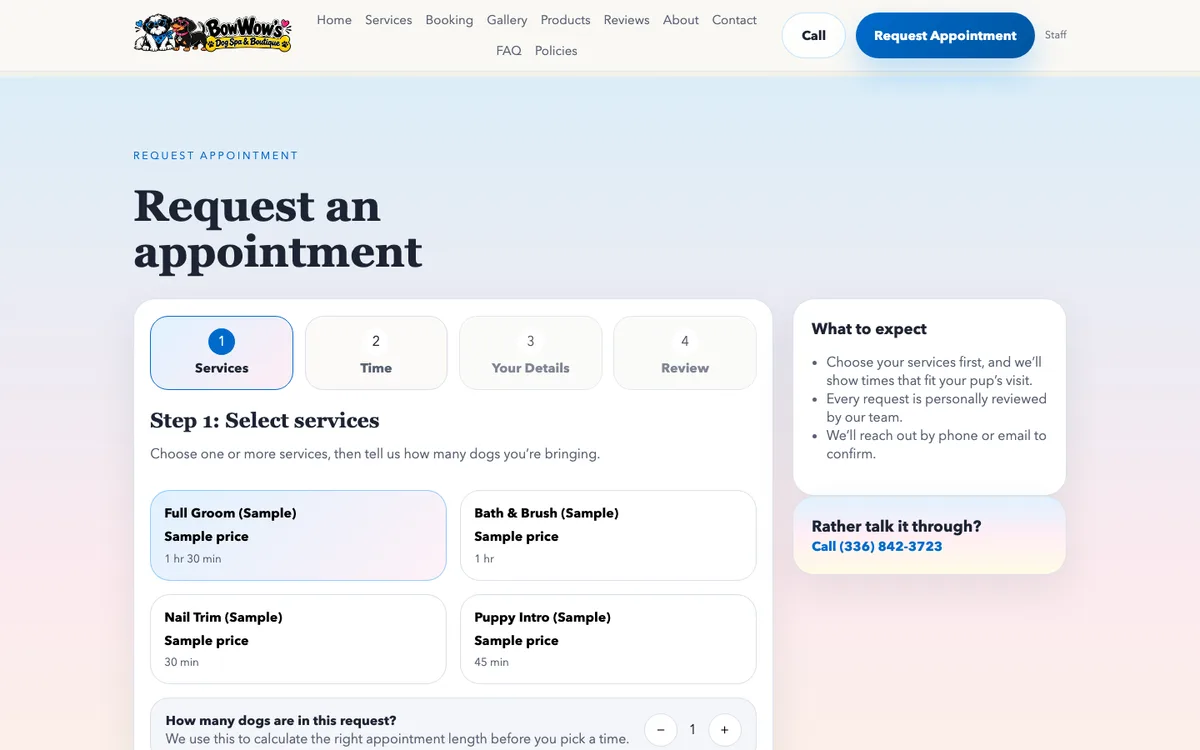
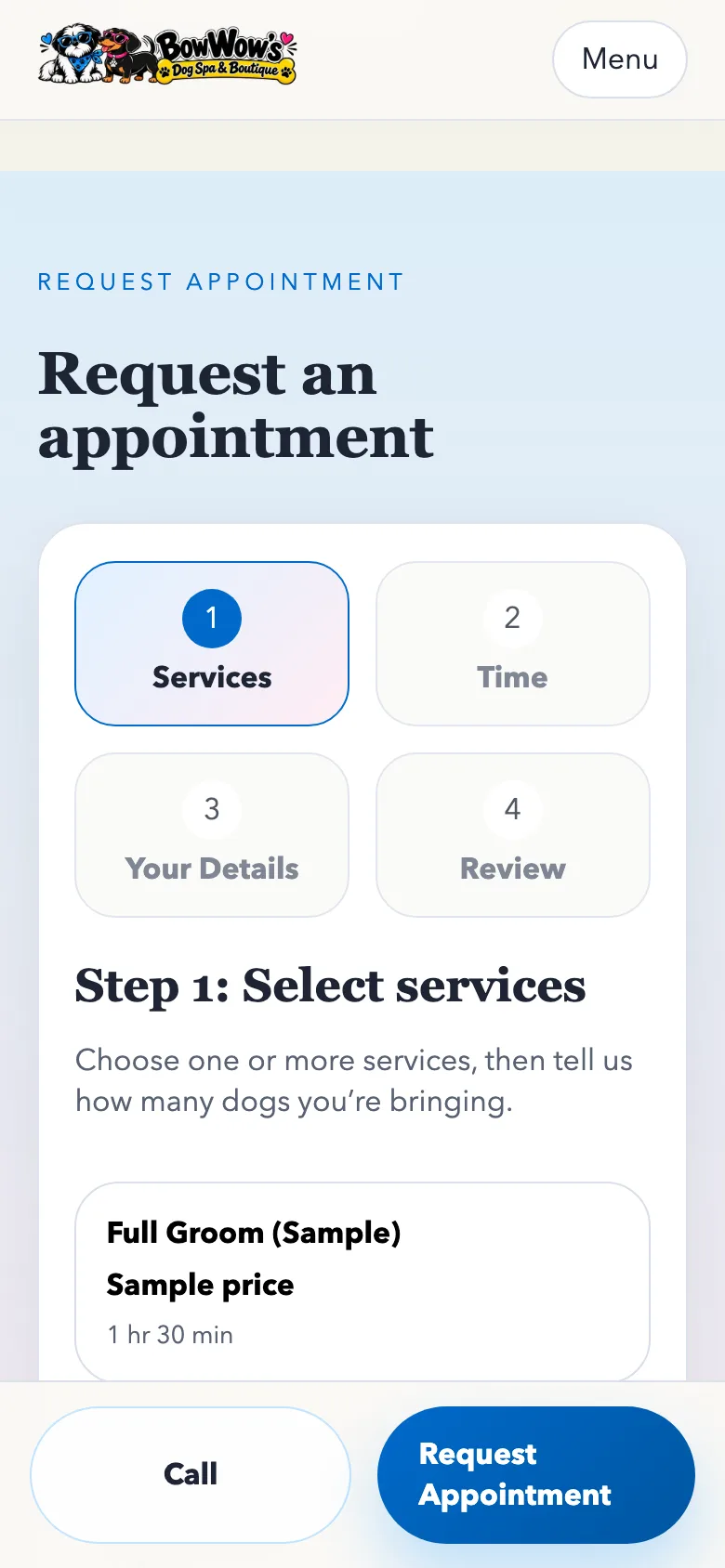
The booking form loads only when someone opens it (#121), so the homepage stays light. It works in four steps:
- Pick one or more services and the number of dogs. The form adds up how long the visit will take.
- Choose a date and an open time. Times come from the shop's weekly template, minus closed dates and times already taken. Picking a time holds it for this customer while they finish.
- Enter the owner's details, each dog's name, breed and weight, and the vet's name and phone. Vaccination paperwork can be uploaded as a PDF or photo, or summarized in a note.
- Review and send. The page says plainly that this is a request and the shop will confirm it.
If the owners pause online booking, the section shows their pause message and the phone number in place of the form. The Booking section also ships hidden until the owners turn it on.
Gallery
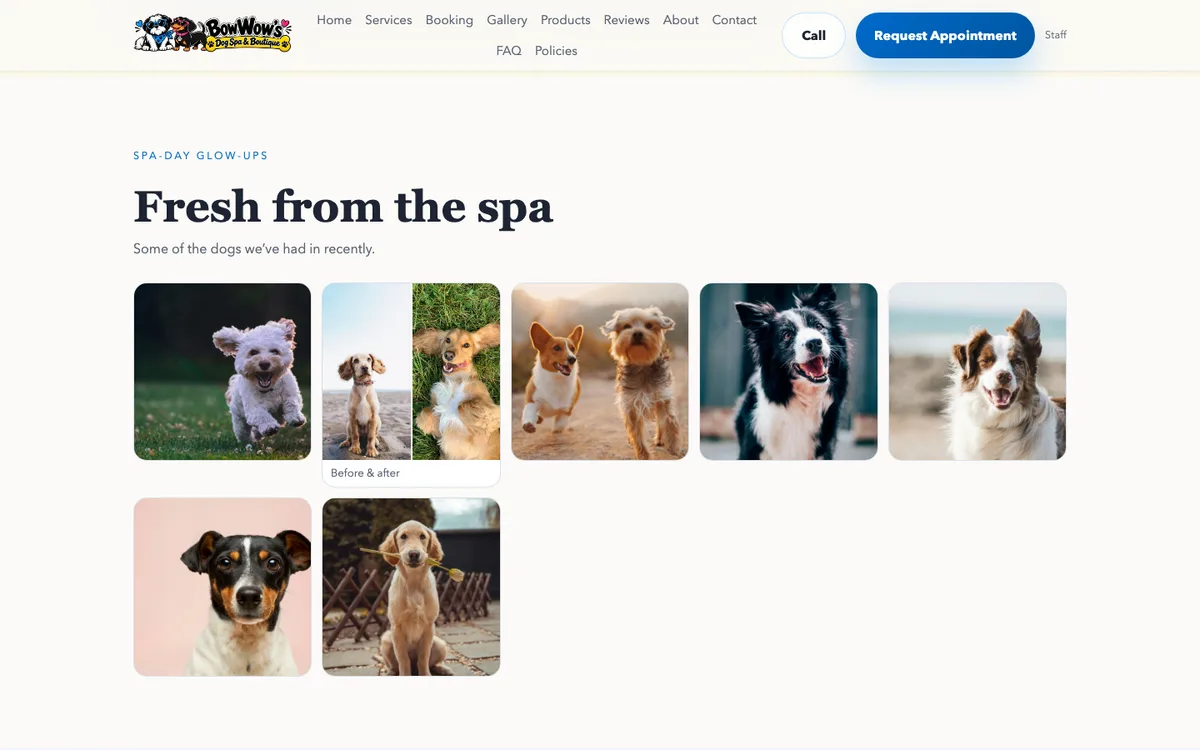
A photo wall of groomed dogs, before-and-after pairs, the shop itself and the boutique. Any photo opens full size in a lightbox (#71).
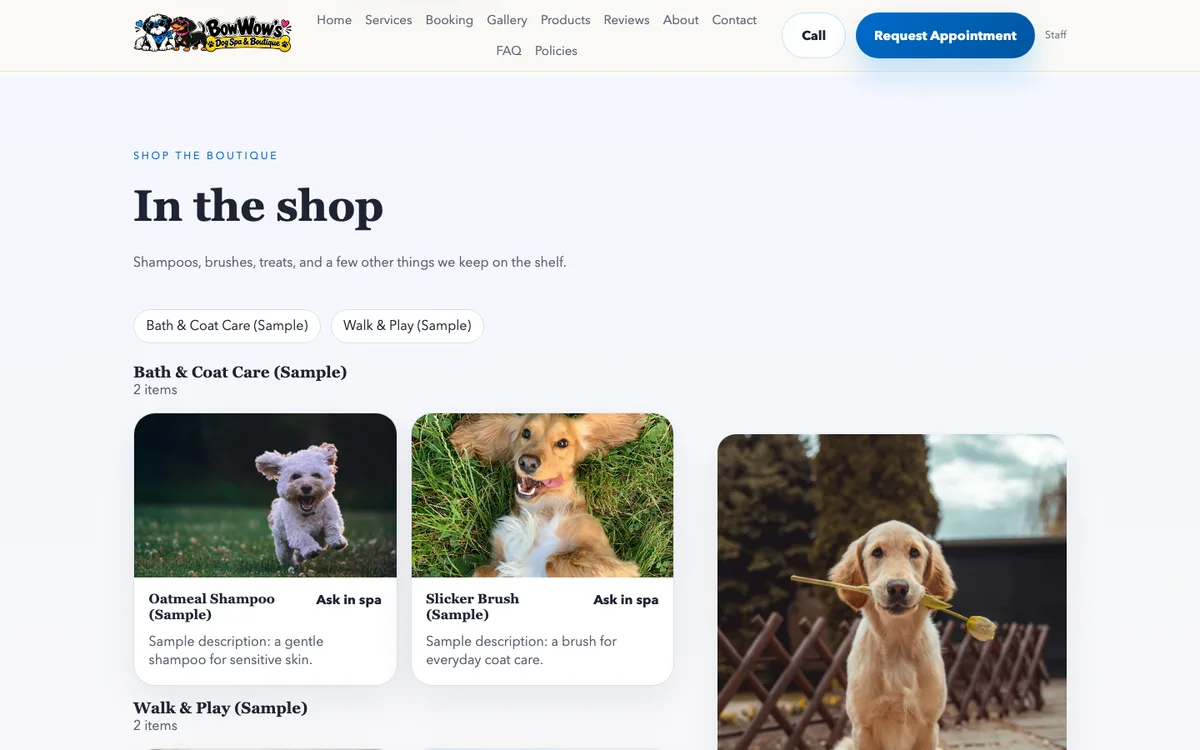
In the shop
The catalog lists what the shop sells, by category, with optional prices and a stock label such as in stock or ask in the shop. There is no cart and no checkout. Customers buy at the counter, and the page saves them a trip to ask whether something is on the shelf.
Reviews
Featured quotes from customers with star ratings, and a link to read every review on Google. The rating and count are entered by hand in the admin. The site does not call Google for them.
About, contact, FAQ and policies
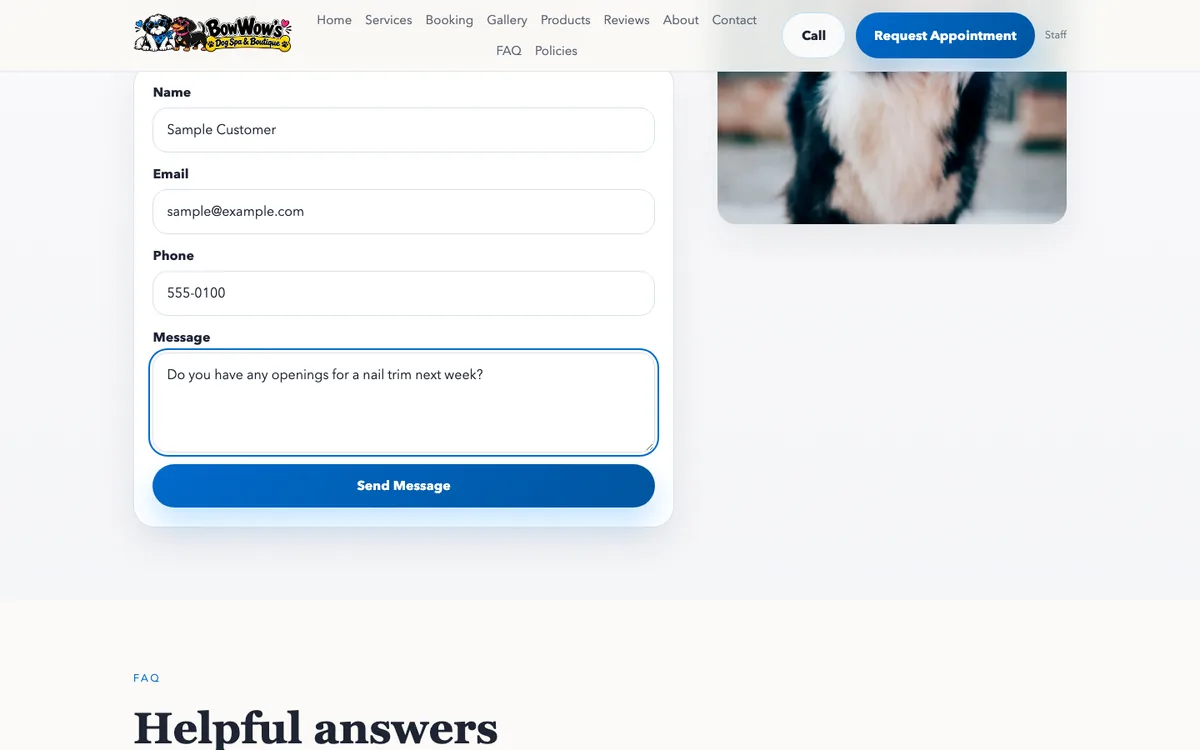
The about section tells the shop's story in the owners' voice once they supply it. The contact form takes a name, email, phone and message. The FAQ answers the questions groomers hear every day, and the policies cover late arrivals, cancellations, matted coats and vaccinations.
Privacy, terms and status pages
The privacy and terms pages stay public even while the holding page is on (#93), and the privacy page was updated to match exactly what the site collects (#176). Errors and unknown addresses get branded status pages, and a missing page answers with a real 404 that search engines will not index.
The holding page and the staff preview
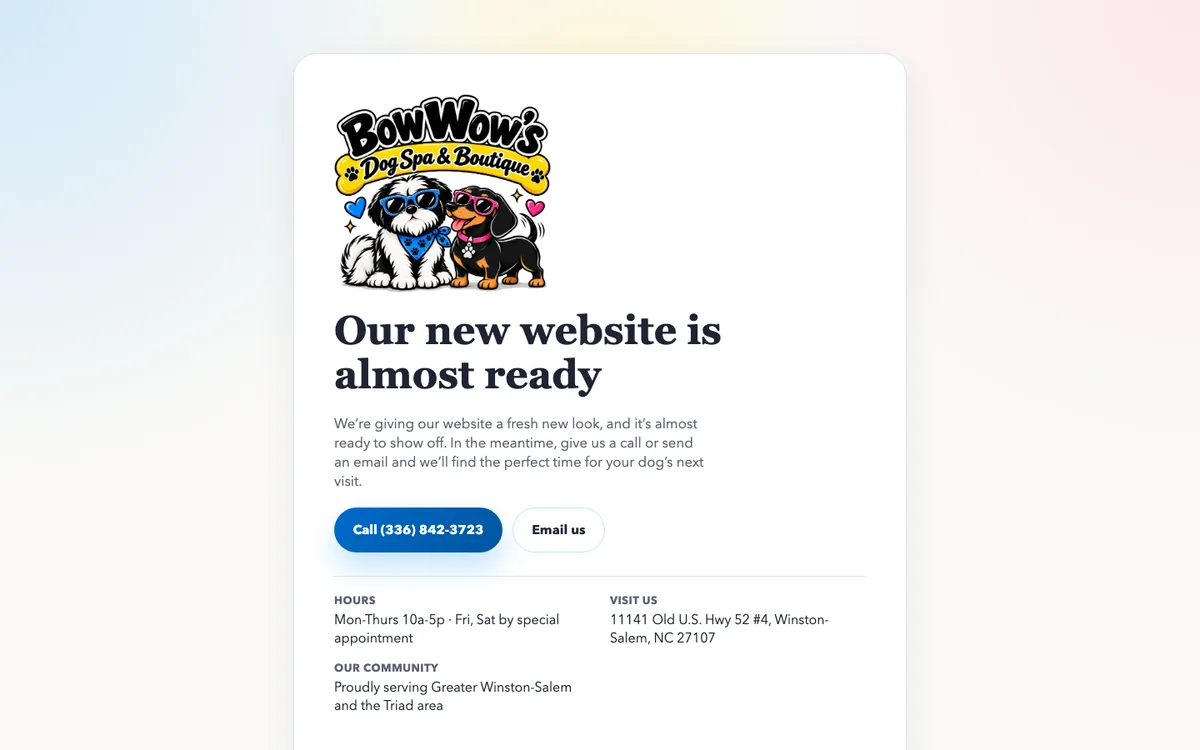
While the holding page is on, it replaces the entire site. It shows a short message from the shop, the real phone number, email, hours, address and serving area, and a Staff Sign In link (#82, #86). The site's data is withheld at the API too, so nothing on the full site can be read until the owners choose to show it (#83).
Signed-in staff can open the real site with ?preview=1. A strip across the top lets them switch each section on and off to see how the page will look before the public sees it (#95). The preview uses the admin's existing sign-in cookie, so there is no preview link or token that could leak.
What the owner runs
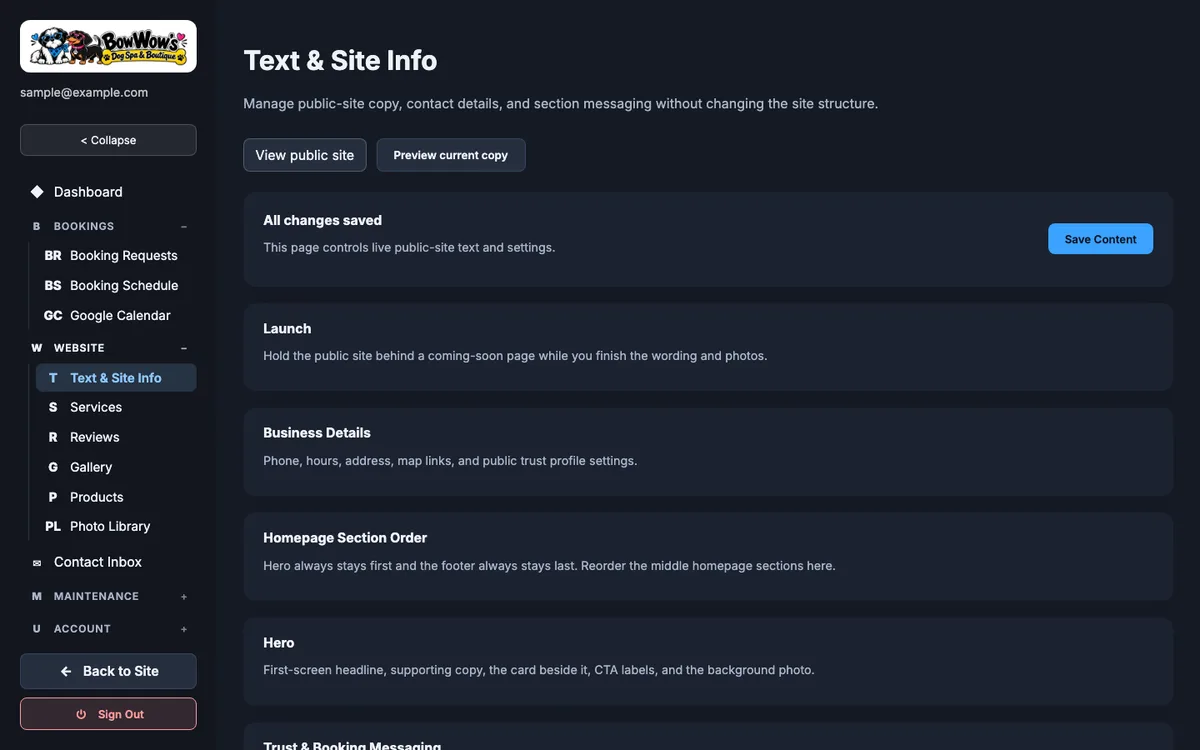
The admin lives at /admin. It is dark, in the shop's colors, with a sidebar grouped by the job at hand: Dashboard, Bookings, Website, Contact Inbox, Maintenance and Account.
Dashboard
Today's numbers, recent activity and quick actions. While the holding page is on, a notice at the top says so before anything else. A launch checklist scores how much of the site's content is ready, and a panel lists every section that is currently hidden from the public.
Booking requests
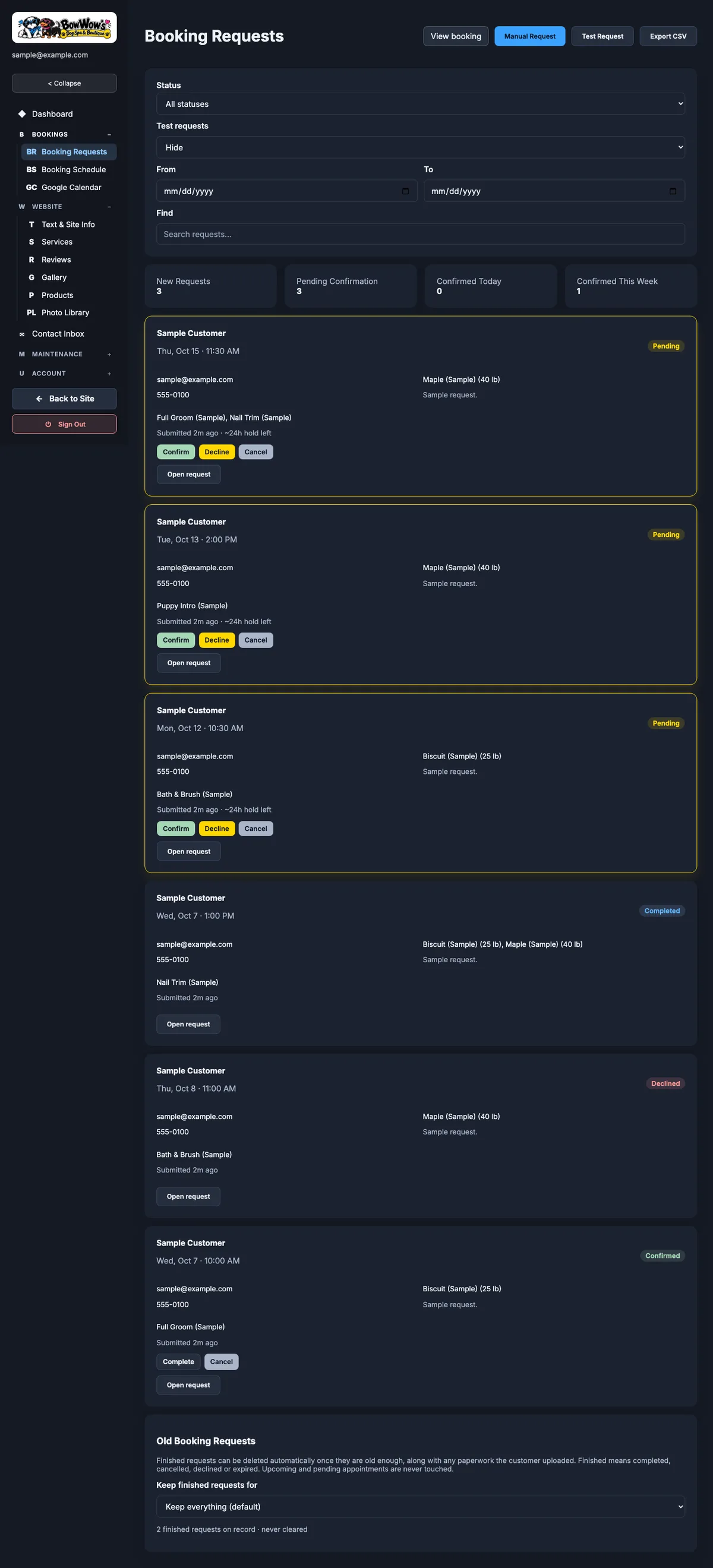
Every request arrives in a queue with a status: waiting for confirmation, confirmed, declined, canceled, expired or completed. From a request the owners can confirm, decline or edit it, with a preview of the email the customer will receive. They can add notes, extend or release a held time, download the paperwork from private storage, and delete a request when a customer asks. A manual booking form covers appointments made by phone. The whole queue exports to CSV.
Booking schedule
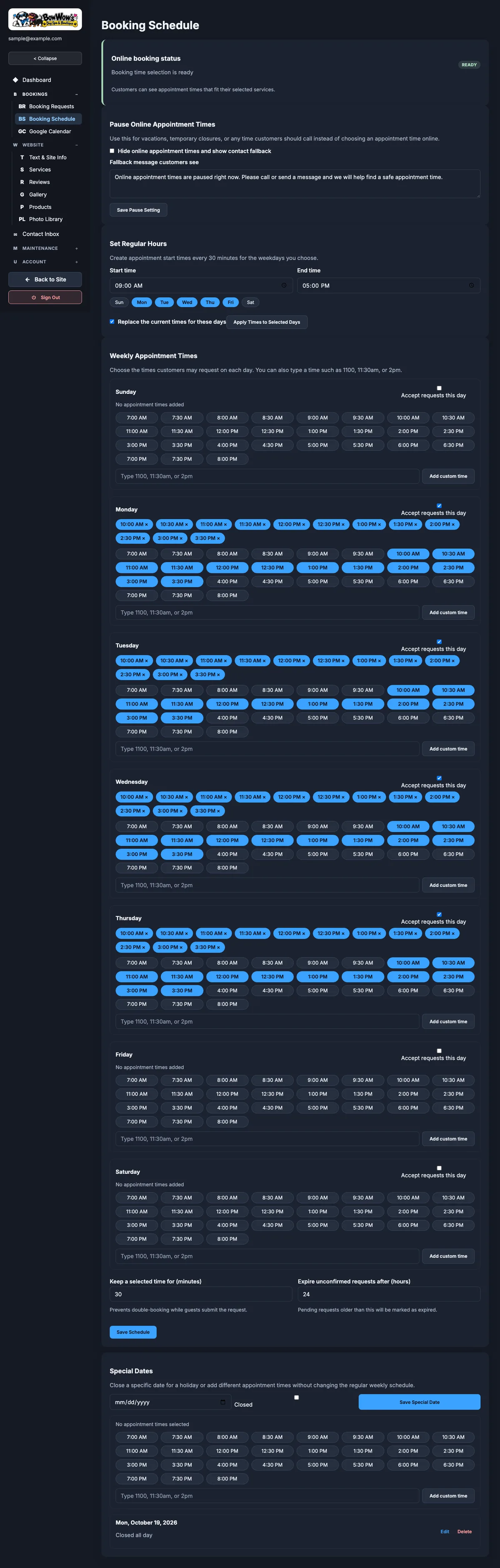
The weekly template sets which times each weekday offers and how many dogs each time can take. Date overrides close the shop for a holiday or open an extra day. The owners also set how long a held time lasts, how long an unconfirmed request waits before it expires, and a switch that pauses online booking with a message of their choosing.
Google Calendar
A page to connect the shop's Google Calendar, so busy times there are blocked on the booking form and confirmed appointments are written back. It is built and tested, and switched off in production until the owners want it.
Text and site info
Business details, hours, social links, the Google review link and rating, and the copy for every section. This is also where the owners choose which sections show, put them in order, set each section's photo and style, and turn the holding page on or off.
Services, reviews, gallery and products
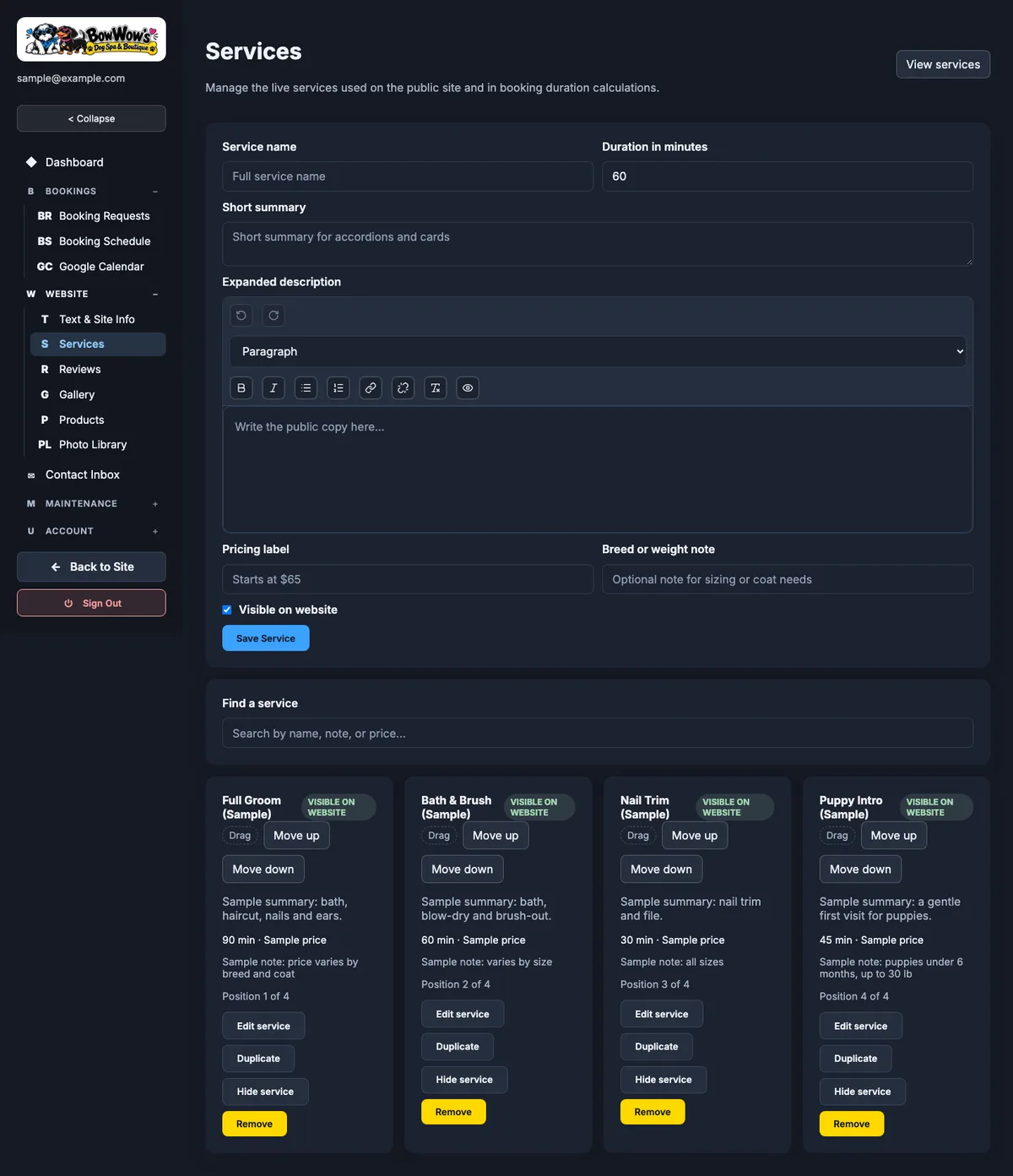
Each has its own screen. Services carry durations, price labels and notes. Reviews carry the quote, the name and the stars. The gallery chooses which photos appear and in what order. Products hold categories and items with prices and stock labels. Lists are ordered by dragging (#54).
Photo library
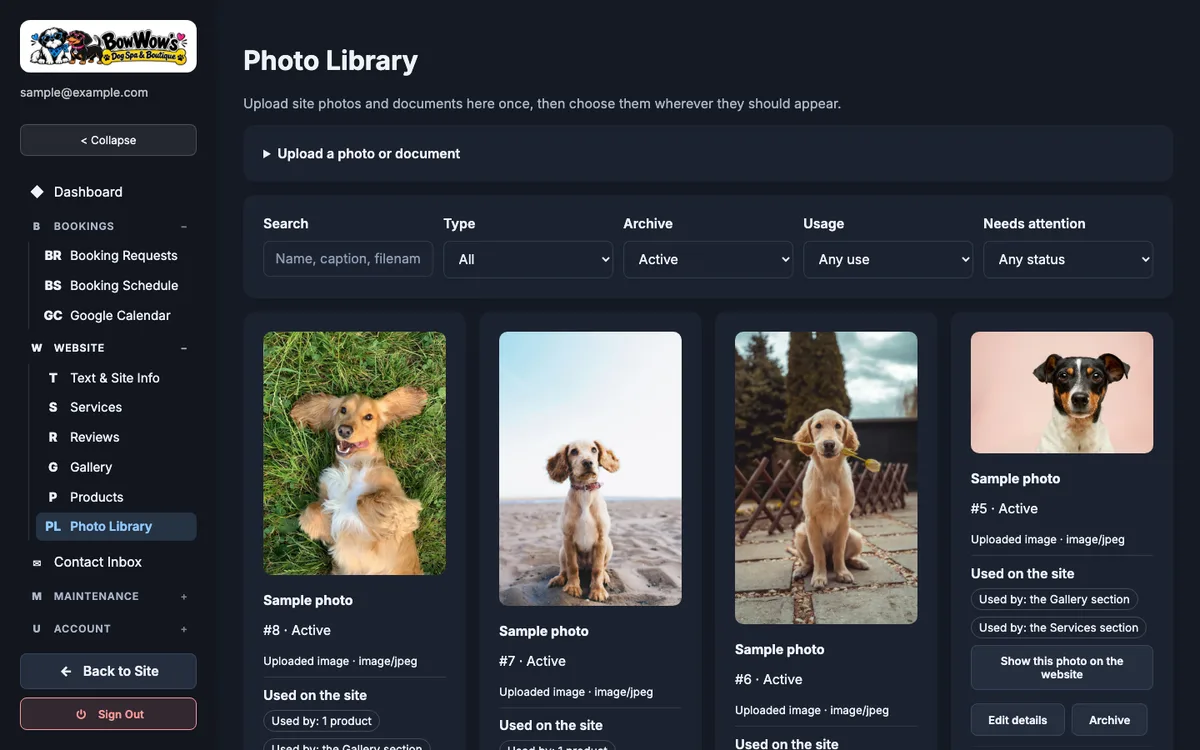
One library for every photo on the site. Each photo's card shows where that photo is used, and a photo can be placed into a section or the gallery straight from its card (#138, #139). Every photo has a focal point, so when a slot crops it wide or tall the dog stays in frame (#118, #122, #126). Photos over 4 MB are scaled down in the browser before they upload.
Contact inbox
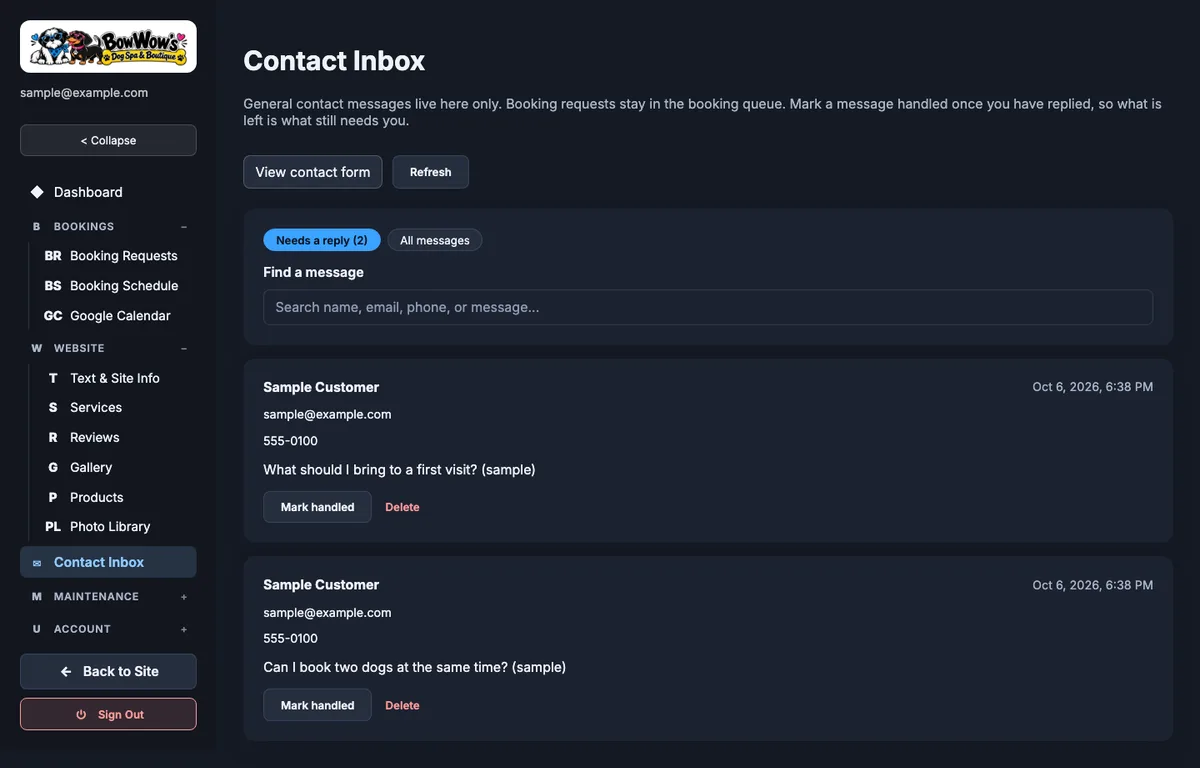
Every contact form message, kept in the database as well as emailed. Messages can be marked handled, so two people do not answer the same one (#81).
Maintenance and accounts
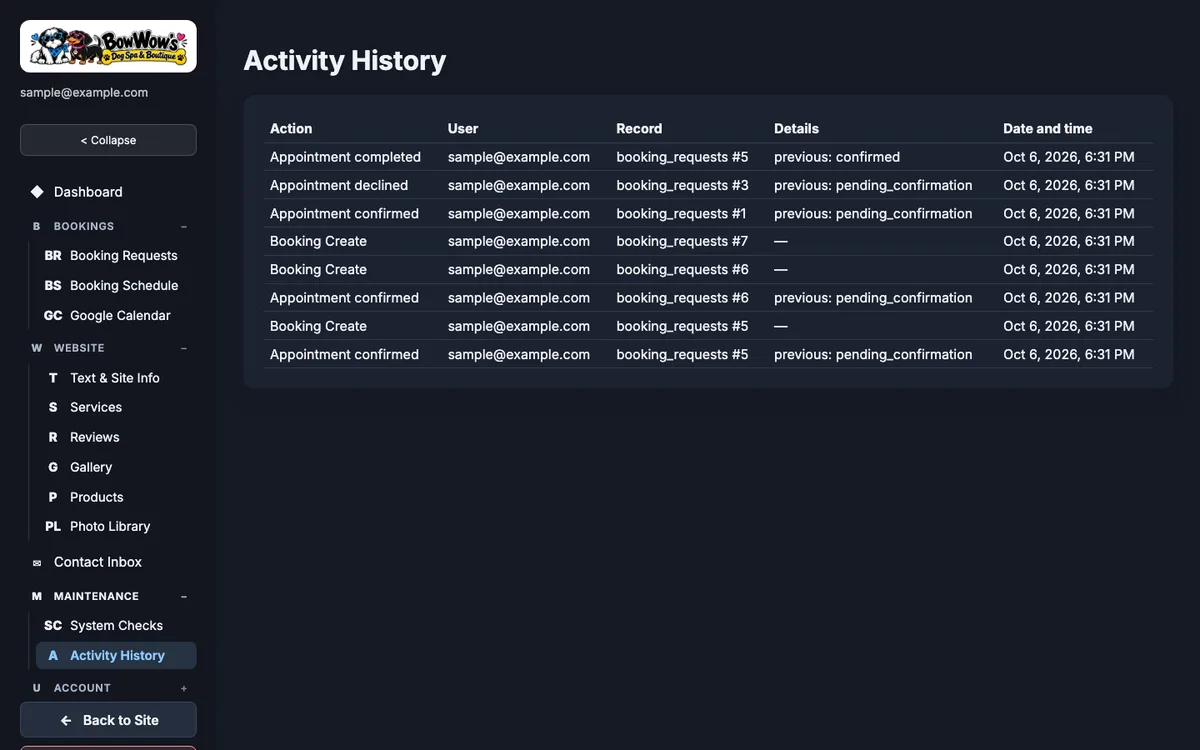
System Checks confirms the database, storage and email are reachable and can send a test email. Activity History is the audit log. Admin Accounts, open only to super admins, adds and removes the people who can sign in. Change Password signs out every other session on that account.
Infrastructure: domain, DNS, hosting, email, storage, analytics
Domain and DNS
DNS runs on Cloudflare. The bare domain points to Vercel, and www redirects to it. Both records are DNS-only, so Vercel handles the certificates. The records for the old host's control panel stay pinned to that host. The mail-related records (MX, SPF, DMARC and SendGrid's sending records) were left untouched at cutover, so nothing about email changed on the day.
Hosting and deploys
The site is a Vercel project with its root in the web folder, running on Node 22. A merge to main deploys to production. Every pull request builds a preview, and since September 30 those previews have their own Turso database, their own R2 buckets with a copy of the public photos, and their own SendGrid key. A preview can never write to production data or email a real customer.
Every change passes one required CI job before it can merge. It runs a secret scan, a workflow linter, a dependency advisory gate, the PHP test suite against a real MySQL service, the frontend tests and builds, a maintainability audit, a bundle-size budget, a schema check, type checking, the Next.js test suite, that suite again in three time zones (#147), and a Playwright smoke test (#111, #157). Dependency updates arrive through Dependabot, and minor and patch updates merge on their own once that job passes.
Database
Turso holds every table. The schema is a single file, applied by hand and checked in CI, and it refuses any timestamp that is not UTC. The code refuses to start against a local database file when it is running on Vercel, so a misconfigured deploy fails loudly.
Email is sending only, through SendGrid. When a customer sends a booking request or a contact message, the shop gets a notification at the inbox it already used. The reply-to points at the shop, so a customer who replies reaches a person (#94). Customer receipts, confirmations and declines go out when the owners act in the admin. Every message is tagged with the site's name (#160), and the tracking pixel is off for these messages (#170). The SendGrid key can send mail and do nothing else.
There are no mailboxes at the domain. Nothing receives mail there today, which is fine because every submission is also stored in the admin. Adding inbound mail before the old hosting account closes is an open decision for the owners. DMARC reports come to me, so I see if anyone tries to send mail as the shop.
Storage
Cloudflare R2 holds two buckets. The public one serves the site's photos from the shop's own CDN subdomain. The private one holds vaccination paperwork and is reached only through signed-in admin download routes. Paperwork lands first in a pending area that clears itself after a day, so an abandoned upload does not linger.
Analytics and alerts
Vercel Web Analytics runs on the public pages only (#175). The admin is not tracked. Any server error sends me an alert, throttled so a bad minute does not become a flood of email (#108).
Decisions worth explaining
The contract-tested port
Moving a working system to a new platform is where things quietly break. I did not write a fresh spec for the new build. I recorded what the PHP system actually did and held the new build to that.
The recordings live in the repository as golden files. There are 57 public requests, made once with the site open and booking on and once with the site held and booking paused, each with the database rows it wrote. There are 118 edge cases for how the old code cleaned up input. And there is a 156-step admin session that signs in as each of the four roles and works through the admin. The test suite replays all of it through the new route handlers on every change. At the merge of #136 that was 497 tests across 19 files, plus 62 schema checks.
Where the new build behaves differently on purpose, the difference is written down in a list beside the tests and in a table in the README. Most of those rows are bugs the port fixed:
- •A request for more than one dog held a time sized for one dog, so every multi-dog request failed.
- •A public booking could set fields meant for staff and hide a real request as a test.
- •A customer's name went into the staff email without escaping.
- •Database error text could reach the browser.
- •Changing a password left other sessions signed in.
- •Two calendar sync runs at once could create the same event twice.
The clocks needed their own care. The old database's clock ran on Mountain Standard Time, while PHP wrote UTC, and neither stored a time zone. The data move converted each column from the clock that actually wrote it. The new schema rejects any time that is not UTC with a Z, the API shows times on the shop's clock, and the tests run under Tokyo, Berlin and Los Angeles time as well as the shop's own to catch anything that leans on the machine's zone.
The booking request with a time hold
A grooming appointment is a request, and that decision runs through the whole flow. When a customer picks a time, the site creates a hold on it, 30 minutes by default and sized by the number of dogs. The hold keeps someone else from taking the same time while the first customer types out their dog's details and finds their vaccination records. If they finish, the request is saved as waiting for confirmation and the hold becomes part of it. If they wander off, the hold expires and the time opens again.
The shop then confirms or declines. A request nobody answers expires after a set number of hours, so a customer is not left wondering. Customers never see a confirmed booking until a person has said yes.
Two people can pick the same time in the same second. The old system used a MySQL row lock for that. In the new build, the check and the insert happen inside one write transaction that takes the database's write lock up front. A test sends five holds for the same time at once, and exactly one wins (#136).
The paperwork upload is tied to the hold. The browser asks for a signed upload address bound to that hold, sends the file straight to private storage, and the server checks the file's first bytes to confirm it really is a PDF or image before it is attached to the request.
Roles
The shop is small, but more than one person may help with it. There are four roles:
- •A super admin can do everything, and is the only role that can manage accounts.
- •A manager can do everything except manage accounts.
- •A scheduler sees the booking requests and the schedule.
- •A content editor sees the website screens, the photo library, the catalog and the contact inbox.
Every admin request goes through the same three checks in order: the request must come from the site's own origin, the signed-in account is read fresh from the database, and the role must allow that section. Changing a password or removing an account takes effect on the next request, because each account carries a session counter that invalidates old cookies. Sign-in attempts are throttled after five failures in fifteen minutes. The account screens will not let anyone remove or demote the last super admin (#100).
Retention
The site collects names, phone numbers, dog details and vaccination records, so I built a way to get rid of them. A single request can be deleted when a customer asks, along with its attachments (#84). The owners can also set a retention window of 6, 12, 24 or 36 months, or none. Only finished requests (declined, canceled, expired or completed) are ever removed, so no setting can delete an upcoming appointment. There is no scheduled job for this. The window is applied when the booking screen opens, at most once a day, and each clean-up is written to the activity history. The window itself is kept out of the public settings feed.
Launch is a switch in the admin
The owners can open the site when they are ready, without asking me for a deploy. The holding page, the paused booking and the hidden Services and Booking sections are all settings. Turning the holding page off shows the sections that are ready and keeps the draft prices hidden. Opening booking is a second, separate switch.
What it does now
The site is live at bowwowsdogspa.com. As of October 5, 2026, the domain serves the holding page with the shop's phone, email, hours and a staff sign-in link, and online booking is paused. The full public site and the admin run behind it on the new platform.
The owners are still being set up on the admin. Their photos, services, prices and text are not in yet. When they are, the owners will turn the holding page off from Text and Site Info and open booking from the Booking Schedule. From then on, booking requests and contact messages land in the admin and send the shop an email.
Google Calendar sync is built and switched off. Once the owners want the shop calendar's busy times blocked on the booking form, connecting it is a sign-in from the admin.
There are no traffic or booking numbers to report yet, because the public has not seen the full site. I will add an honest outcome here when there is one.
Ongoing support
I look after the site the same way I look after the group's other sites: mostly hands-off unless something breaks. Server errors alert me. Dependency updates arrive weekly, and the safe ones merge themselves once the full CI job passes. A weekly security check runs against the tooling. When a fix is needed, it goes through a pull request, gets a preview with its own database, and deploys when it merges.
The repository's documentation describes the stack that actually runs. In late September I audited every document, marked each one with the era it describes, and ran the local setup from the README end to end to prove it worked (#164). Whoever picks this up next, including me, starts from instructions that are true.
When the owners turn the full site on, the work shifts to helping them settle into the admin: placing their photos, confirming prices and answering the first booking requests.