
The business and what it needed
Surplus Containers is the surplus wing of Midway Mobile Storage. Midway Mobile Storage, in Winston-Salem, North Carolina, rents, sells and builds out shipping containers. Surplus handles the other side of the trade: steel containers sitting at active ports and yards around the country, offered to other businesses in the container trade.
I was already the IT department for Midway Mobile Storage, so when Surplus needed a website and a way to reach buyers, the work came to me. The same ownership group runs several of the businesses I build for. I built this site and I still run it.
The selling is trade outreach. Someone on the team has a spreadsheet of containers by location, type, condition and price, and the job is to put a simple message in front of the right buyers: we have this inventory, do you need it. Buyers who are interested write back or ask for the full list. That means two things have to work. The public has to be able to see what is available and ask about it, and the team has to be able to send that message to a list of trade contacts without mailing anyone who asked not to hear from them.
Put in the client's terms, Surplus had a GoDaddy site that handled no online work at all. They wanted a public inventory with a way for trade customers to inquire, and a tool to reach the industry with what they have.
What was there before
Before this build, Surplus had a basic GoDaddy site with no online operations behind it. It could not show inventory, it had no inquiry form feeding anything the team worked from, and there was nothing behind it for sending to a contact list. Whatever outreach happened, happened outside the website.
Version 1: the cPanel build
The repository began on December 29, 2025. By December 31 it had a PHP API with database migrations, a branded React front end with search basics, and an admin. The campaign sender was part of the first version from the start, because that was the reason the site existed. The site was in use in early 2026.
Version 1 ran on the business's GoDaddy cPanel hosting:
- •A React single-page app, first built with Create React App.
- •A PHP 8.3 API under /api.
- •MySQL, in the form of MariaDB 10.11, on the same host.
- •SendGrid for every outgoing email.
- •A cPanel cron job that called the campaign worker every five minutes.
- •Deploys as zip files, built and checked on my machine and then uploaded.
- •Cloudflare in front for DNS.
The first weeks of January 2026 filled in what a real campaign system needs:
- •January 2: the SendGrid event webhook was secured with signature checks, and the deploy zip gained its own checks.
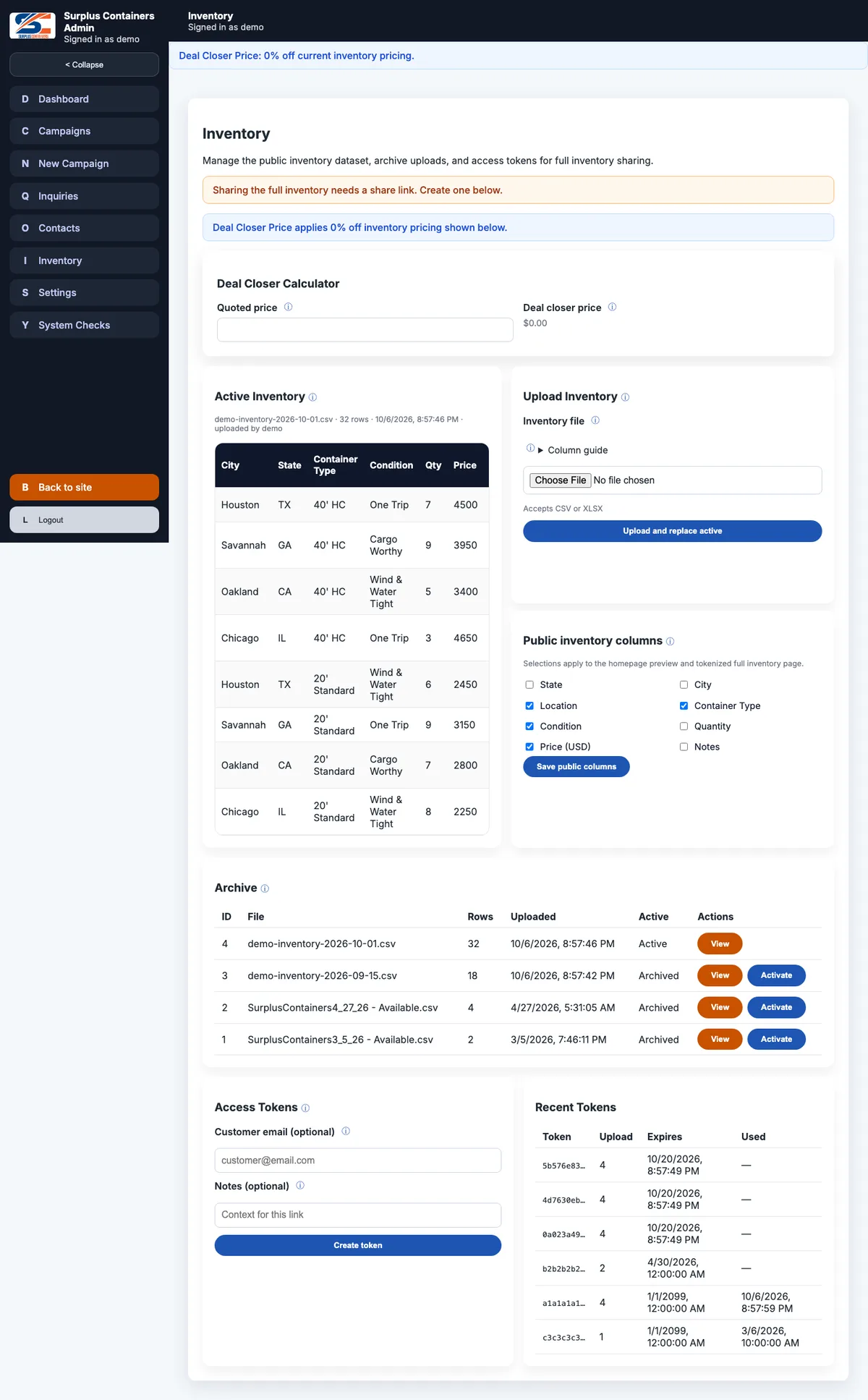
- •January 6: inventory spreadsheets could be uploaded as Excel files as well as CSV, and staff could choose which inventory columns were public.
- •January 9: delivery events from SendGrid were ingested safely, with delivery metrics per campaign and uploads that respected suppression.
- •January 15: per-person admin permissions and the dashboard.
Through the spring the work was hardening: campaign completion summaries, city and state handling for inventory and safer contact search in March, then fixes to tokenized inventory links in campaign emails and branded public error pages in April.
In May I moved the front end from Create React App to Vite on May 7, then split it into two separate apps on May 22: one for the public site and one for the admin. The public app stays small, and nothing from the admin ships to a visitor. The same month added the Inquiries screen, a visual rich text editor for campaign emails, system checks for the admin, and the first integration of the shared backend and admin kits I use across the family of client sites.
From July 19 every change went through a pull request. In August:
- •PR #15 added a test suite that runs against a real database as a regression gate, and PR #16 finished moving the backend onto the shared backend kit once those tests were in place.
- •PR #26 added SEND_EMAILS, a single switch that stops all outgoing mail.
- •PR #28 moved the worker token out of the query string, so it is never written to an access log.
- •PR #35 put the full inventory behind an access token by default, and raised an alert whenever a saved inquiry failed to send its notification.
- •PR #39 fixed five pages that returned a 404 when loaded directly, and added a guard against the next one.
Why the site moved, and what changed
By September 2026 the other family sites were moving off cPanel onto Vercel and Turso, and Surplus was due. Shared hosting meant manual zip deploys and a server I could not see into. Moving it meant the same deploy model, the same checks and the same monitoring as every other site I run.
The difficulty was that this is a mailing system. A port that behaved slightly differently from the PHP build could send to the wrong people, send twice, or ignore an unsubscribe. So the move was built around one rule: record exactly what the live system does, then prove the new one does the same.
Phase 1: record the old system (PR #65)
Before writing any of the new server, I recorded the live PHP API. The capture holds 359 real requests and their answers, 268 helper-level parity cases, and 52 probes of how Apache itself answered addresses. Alongside it went the Turso schema, a study of how the old system stored times, a runbook, a plan, and a list of questions for the owner. The work was done by September 16 and merged on September 21.
Fixing the live site first (PR #75)
Recording the system closely turned up problems in it. I documented 26 production bugs, each with evidence. Sixteen were fixed on the live cPanel site before the port began, each one checked against its own recorded difference, and deployed on September 26. The worst were these.
- •Campaigns fired early. The schedule form took a time typed in Eastern and stored it as if it were UTC, so a campaign set for seven in the morning went out at three. Some campaigns went out the moment they were scheduled. Typed times are now read as Eastern, stored as the exact UTC instant, and shown labeled ET.
- •The shared webhook let other sites suppress Surplus customers. The SendGrid account's event webhook pointed at this site, so it was receiving delivery events for every site on the account. Events about other sites' mail landed in the Surplus database, and a bounce or unsubscribe from another site's message could stop Surplus from mailing that address. The addresses suppressed in production had gotten there that way.
- •The maintenance switch did not cover the home page, which is the page that matters most.
- •One malformed request could make the public contact form fail with a server error and email support about it.
Phase 2: the public site and platform (PR #76)
I created the Vercel project and the Turso database before porting the admin, so every phase ended on a real preview deployment and platform differences showed up early. One example: Next.js reserves the address /404.html, which the old site used. Phase 2 ported the request dispatcher, the inventory reads, the contact form, the page catch-all and the maintenance switch, and replayed the recorded requests both in process and against a real preview. It merged on September 27.
Phase 3: everything behind the login (PR #78)
Phase 3 ported every admin route, the campaign worker, the signed webhook, and a new developer tier for accounts. The replay answered 357 of the 359 recorded steps identically. The other two are page addresses. It merged on September 29.
Phase 4: the data move and the cron (PR #80)
Phase 4 built the data move tool, a small exporter that runs on the cPanel host, the Vercel Cron job and the production environment. It also merged on September 29.
Phase 5: the cutover
The cutover ran on September 29 at 21:39 UTC from a written runbook. 25,600 rows moved, with none refused and every foreign key resolving. The database's twelve counters were preset so new rows continue where the old ones stopped. Every stored spreadsheet was checked by digest after the move.
Then DNS. The Cloudflare zone holds 33 records. I changed two of them, the bare domain and www, and diffed the zone before and after to confirm every mail record was identical. After the switch the inventory preview matched the cPanel site's byte for byte on the same data, the first contact submission recorded its notification as sent, and the admin test email arrived.
Same-day fixes and the weeks after
A move this size surfaces things. The same day:
- •PR #81 added the operational alerts the port was missing, and PR #89 fixed their throttle so one alert could not silence an unrelated one.
- •PRs #85 to #87 fixed outgoing mail. SendGrid rejects a message whose plain-text part does not come first, transactional mail no longer carries a tracking pixel, and the contact notification was restored with replies going to the customer.
- •PR #88 added a schema drift check after production turned out to lack the developer column on cutover day.
Part of that mail work was the spam score. The contact notification was scoring higher than it should with spam filters, so I rebuilt it as a whole, plain HTML document with a text part and no tracking, until it scored clean. I also found that the receiving mail server was set to discard anything that scored 5.0 or above, which could silently lose a real inquiry, and switched that rule off.
On September 30, PRs #95 to #98 held the sitemap to real pages, gave each public page its own canonical address, made status pages answer with their real status codes, added Vercel Web Analytics to the public pages, and rewrote the privacy page to name every service that handles visitor data.
The public site
The public site is deliberately small. Its visitors are buyers in the trade who already know what a 40-foot high cube or a one-trip container is.
Home page
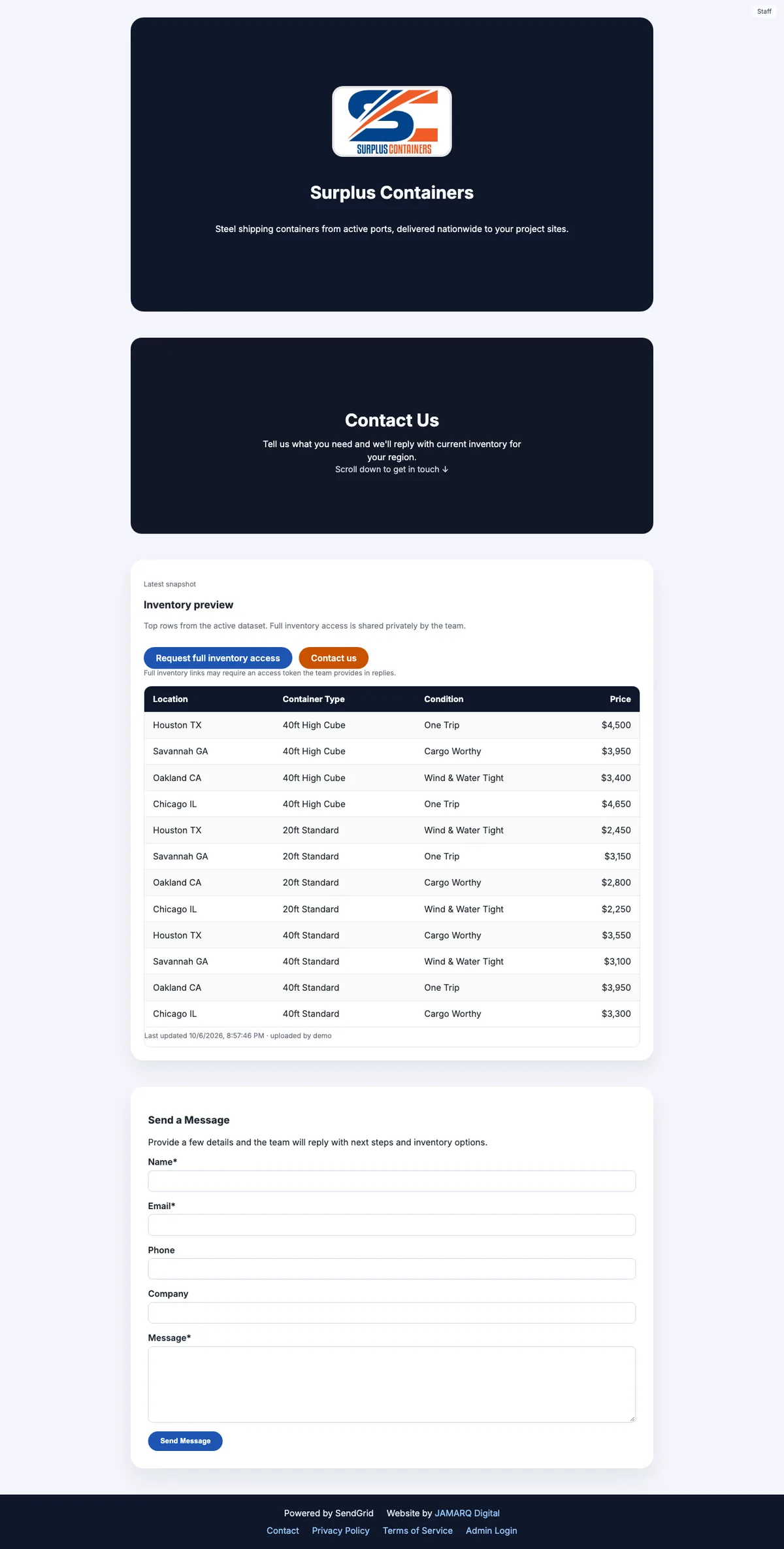
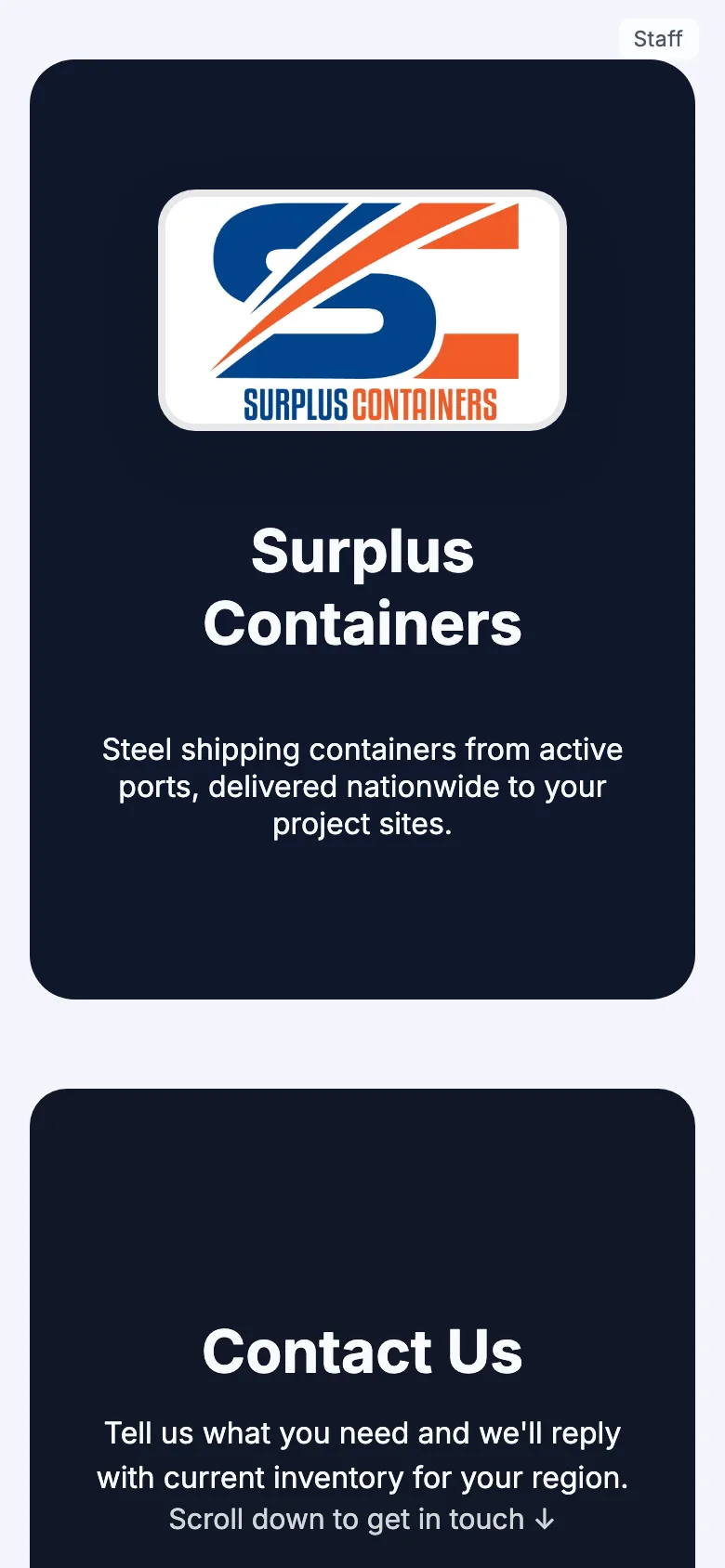
The home page opens with the logo and one line: steel shipping containers from active ports, delivered nationwide to project sites. Under it is a short contact prompt, then the inventory preview, then the contact form.
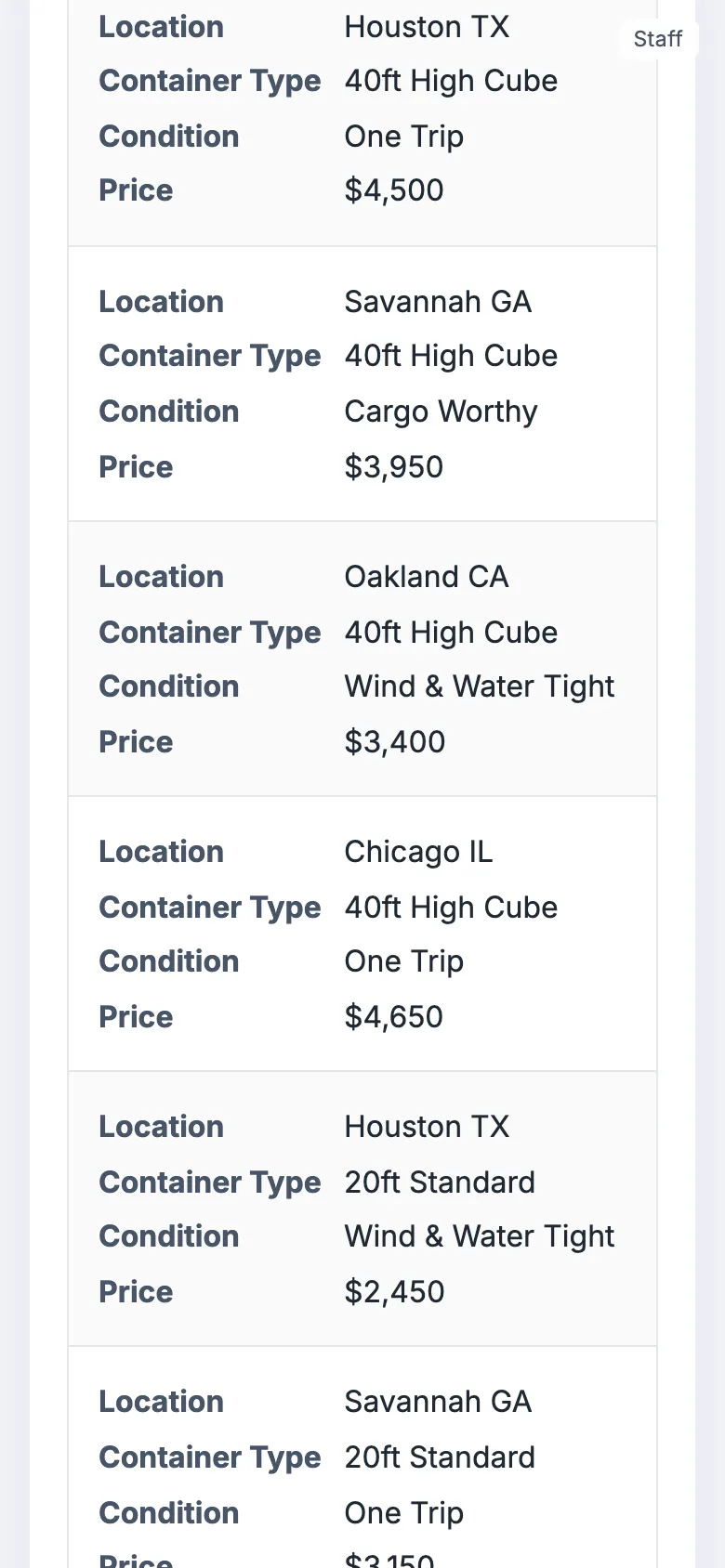
The preview shows the top rows of the active inventory, a dozen by default. Staff choose which columns appear, so location, container type, condition and price can be public while internal notes stay private. Under the table is the time of the last upload. Because the full inventory requires an access link, the main button reads "Request full inventory access" and jumps to the form.
Full inventory
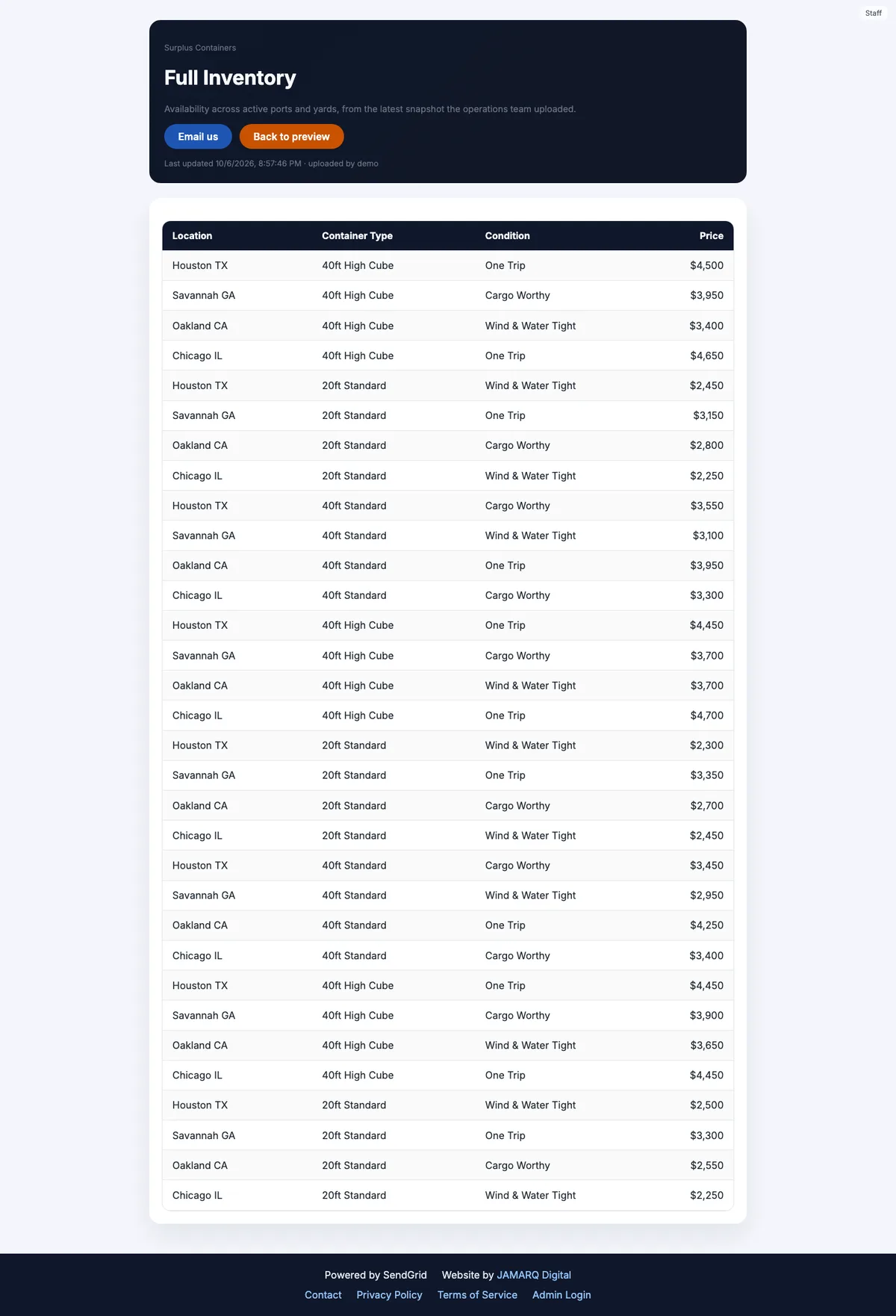
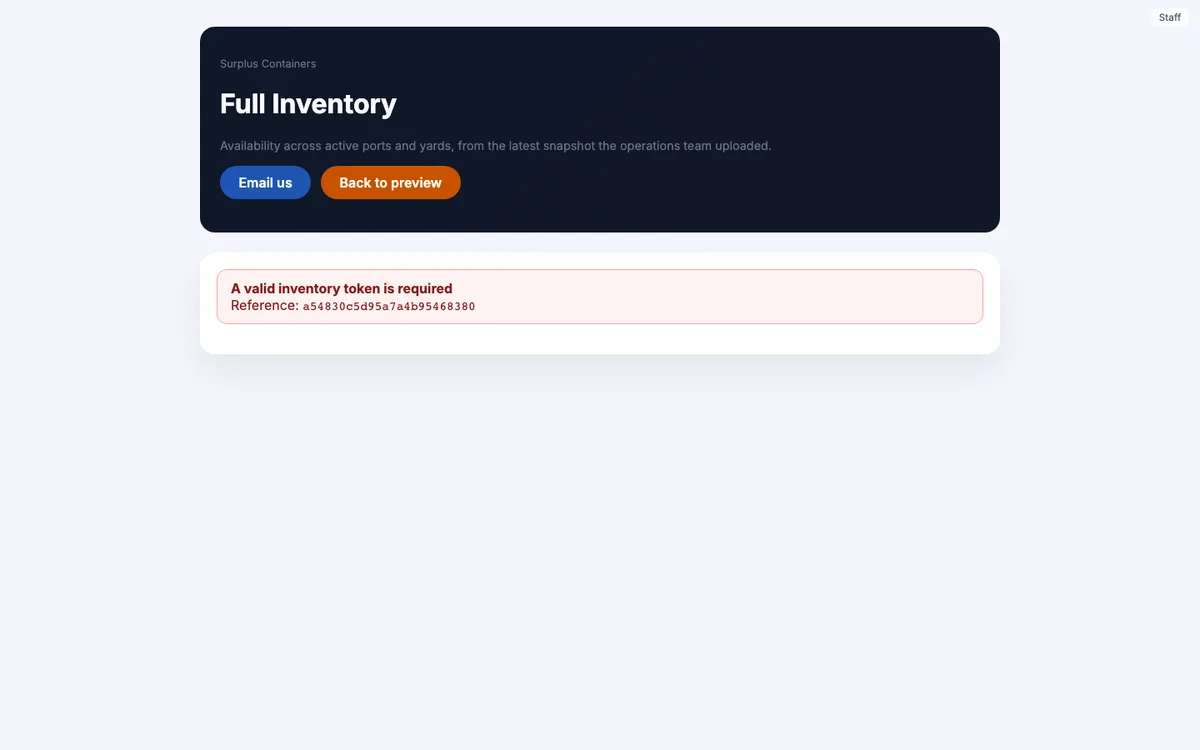
The full table lives at /inventory and needs a valid access token in the address. Staff mint those links in the admin, each expiring after three days by default and up to fourteen, and campaign emails carry their own. Without a valid link, the page says that one is required and where to find it. The rule fails closed: if the setting is missing, the token is required.
On a phone the table changes shape. Each container becomes its own card, with every column labeled down the left, so a buyer can read a row without scrolling sideways.
Inquiries
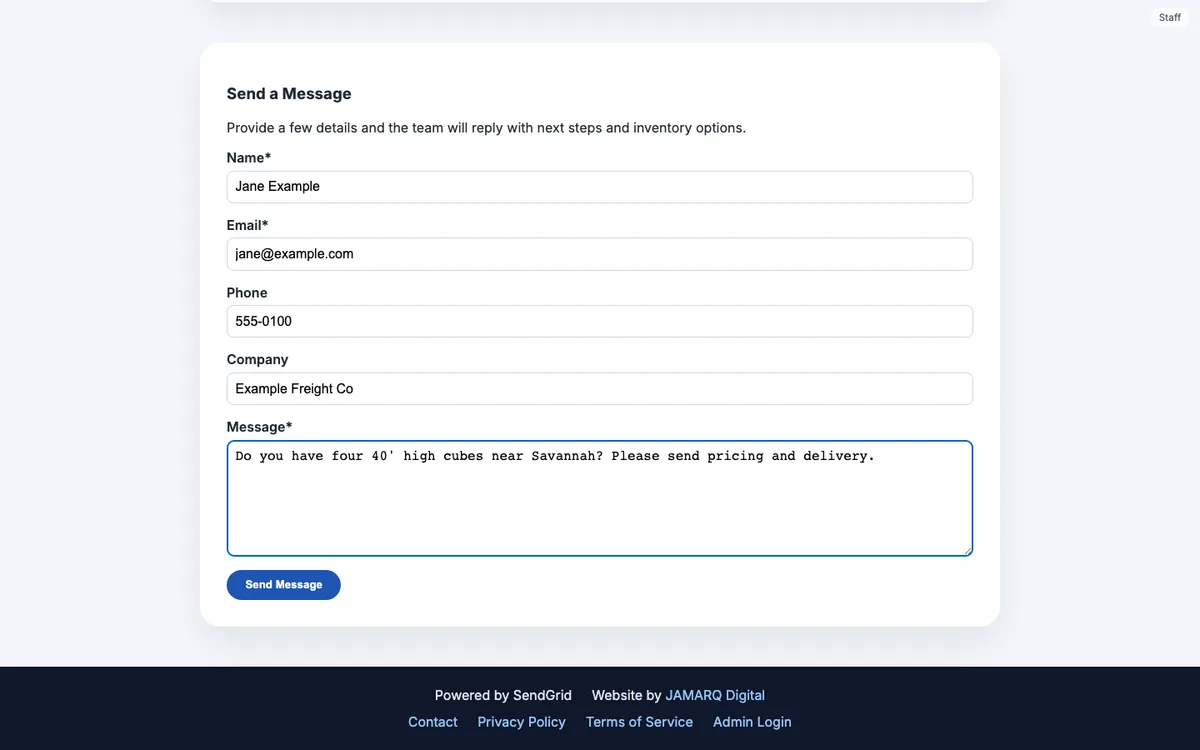
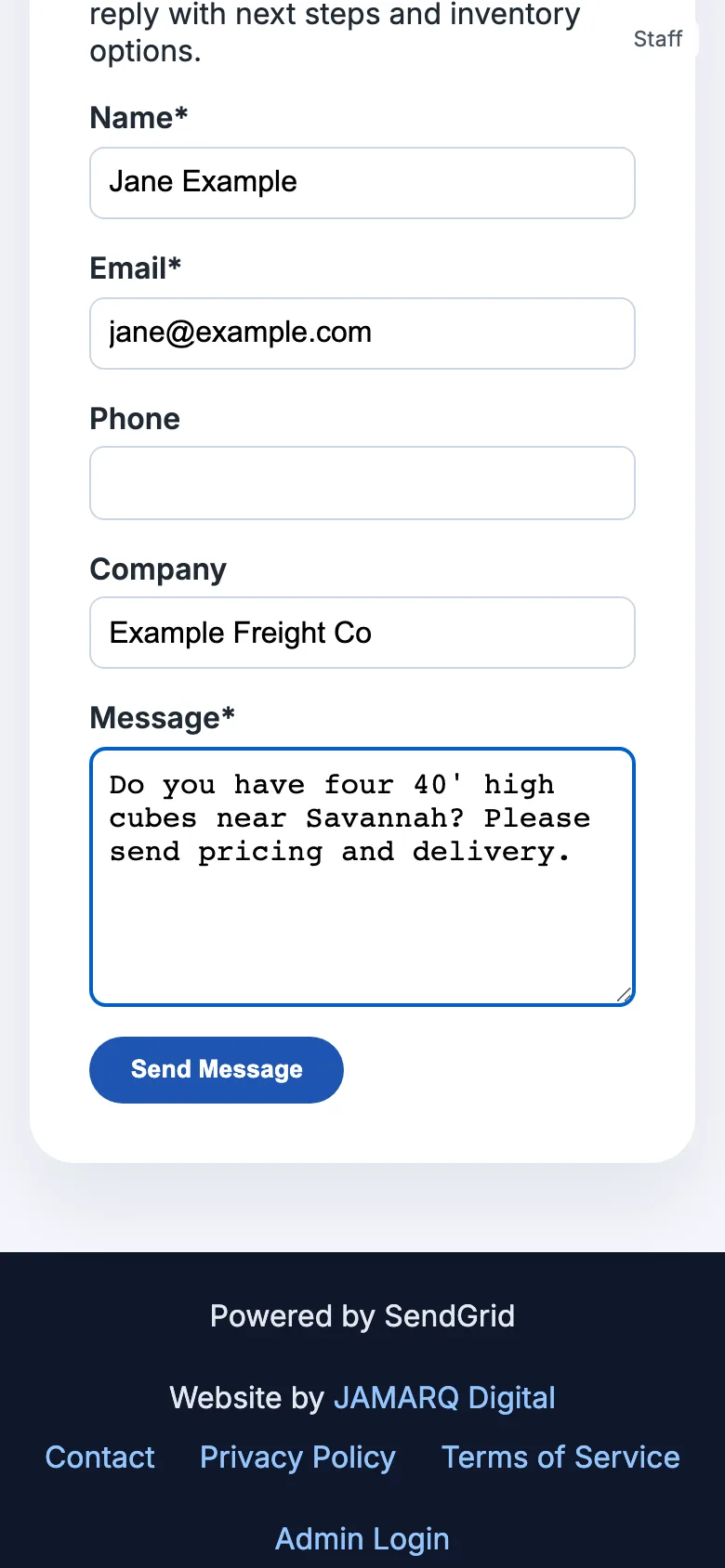
The form asks for name, email, phone, company and a message. A hidden trap field catches bots. Browser autofill once filled that field and made real people look like bots, so browsers are now told to leave it alone. The server allows each network address three submissions in ten minutes.
The inquiry is saved before any email is attempted. If the notification to the team cannot be sent, the visitor still sees that the message was received, the inquiry still appears in the admin, and the admin records why the email did not go. That order was a deliberate choice: the inquiry is the thing that matters, and email is only how the team hears about it.
The rest
Privacy and terms pages, branded pages for missing addresses, access denied, server errors and maintenance, a robots file, and a sitemap that lists only the pages a visitor can actually use. Mixed-case addresses and /index.html redirect to the canonical address. The maintenance switch takes down the public pages and leaves the admin and API up, so the team can keep working during maintenance.
The campaign system, step by step
The campaign system is standalone software that happens to sit behind the website. It follows the order a person on the team works in.
1. Import contacts
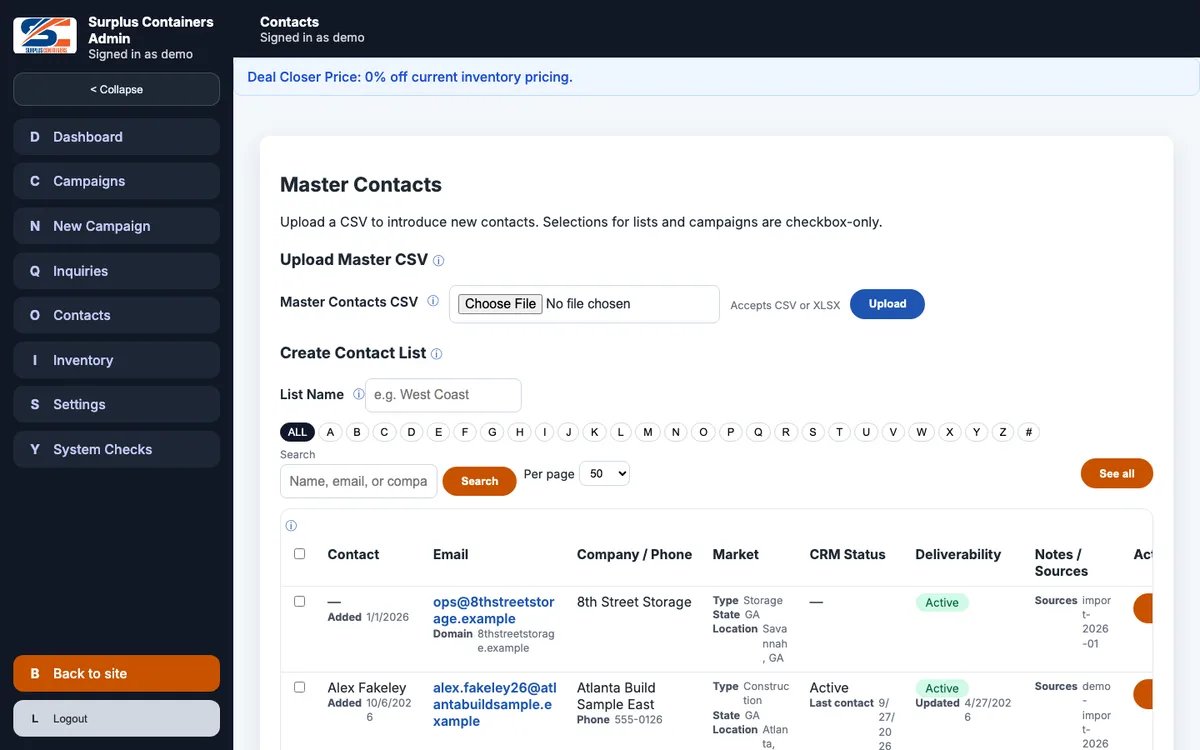
Master contacts are imported from CSV or Excel on the Contacts screen. Each contact is unique by email address and can carry a company, contact name, phone, business type, state or region, location, tags, notes and where the contact came from. The importer matches column headings regardless of case, spaces and underscores, so "Contact Name", "contact_name" and "CONTACTNAME" all land in the same place. Contacts are grouped into named lists, such as a region or a kind of buyer.
Every address also has a delivery status: active, hard bounced, dropped, blocked, reported as spam, or unsubscribed. That status belongs to the address, so it follows the person into every list and every campaign.
2. Upload inventory
An inventory spreadsheet needs four columns, location, container type, condition and price, and can carry more, such as quantity and port notes. Each upload is kept as its own version, with the original file stored in the database. Exactly one version is active at a time, and the database itself refuses a second. Staff can make an older version active again, and choose which columns are public and which appear in email.
3. Draft a campaign
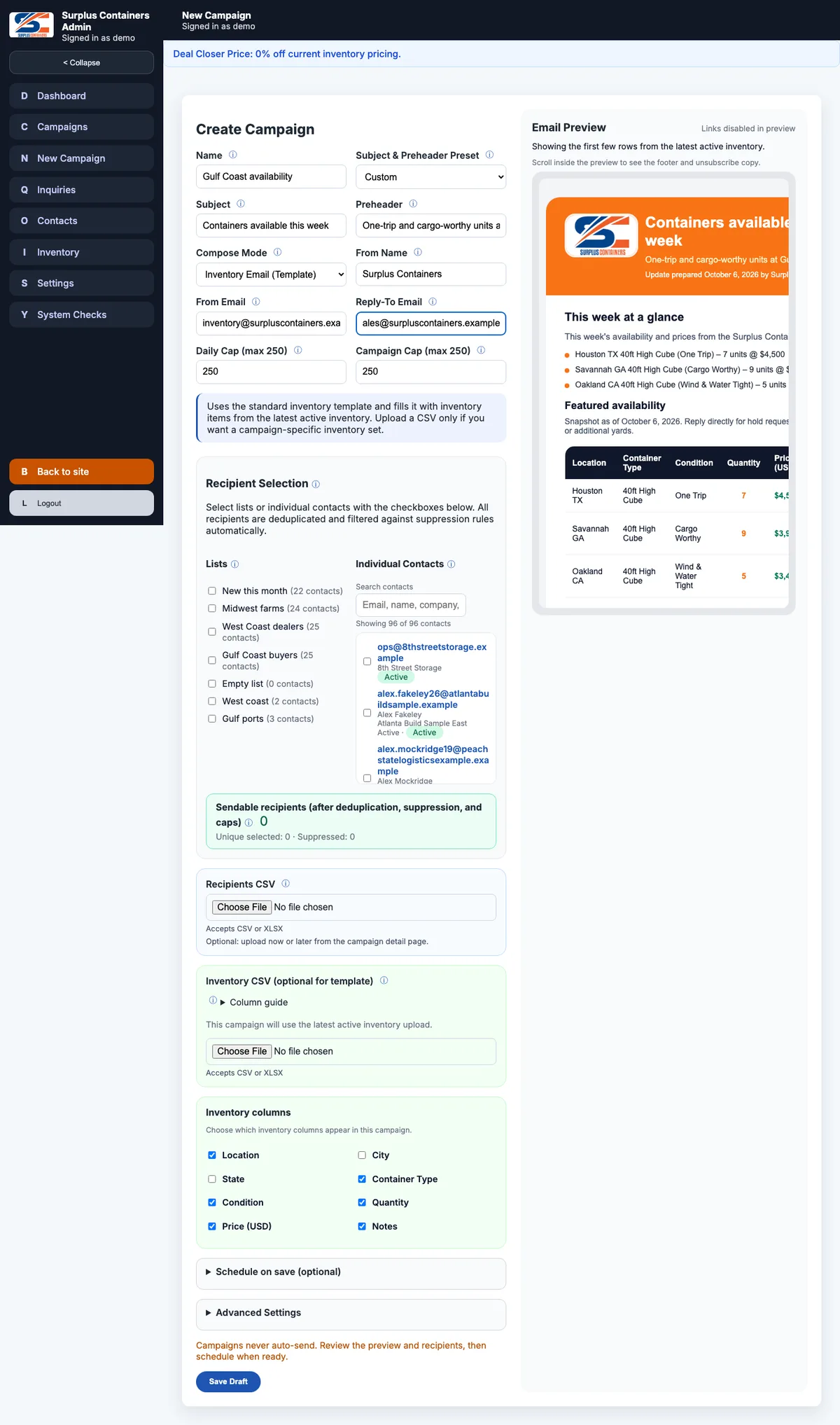
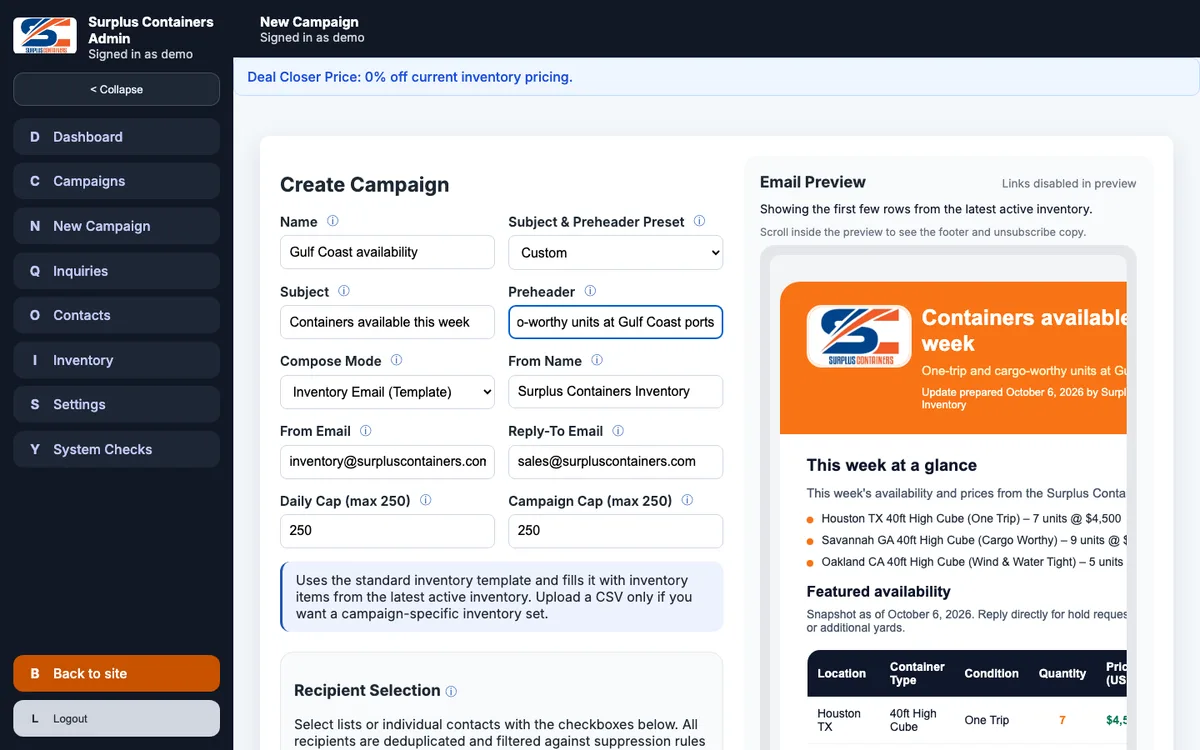
A new campaign has a name, a subject with presets, a preheader, the sender's name and address, a reply-to address, the SendGrid unsubscribe group, caps, and notes. There are two ways to write it:
- •The inventory template builds the email from the inventory at send time, so the body is always the current list.
- •Custom mode takes an email written in the rich text editor, with a plain-text version beside it.
Recipients come from contact lists, individual contacts, or both, and the screen shows how many of them can actually be sent to. A recipients spreadsheet can be uploaded instead, and a campaign can carry its own inventory spreadsheet. Every recipient set is rebuilt inside one database transaction that enforces the campaign cap, and suppressed addresses are kept on record and never queued.
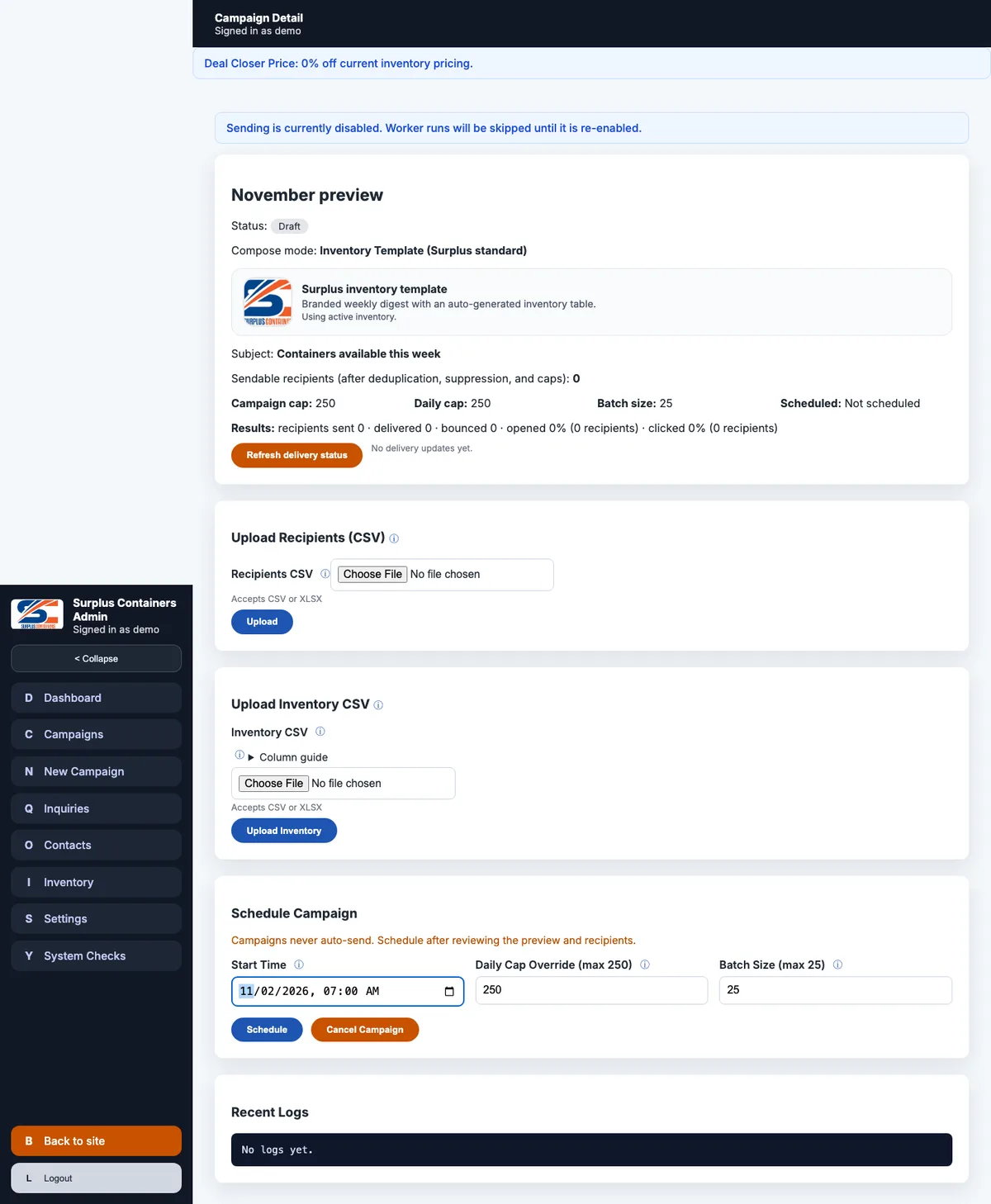
A campaign is saved as a draft. Nothing sends from this screen, and the screen says so.
4. Preview
Beside the form is a live preview of the email as it will arrive, with links disabled. The footer with the unsubscribe link is added by the system for every campaign. An author cannot leave it out, edit it away, or forget it.
5. Schedule
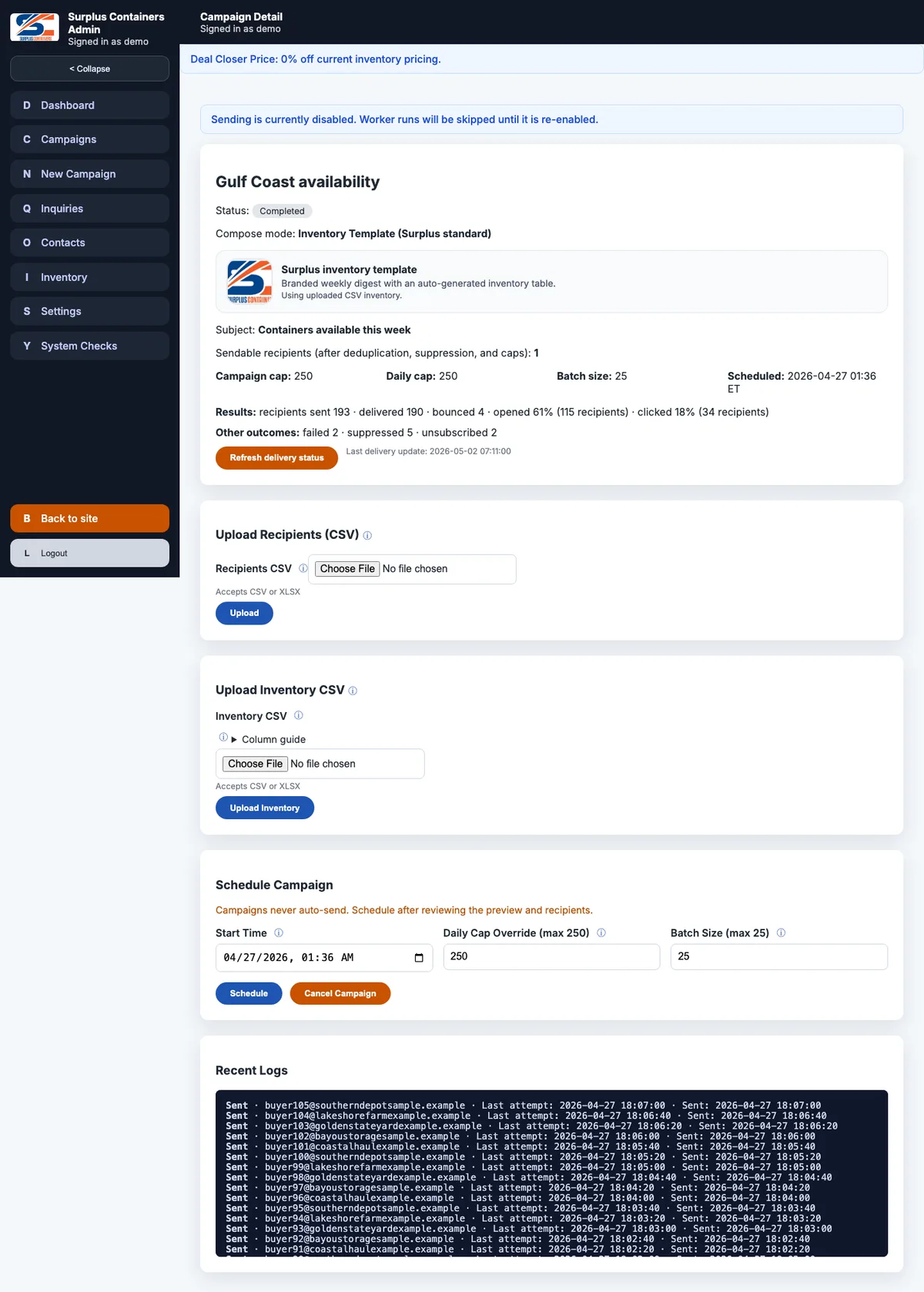
On the campaign's own page, staff set a start time in Eastern time, an optional daily cap and a batch size. The time is stored as the exact UTC instant and shown back labeled ET. If the campaign uses the inventory template and has no rows of its own, the active inventory is copied into the campaign at that moment, so the email reflects the list that was live when the campaign was approved. Once sending has begun, the schedule is locked.
6. The worker
Every five minutes Vercel Cron calls the worker with a secret. The worker checks two switches before doing anything. SC_SENDING_ENABLED decides whether the worker runs at all, and SEND_EMAILS decides whether any email can leave the system. Then, for each campaign whose start time has passed:
- •If today's sends have reached the daily cap, it waits for tomorrow.
- •It claims a small batch of queued recipients in one write transaction, so two overlapping runs can never claim the same person. A unique constraint in the schema backs that up.
- •It sends the team one internal copy of the campaign.
- •For each recipient, it checks the address's delivery status first. Anything other than active, or a status it cannot read, means the message is suppressed.
- •Where the inventory is behind access links, each recipient's email is rendered with its own link.
- •A recipient is given up after three failed attempts.
- •If more than one in five of the last fifty attempts failed, the campaign pauses itself.
- •When nothing is left in the queue, the campaign is marked complete and a summary goes to the team.
If the sending switch is turned off partway through a run, the claimed row goes back in the queue and the run stops. The same worker can be run by hand with a separate token, which kept the old cPanel cron's contract working during the move.
7. Suppression
SendGrid posts every delivery event back to the site, from delivered and opened to bounced and unsubscribed. Each event is checked against SendGrid's signature, de-duplicated, and tied to a campaign and a recipient.
A hard bounce marks the address and suppresses it in every campaign where it is queued. Three soft bounces in a row do the same. Drops, blocks, spam reports and unsubscribes mark and suppress the address. A later delivery never revives a suppressed address, and a group resubscribe only reverses a group unsubscribe. SendGrid's own account-level suppression applies on top.
8. Results
The campaign page shows its status, the delivery and engagement counts, and recent logs per recipient, with a plain summary of any error and the technical detail behind a disclosure. Staff can refresh delivery status, pause, resume or cancel. Events that cannot be tied to anything are kept and listed on their own screen.
What stays manual
The system works, and a campaign still needs a person at every step: building lists and importing spreadsheets, choosing the audience, composing, scheduling, pausing and reading the results. Sending a test batch of fifty or fewer before the full list is a written habit, and the code does not enforce it. That is the main reason campaigns go out less often than they could, and it is where the next round of work goes.
What the owner runs
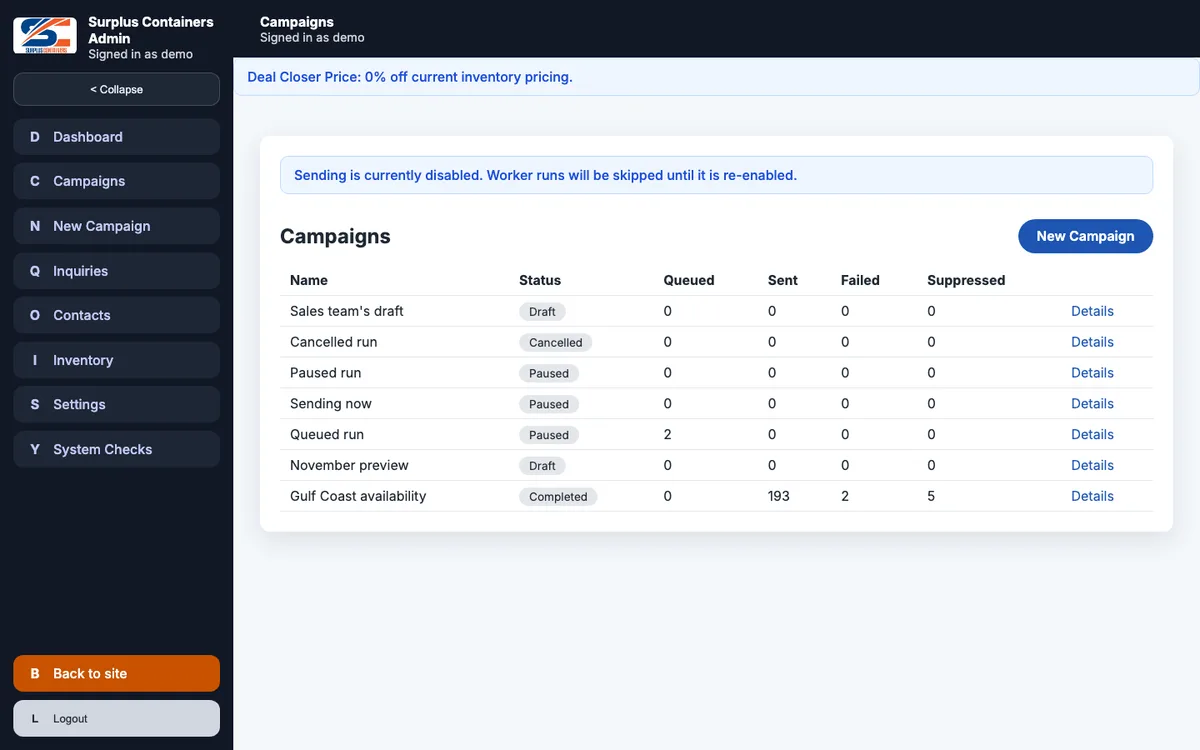
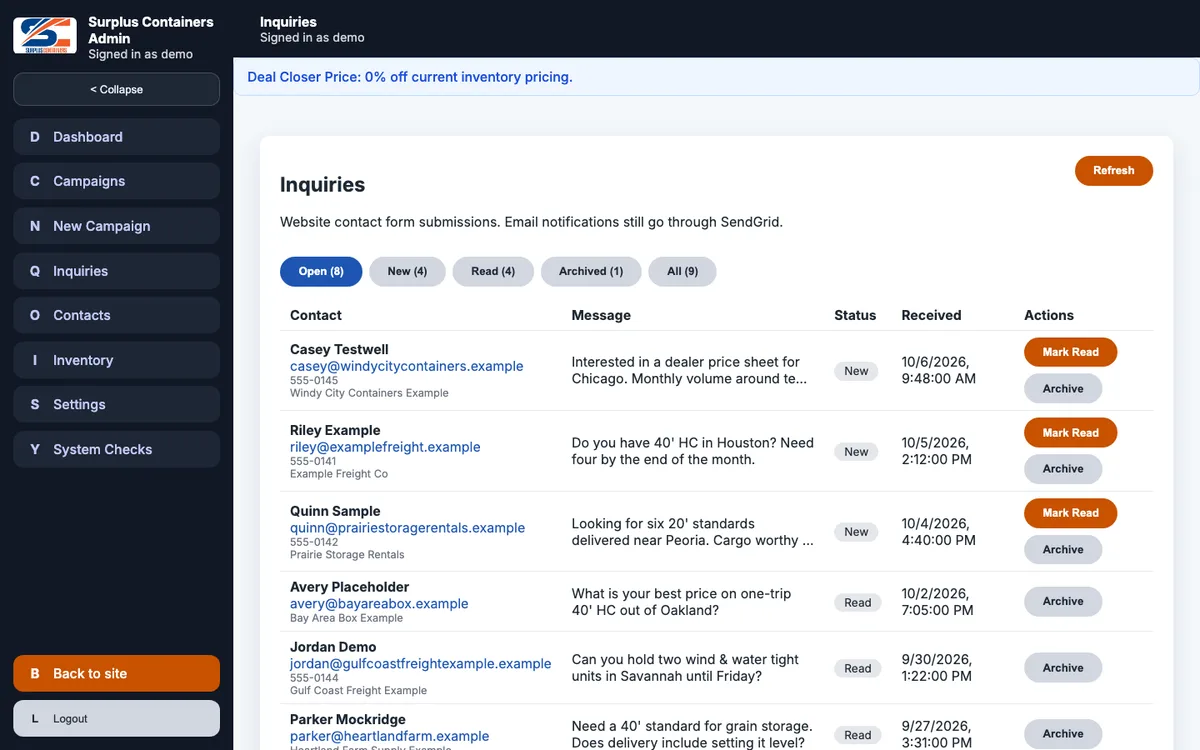
The admin is used by the owner, managers and sales staff. Besides the campaign screens, it has:
- •A dashboard with cards for campaigns, the inventory snapshot, contacts and lists, and a deal closer calculator: type a quoted price and get the discounted price from a stored setting, in percent or dollars off.
- •Inquiries, with a status for each and the notification result.
- •Settings and user management.
Accounts and permissions
There are seventeen permission keys, from viewing inquiries to deleting any campaign. Accounts come in three tiers, each containing the one below:
- •A user has only the permissions ticked for them.
- •An administrator has all seventeen.
- •A developer is an administrator who also owns the system checks and the test email.
Role templates such as read-only viewer, sales rep, inventory manager and ops manager simply tick a set of boxes, which can then be adjusted. An administrator cannot edit, disable or demote the developer, and the system refuses to remove the last developer. A breakglass route exists so the developer can always get back in, and it answers as if it does not exist unless it is switched on with a token kept outside the repository. Surplus was the pilot for this tier across the family sites. Accounts that have been disabled for six months are deleted by the worker.
Sign-in uses a signed session cookie that expires after two hours idle, with throttling per address and per account. Password reset works by email.
Infrastructure
- •Domain and DNS: surpluscontainers.com in a Cloudflare zone. The bare domain and www point at Vercel without the Cloudflare proxy, and www redirects to the bare domain.
- •Hosting: a Vercel project on the JAMARQ Digital team, deployed from the repository on every merge to main.
- •Server: Next.js 16 route handlers. They answer every /api call through a table of 62 routes, ported from the PHP dispatcher in the same order, and serve the built page shells of the two React apps, which draw the screens in the browser.
- •Database: Turso (libSQL), 21 STRICT tables. Every time column is checked to be UTC, status fields are checked against their allowed values, and the rule of one active inventory upload is enforced by the database.
- •Files: no object storage. The uploaded spreadsheets are small, so they are stored in the database, and uploads are capped at 4 MB to fit Vercel's request limit.
- •Outbound email: SendGrid, called from one function that every send path goes through. Every message is tagged with the site's name. Open and click tracking is on for campaigns and off for transactional mail.
- •Delivery events: a signed SendGrid webhook. The account's single webhook now points at a relay on jamarq.digital, which passes each event to the site it belongs to.
- •Scheduled work: one Vercel Cron job every five minutes, refused without its secret.
- •Mail: the seven mailboxes stay on the cPanel host. Moving them is a separate job with its own risks, so the cutover left every mail record alone, and the cPanel account is kept for them.
- •Way back: the PHP build, the deploy zip and the MySQL database are still on cPanel. The old cron job is commented out and can be restored.
- •Analytics: Vercel Web Analytics on the public pages only. The admin is not tracked.
- •Security headers: strict transport security, a restrictive content security policy and the usual hardening headers, carried over from the old Apache configuration.
Decisions worth explaining
Record the old system before replacing it
A mailing system is the wrong place to discover a difference in production. Recording 359 real requests, and replaying them against the port in process and on a real deployment, turned "it seems to work" into a list of exact matches and two explained exceptions. It also found the bugs that were already live.
No object storage
The site had empty storage buckets set up for it and a handful of small spreadsheets to keep. Wiring up storage would have added another service, another key and another thing to break, to hold files measured in kilobytes. The spreadsheets live in the database, and the upload cap keeps them inside what Vercel accepts.
Write transactions where the old system locked rows
MySQL let the PHP worker lock rows while it claimed a batch. Turso has no row locks, so the batch claim, the cap check, the campaign lock and the password reset each run as one write transaction, and a unique constraint on the send queue backs that up if two runs ever overlap.
Rules in the schema
Times, statuses, the single active upload and "a developer must be an administrator" are enforced by the database, with a test script that runs 65 accept-and-refuse cases against it. The code still checks, and the database is the backstop when the code is wrong.
One webhook for the whole account
The webhook bug came from one client site receiving every site's delivery events. On September 24 I moved the account's webhook to a neutral relay on jamarq.digital that passes each event to its own site. Every send is tagged with its site, an event naming another site is dropped, and an untagged event is kept only if this site actually mailed that address. That freed a webhook slot and stopped Surplus from being the single point of failure for every site's delivery data.
Keep events nothing claims
The PHP build quietly dropped later delivery events for messages it could not attribute. The port stores them as unmatched and lists them on their own screen, so nothing about delivery disappears without a trace.
A developer tier
The test email and system checks touch configuration and real mail. Putting them in a tier above administrator, with guards so the last developer cannot be removed, means a well-meaning administrator cannot lock out the person who keeps the system running.
A schema check outside CI
Production's schema is compared with the schema file using a read-only token, as a runbook step. Running it in CI would have meant putting production credentials into repository secrets. Its first clean run was on October 4, 2026.
What it does now
The site has been live on Vercel and Turso since September 29, 2026. The owner, managers and sales staff use the admin for inventory, contacts, inquiries and campaigns, and inquiries and campaign responses come through.
As of early October, no campaign has been sent from the new platform yet. The worker has run every five minutes since the move, checked without a gap on October 2, and has had nothing due. Every campaign so far went out from the cPanel build. The system works, and staff run campaigns less often than they could, because each one still takes a person through every step.
The next round of work is aimed squarely at that: making a campaign easier to create and send, with fewer steps between a new inventory upload and an email to the right buyers, and automating the routine parts where it is safe to.
PageSpeed results for desktop and mobile are measured and published on this case study page, with a link to run the test live.
Ongoing support
Maintenance is mostly hands-off unless something breaks.
- •Every change, from a dependency update to a fix, goes through the verify job on my self-hosted runners before it can merge.
- •A weekly sweep checks every dependency for new security advisories. Since October 4 an advisory in a development-only tool is reported without blocking a deploy, and advisories in shipped code still block.
- •Operational alerts cover server errors, worker failures and contact notifications that fail to send, throttled so a burst of one cannot drown out another, and gated so a preview deployment never pages anyone.
- •The schema drift check runs as a runbook step whenever the production schema changes.
- •The repository's history is complete from the first commit, with every change since July 2026 in a pull request.