

The business and what it needed
Midway Mobile Storage rents and sells shipping containers and enclosed trailers around Winston-Salem, North Carolina. It also builds custom containers, cut and fitted for whatever a customer needs them to be, and sells PanelSeal, a sealant for container and trailer panels.
Almost every customer starts with the same kind of question. How big a container do I need, can you deliver it to my site, and what will it cost to rent or buy? The answer depends on where the container is going, how long it is needed, how many there are and whether the customer wants to rent, buy or have something built. Pricing a job means collecting those details first.
I was already the company's IT department before I built the website. The same ownership group runs several of the businesses I work with, so when the owners decided the website needed to start doing real work, it came to me.
What they wanted was easy to say. A customer should be able to find the business, see what it offers and ask for a quote without waiting for someone to pick up the phone. The office should receive that request with everything it needs to answer it. And the people who run the business should be able to see and work those requests themselves, without calling me.
What was there before
The previous site was built with GoDaddy's website builder. It was cheap, and it was unusable. There was no working way to ask for a quote, very little about what the business actually offers, and nothing that put an inquiry in front of the office in a form anyone could act on. Every inquiry was a phone call during business hours, so a contractor comparing storage options in the evening had nowhere to leave a request.
There was no admin, no database and no content worth carrying forward. The work started from an empty repository.
Version 1: the cPanel build
A short start on Node
The first commit is dated 21 October 2025. That day I set up the public site and the staff admin as two React apps built with Vite and styled with Tailwind, with a Node and Express backend behind them. By mid-November the Express side had security middleware, rate limiting and a full database schema.
Then the hosting caught up with the plan. The site was going onto the business's existing GoDaddy shared hosting, managed through cPanel, and that environment is built around PHP and MySQL. Running a long-lived Node process there would have meant fighting the host for the life of the site. On 18 November 2025 I replaced the Node backend with a PHP API over MySQL. The React apps stayed as they were and talked to the new API at the same addresses, so the switch cost days of work on the server side and none on the screens.
What launched
CSRF protection went in on 21 November. Production deployment fixes landed on 25 November 2025, and the site went live on midwaymobilestorage.com that week. The launch build had:
- •A public site with services, a quote form, PanelSeal, an About section, careers and contact
- •A PHP API with CSRF tokens, hidden honeypot fields and rate limits on every form
- •A MySQL database for quotes, messages, job applications, PanelSeal orders, inventory and site settings
- •A staff admin at /admin for reading and working those submissions
- •Email notifications to the office whenever something came in
Deploys were zip files, built and checked on my machine and uploaded to the host.
How version 1 grew
The cPanel build kept growing for ten months. The main steps:
- •December 2025: an SEO and accessibility pass, an About section the owners can edit, www redirecting to the main address, uploaded images converted to WebP automatically, one consistent way of displaying any submission in the admin, and a safety gate so mail only goes out from production with sending switched on
- •January 2026: map embed settings, one router for the whole API, and stricter handling of image tags
- •April 2026: a site security seal and a status workflow for quotes (new, responded, handled, dismissed), so the office can see at a glance which requests still need an answer
- •May 2026: a website test suite, branded error pages, each raw submission stored in the database beside its record, the public and admin apps split into separate builds, a rich text editor for site copy, an admin System Checks page, and image storage moved to Cloudflare R2 behind a CDN subdomain
- •June and July 2026: deploy hardening checks and a round of authentication and request security work
- •August 2026: the move to a pull request workflow, with every change reviewed and checked before it merges
August was the busiest month. A real-database integration suite (PR #10 and #12) pinned down how the API behaved before I changed anything. That suite found that changing a password had never worked: the PHP endpoint called a function that did not exist and returned an empty server error, and the fix shipped in #8. Admin roles and account management followed in #14. Notifications were split by audience and sent one message per recipient (#17, #20), a test-email button went into System Checks (#26), the site copy was corrected for service area, hours and footer links (#35 to #38), and a performance pass served the hero at the size each screen needs (#40 to #43). With #45, deactivating an admin account revokes access on that person's next request. In early September the hero gained a phone framing control (#65), so the owners decide which part of a wide photo a phone shows.
By September the site was stable, used every week and well tested. It was also on a host where every deploy was a manual upload, the database code had no transactions, and I had little to work with when something went wrong.
Why the site moved, and what changed
Why move
The shared host was the weakest part of the system. Several other sites I maintain had already moved to Vercel with a Turso database, and keeping this one on its own stack meant keeping a second set of tools, deploy steps and failure modes in my head. Moving it put it on the same platform as the rest: a preview build for every change, a production deploy on every merge to main, and logs I can actually read.
The move was PR #76, merged on 15 September 2026. The cutover happened the same day (#77).
Holding the port to recorded behavior
The risk in any port is that something small changes and nobody notices until a customer's request goes missing. So before writing the new server, I recorded the old one.
A capture harness ran 263 real requests against the PHP API, in order. They cover a visitor using every public form, including the CSRF, honeypot, validation and rate-limit paths; every kind of broken sign-in token; and signed-in sessions as staff, manager and owner working through every admin route. That includes the refusals when a role reaches too far, the guard that stops the last owner from being removed, image uploads, tags and framing, and the login lockout. A second set recorded 271 calls to the PHP helper functions the port had to reimplement: the input sanitizer, the rich text sanitizer, password hashing, sign-in tokens, role rules and time conversion.
Both sets replay in CI against the new server. The recorded tokens are stored split into pieces, so the secret scanner in CI has nothing to flag. When #76 merged, the web app had 651 tests.
The new server is a small Next.js app with two route handlers: one answers every /api request, and one serves the page shells. It serves the same two React apps the PHP build served, unchanged, so customers and staff saw the same screens the day after the move.
Fixes the owner approved
Where the PHP behavior was wrong, I did not copy it. Each change was approved by the owner and recorded in the decision log:
- •A sign-in token that belongs to a deleted account is refused
- •An unknown status value is refused, where MySQL used to store it as an empty string
- •The phone framing control, which always failed on cPanel, works
- •Admin lists show every record. The cPanel admin stopped at the newest 100 rows, which quietly hid the oldest quotes
- •Leftover sample tables from early development were left behind
The PHP code also had no transactions anywhere. The port puts the last-owner guard inside one write transaction, makes duplicate usernames impossible with a case-insensitive unique constraint, writes a submission and its raw payload together, and replaces file-locked rate limits with one atomic database write.
Three clocks, converted one column at a time
The old database stored its timestamps without time zones, and three different clocks wrote them. MySQL's own clock ran on Mountain Standard Time with no daylight saving. PHP on the web server ran on Eastern time. The command line ran on UTC. Some columns were written by the database, some by PHP, and two timestamp columns held Eastern text that the database had read as Mountain time.
I traced every writer in the PHP code and its history, decided which clock had written each column, and converted each one from that clock into UTC. The results were checked against the times in the office's own notification emails. The new database refuses any timestamp that is not ISO-8601 UTC, and the API still answers in the Eastern format the admin screens expect, so nothing on those screens changed. CI also runs the tests under Tokyo, Berlin and Los Angeles time zones (#82), which catches any code that quietly depends on the server's clock.
The data move
The cutover followed a written runbook. I took a backup and an export of the production database, ran a dry run into Turso, applied it and verified it. The admin's System Checks page passed all 16 of its checks on Vercel before DNS changed. Forms kept landing in MySQL until DNS moved, so I read the old database for new rows just before the DNS change and again about 30 minutes after it. Nothing had been missed.
Mail stayed on cPanel
The business's mailboxes live on the old cPanel host, and the move left them alone. Only the website records in DNS changed; the mail records stayed exactly as they were. Notification mail already went out through SendGrid and kept doing so. The mailboxes have to move before the old hosting account is closed, and until then the account stays open.
The PHP build is the way back
The PHP code is still in the repository, and the PHP site and its MySQL database are still on the old host. Neither serves the public anymore. The PHP build is the reference the contract tests were recorded from, and it is the way back: if the new stack failed badly, pointing DNS at the old host again would put the site back on the code that ran it from launch to September.
The weeks after
The cutover was followed by a run of smaller changes:
- •Owner-only sections visible to owners right after sign-in (#78) and admin lists that work on a phone (#79)
- •React split into its own file and rarely used views loaded on demand (#80)
- •Builds that reinstall the frontend packages whenever the lockfile changes, after a cached install shipped old packages (#81)
- •A reconnect guard for the database client (#83, #100)
- •The home page and the admin served by the app itself, so maintenance mode and analytics cover them (#85)
- •Every email tagged with the site, and replies going straight to the customer (#95, #97)
- •An open admin tab told when a newer version is published and offered Reload (#98)
- •Plain-language messages when part of a page fails to load (#96, #99)
- •Documentation rewritten to describe the live system (#102)
- •No tracking pixel in transactional mail (#106)
- •A canonical address for each page, and error pages that return their real status (#110)
- •Vercel Web Analytics (#111) and a privacy page that matches what the site collects (#112)
- •Resume attachments on job applications (#113, #114)
The public site, page by page
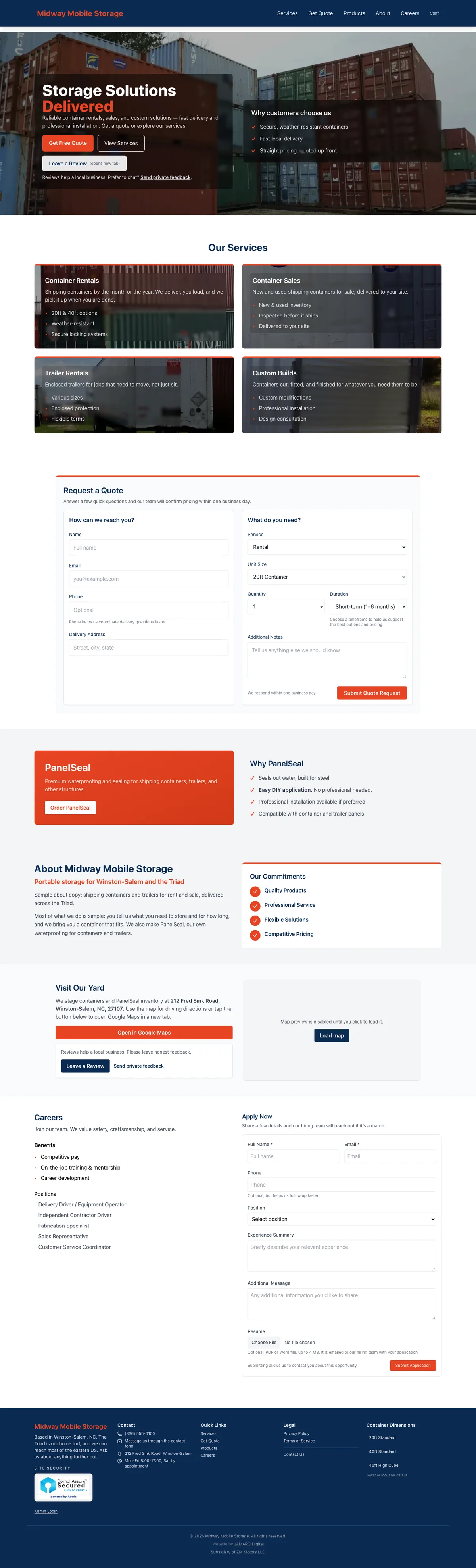
The public site is one page with an address for each section. /services, /quote, /products, /about, /careers and /contact each open the home page at that section, and each has its own canonical address for search engines. The privacy policy, the terms and the error pages are separate views that load only when someone opens them.
Home and hero
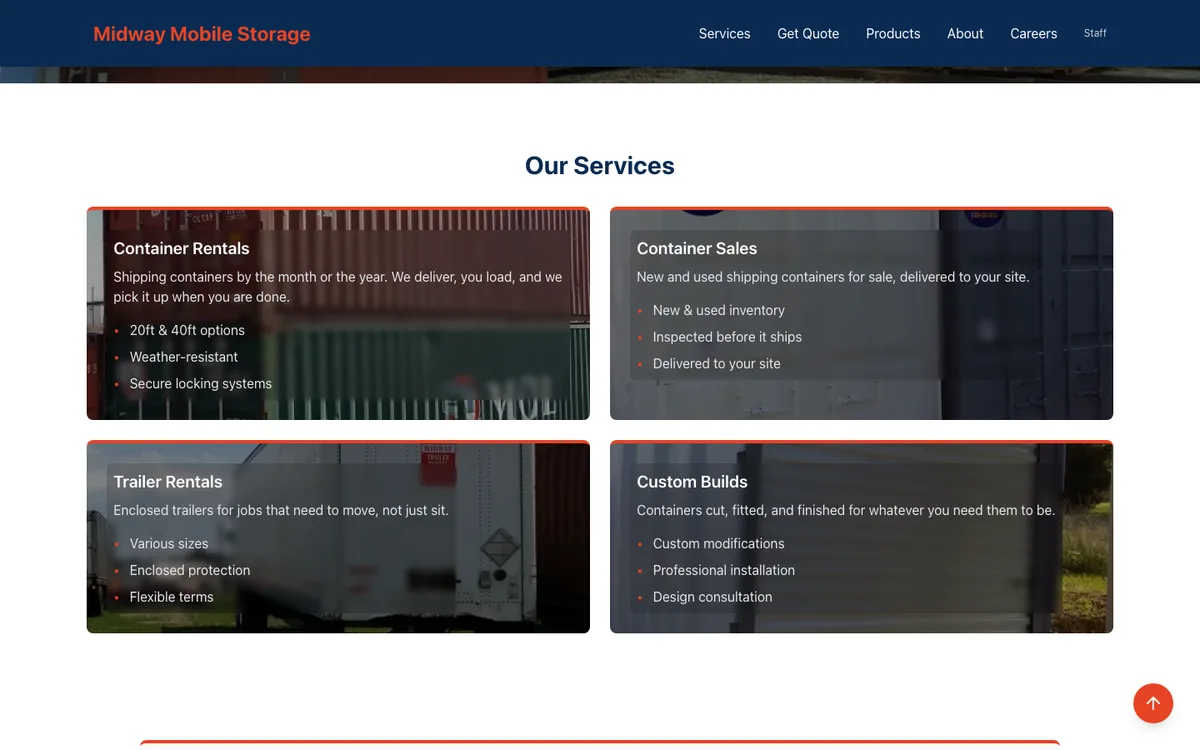
A fixed navy bar carries the logo and links to Services, Get Quote, Products, About and Careers, collapsing into a menu on a phone, with a staff sign-in link at the end. Below it, the hero rotates through the photos the owners have tagged as hero images in the admin. Each photo is served at the size the screen needs, and on a phone it is framed the way the owners chose. If no photo is tagged, the hero falls back to a plain gradient so the page never breaks.
The hero's three buttons are Get Free Quote, View Services and Leave a Review, with a link beside them for customers who would rather send private feedback.
Services
Four cards: container rentals, container sales, trailer rentals and custom builds. Each has a short description in plain words and three quick points, such as 20 and 40 foot options or new and used inventory delivered to your site. Each card's background is the photo the owners tagged for that service, with a bundled photo as the fallback.
Quote request
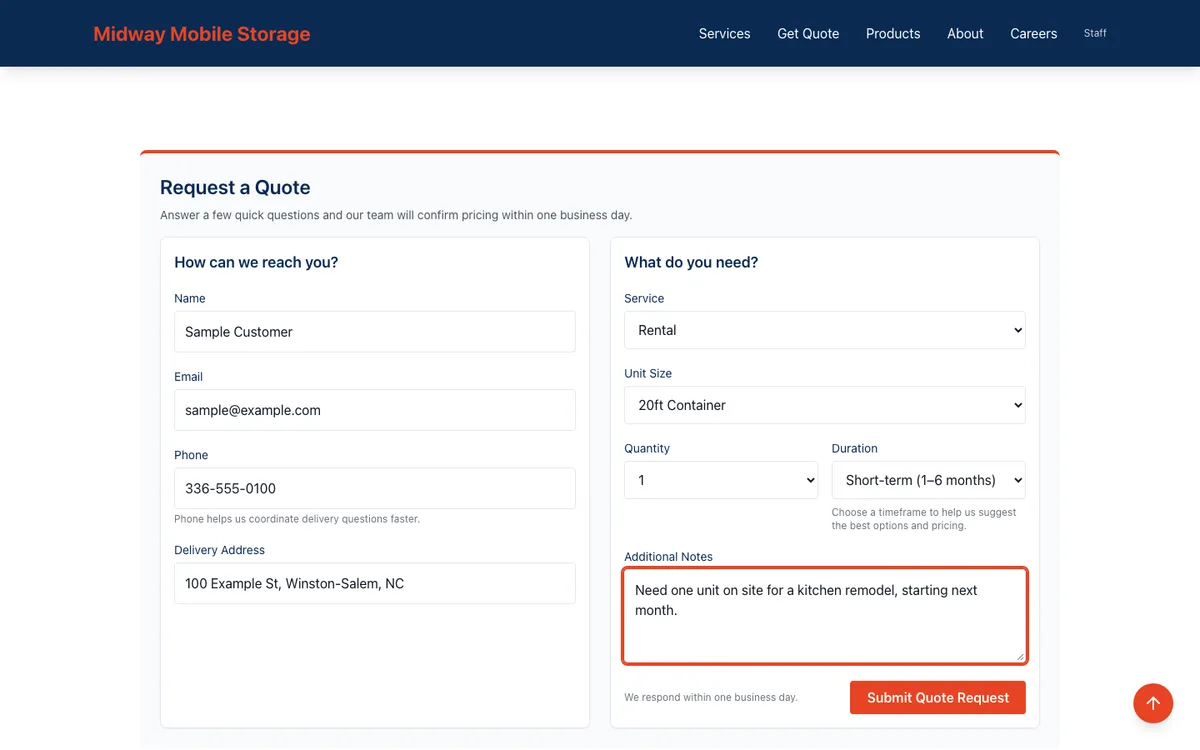
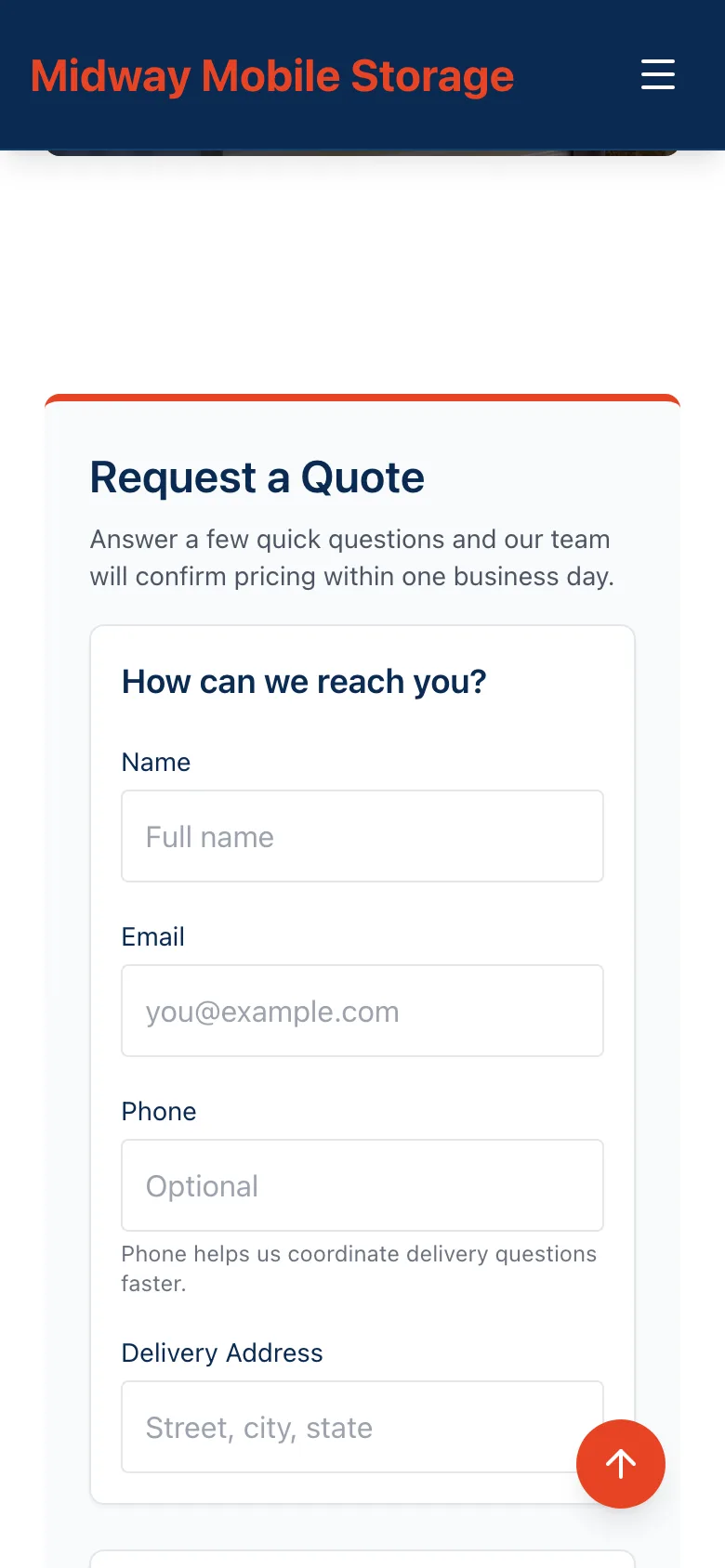
This is the reason the site exists. The form asks for:
- •Name and email (required), phone and delivery address
- •Rental, purchase or custom build
- •Container size: 20 foot, 40 foot, trailer or custom
- •Quantity, from one to four or more
- •How long it is needed: short, medium or long term
- •A message for anything else
The form fetches a CSRF token first, carries a hidden honeypot field that only bots fill in, and is rate limited per visitor. A valid request is stored with its raw payload and a status of new, and an email goes to the sales inbox with every field laid out and the customer as the reply-to address. Answering a quote is one reply.
PanelSeal
PanelSeal has its own section with a short pitch and an Order PanelSeal button. The order form takes a name, contact details, quantity, a shipping address and notes. There is no payment on the site. An order is stored and emailed to the office, and the office follows up directly.
About and location
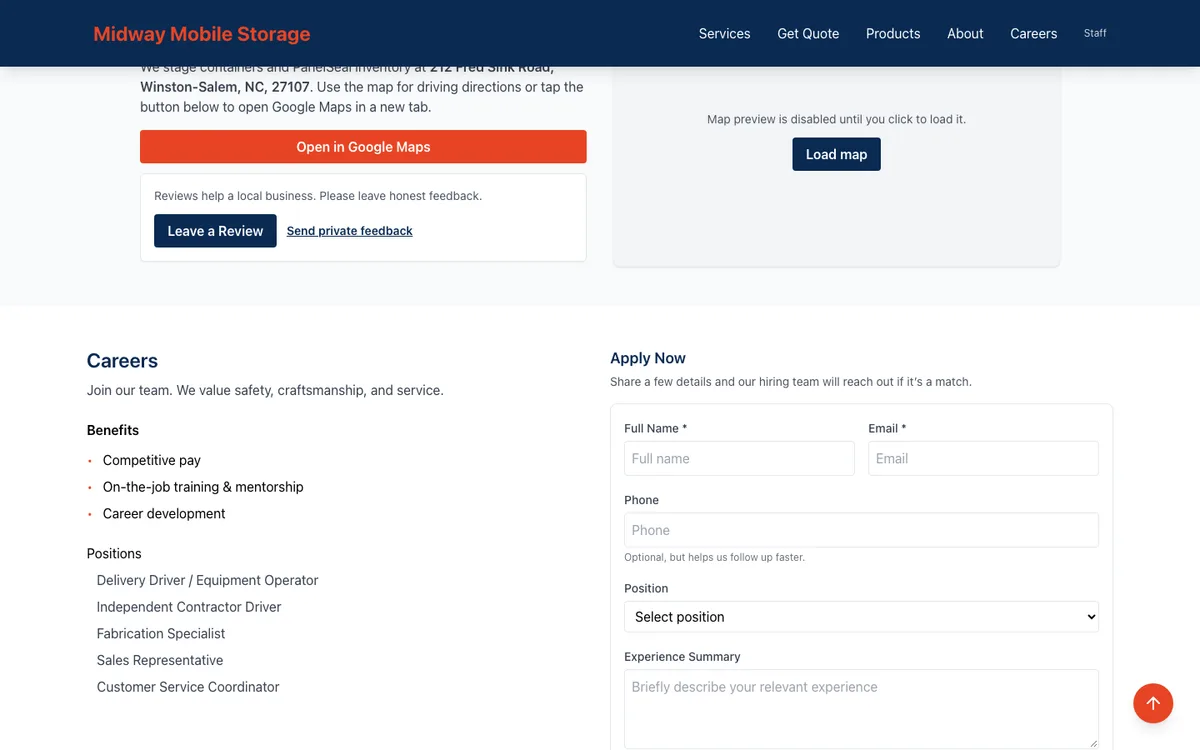
The About section's title, subtitle, body and commitments all come from the site settings, which the owners edit in the admin. The location card can show a Google Maps embed, which is off unless an owner switches it on.
Careers
The careers section lists the benefits and open positions, with a short description of each position on hover or focus. The application form asks for a name, contact details, a position, experience and a note, and accepts an optional resume. Resumes must be PDF or Word files of 4 MB or less, checked by their actual file contents and not by their names. The resume is emailed to the hiring team as an attachment and never stored on the site.
Contact
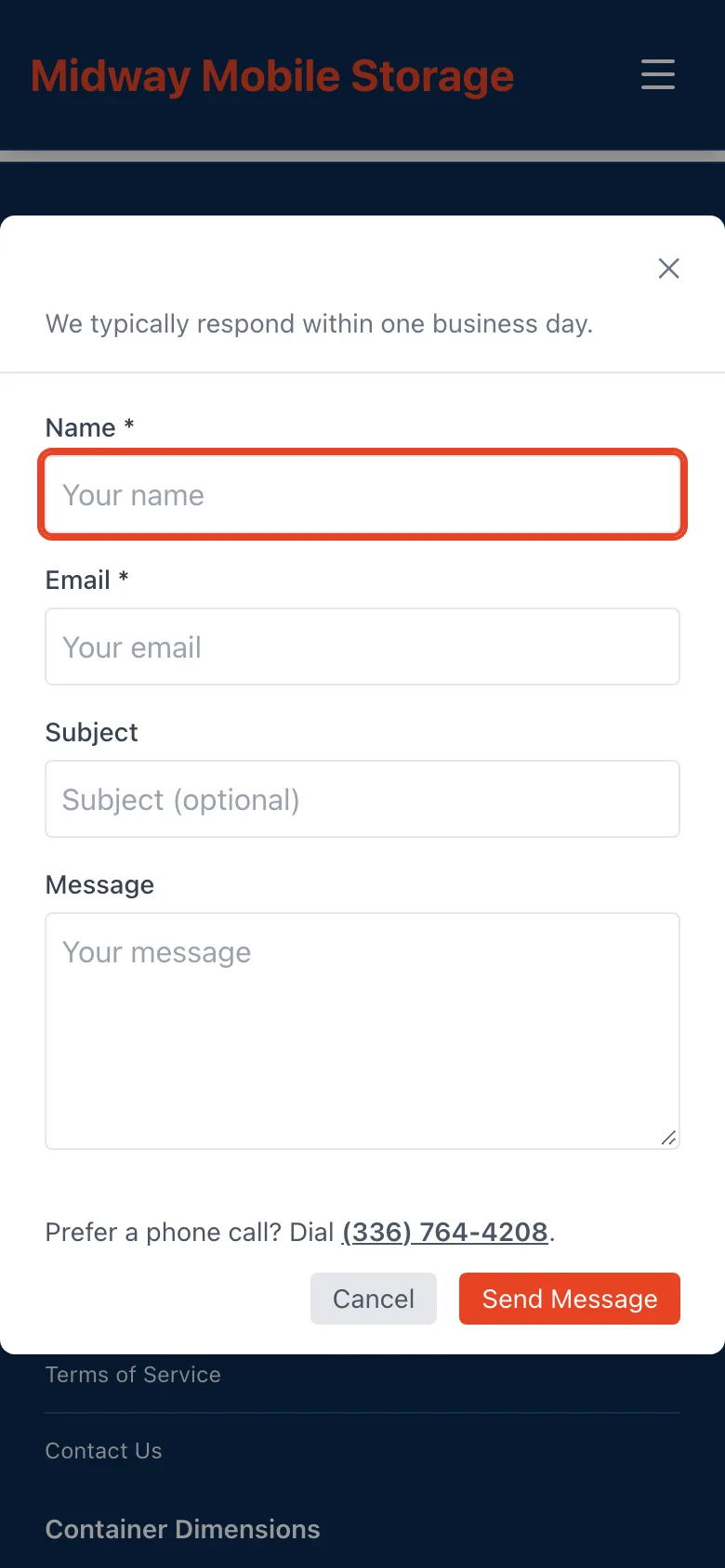
A Contact Us dialog in the footer takes a name, email, subject and message. Messages land in the admin and in the office inbox.
Footer and search
The footer shows the business's phone, hours and address from the site settings, quick links, the legal pages, the site security seal and a staff sign-in link. The same settings feed the LocalBusiness structured data that search engines read, including opening hours.
What the owner runs
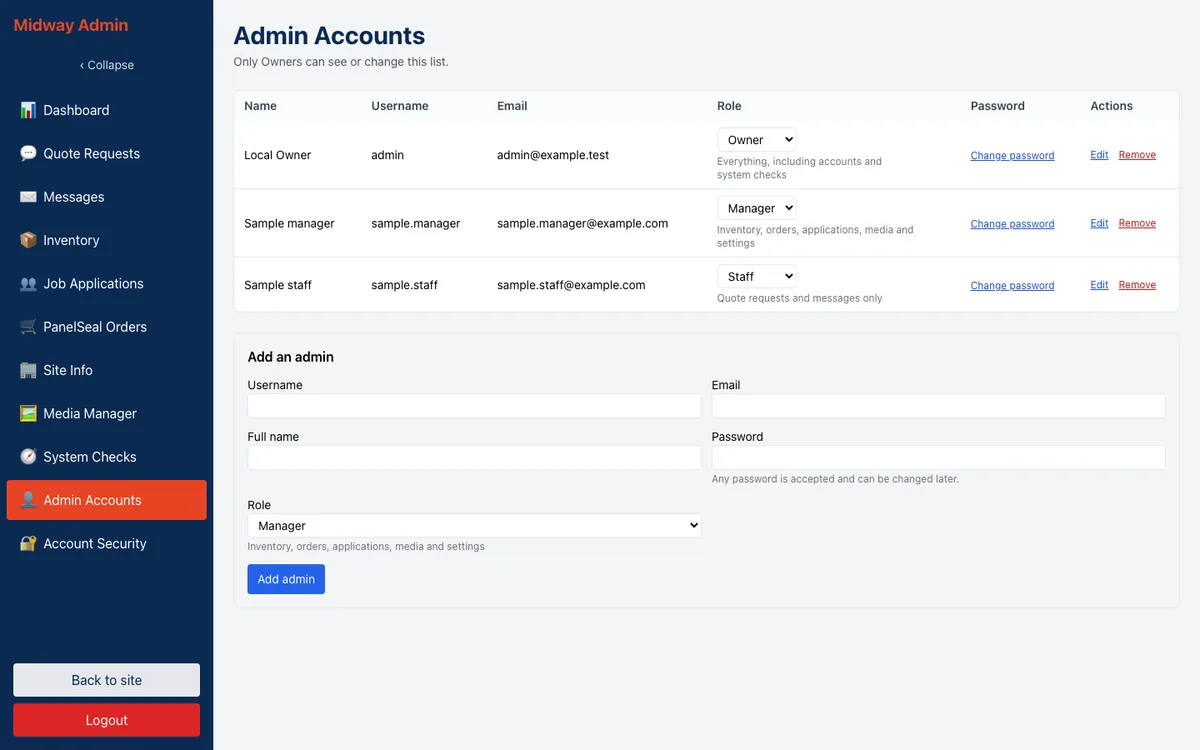
The admin lives at /admin. Staff sign in with a username and password and receive a short-lived token. Every request re-reads the account's role and whether it is still active, so a role change or a deactivation takes effect on the next click. There are three roles. Staff see the dashboard, quotes, messages and their own password. Managers also see inventory, applications, PanelSeal orders, site info and the media manager. Owners see everything, including System Checks and account management. The menu hides what a role cannot reach, and the server refuses it regardless.
Dashboard
Pending quotes, unread messages and a priority panel showing what needs attention first.
Quote requests
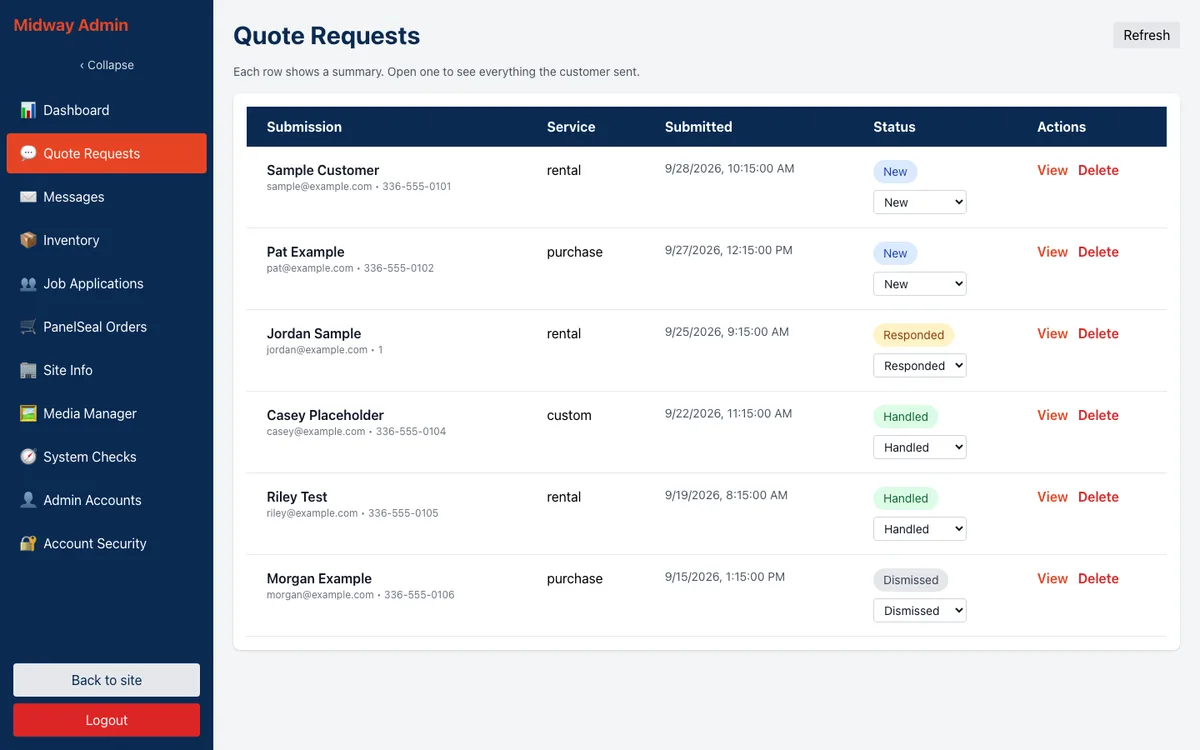
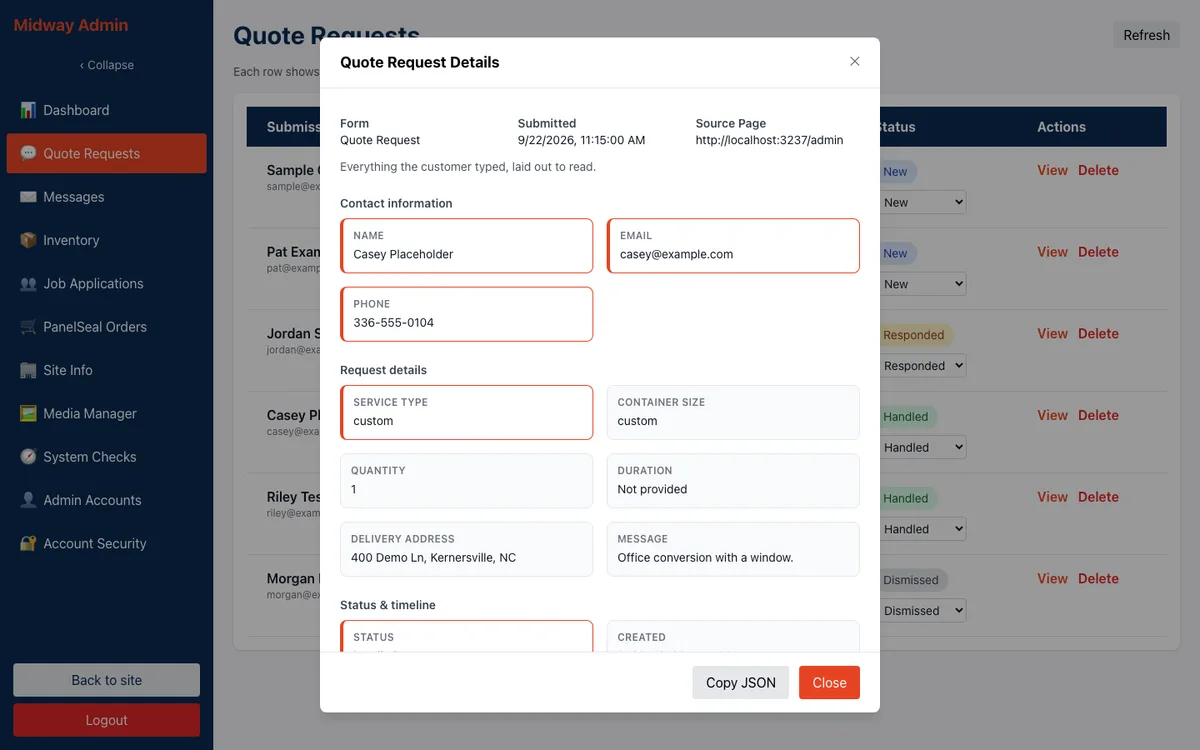
Every quote, newest first. Each row shows the customer, the service and when it arrived, with a status that can be changed in place: new, responded, handled or dismissed. Opening a row shows everything the customer sent, laid out the same way as the notification email. On a phone the table turns into stacked cards.
Messages
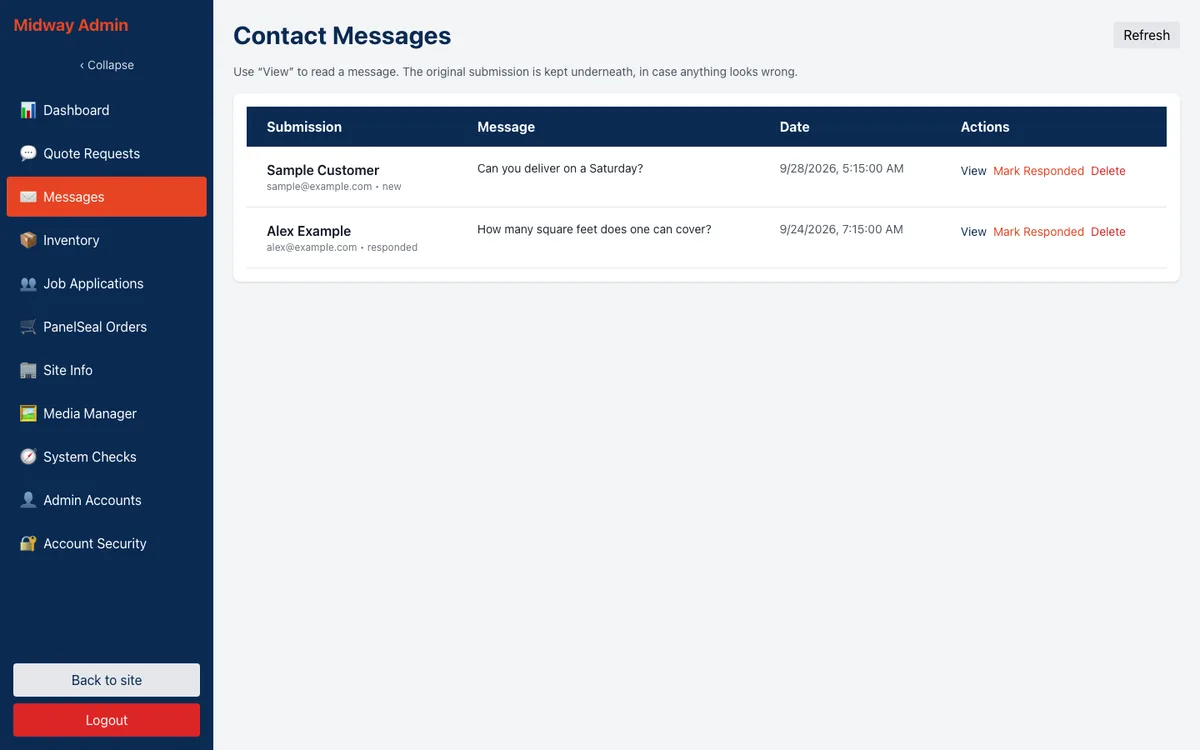
Contact form messages, marked new or responded.
Inventory
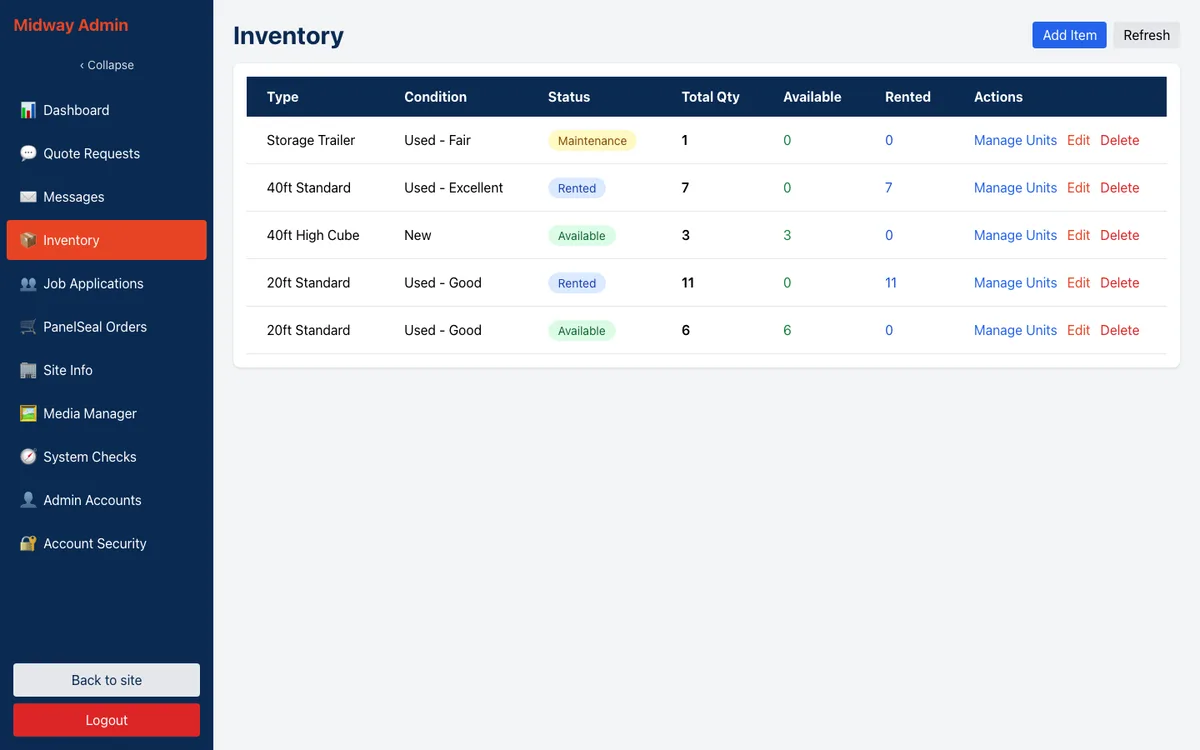
Inventory is basic today. Each record is an aggregate count: a container type, a condition (new, or used in excellent, good or fair condition), a status (available, rented, sold, in maintenance or reserved) and a quantity, with forms to add and edit them. There are no individual units or serial numbers, and nothing about inventory appears on the public site. The owner, managers and front desk use every other part of the admin, and this module is the one being revamped and expanded next.
Job applications
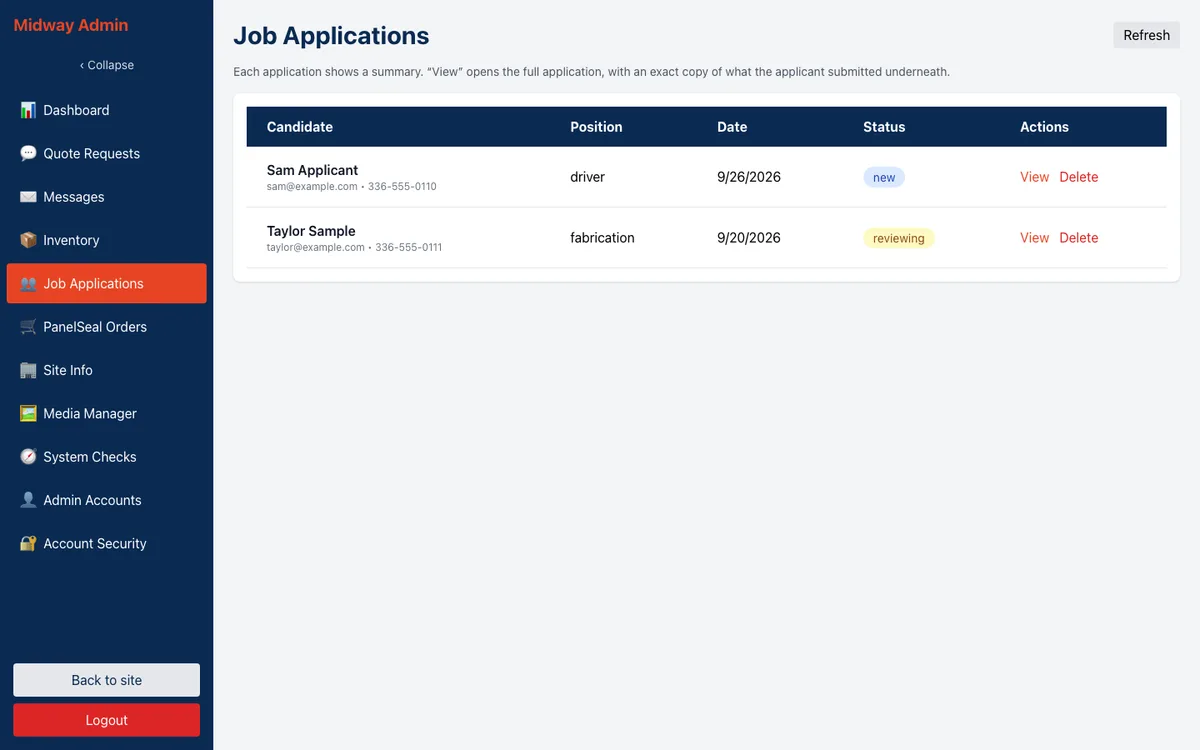
Applications by position, moved through new, reviewing, interviewed, hired or rejected.
PanelSeal orders
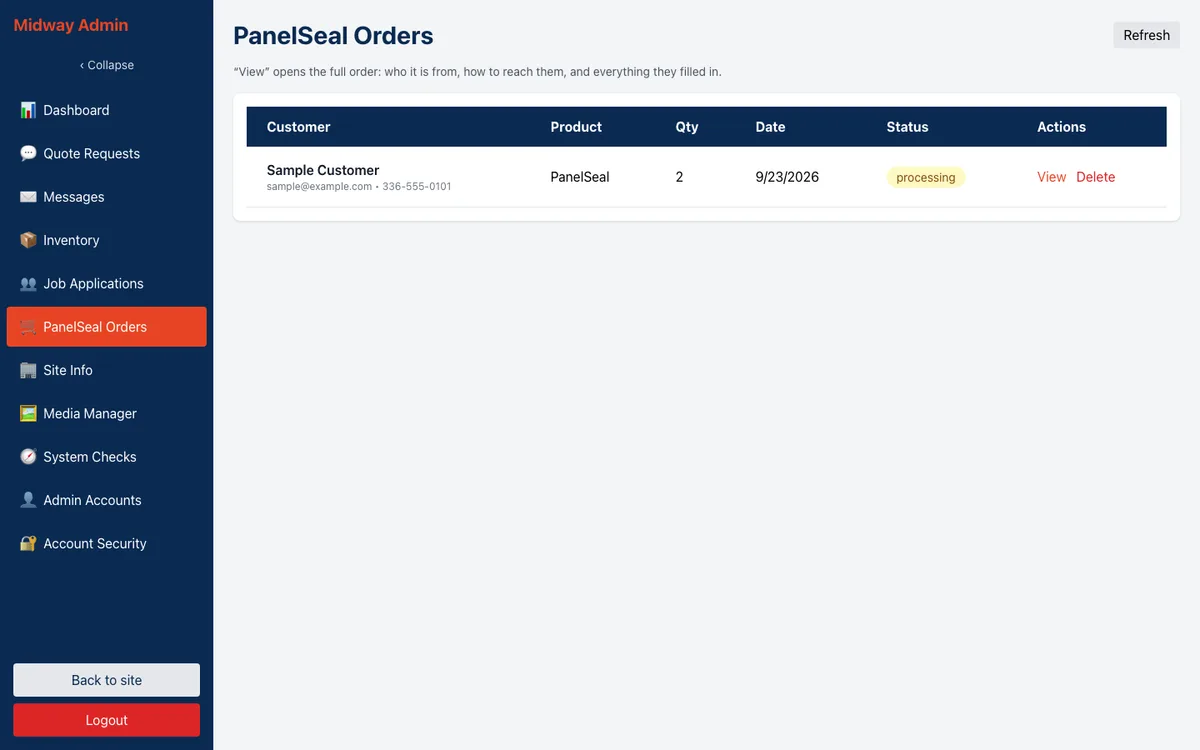
Order requests, moved through processing, shipped, delivered or cancelled.
Site info
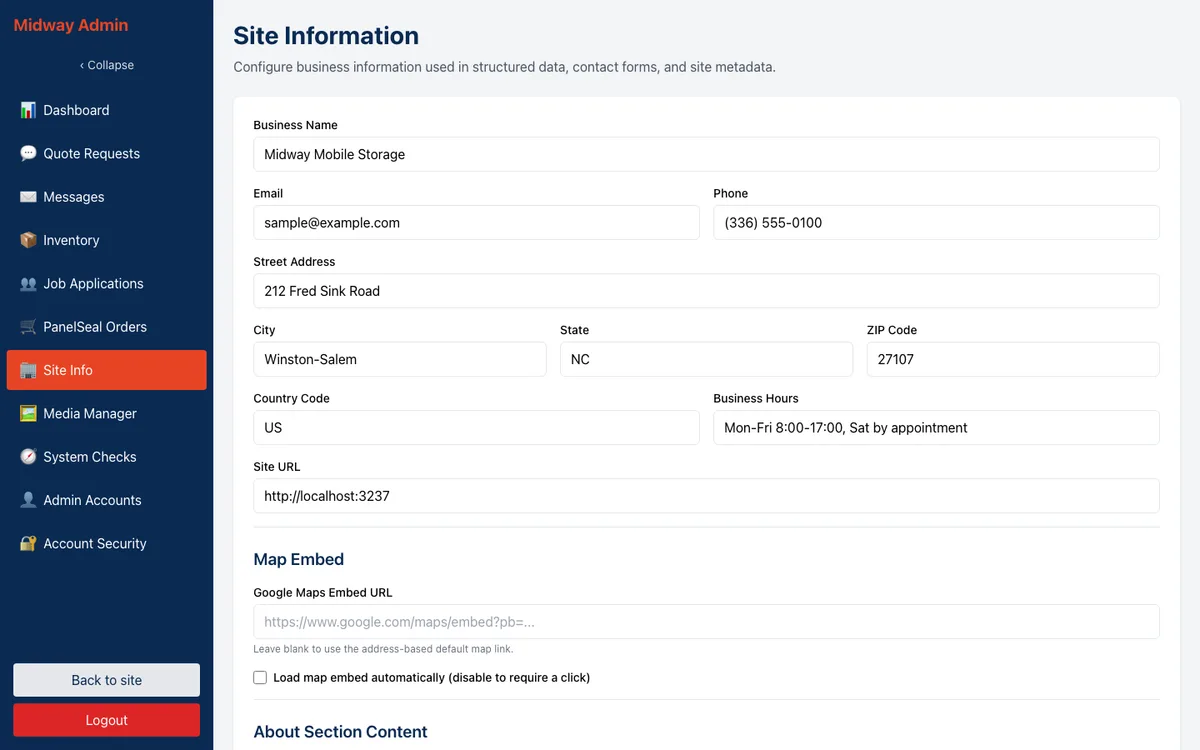
Business name, phone, email, address, hours, the map embed switch and the About copy, edited in a rich text editor whose output is sanitized on the server before it is saved.
Media manager
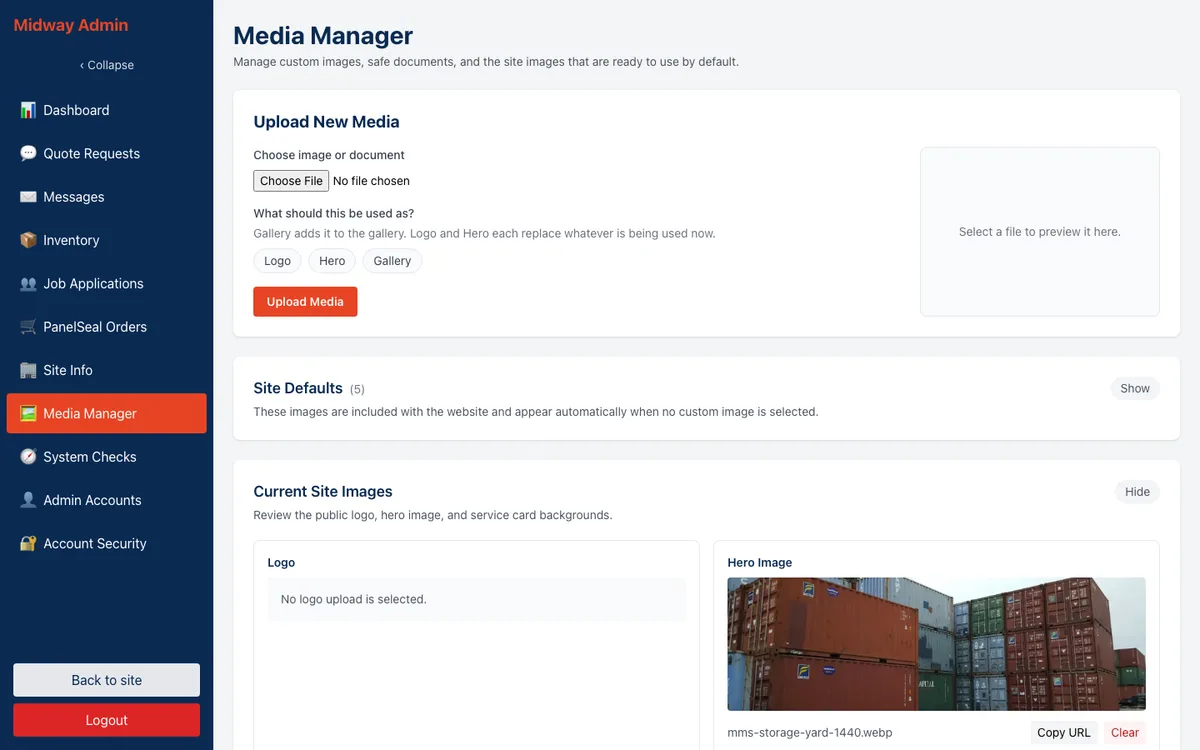
Upload photos, tag one as the logo, any number as hero images and one per service, and set how each hero photo is framed on a phone. The database allows only one active logo and one image per service tag, so two images can never fight over the same spot. Large photos are resized in the browser before upload, and the original of each upload is kept privately.
System Checks
Owner only. Sixteen checks covering the database, storage, mail settings and configuration, plus a button that sends a test email.
Accounts
Owners create, edit and deactivate accounts and change roles. The last active owner cannot be demoted or deactivated, and that check runs inside one database transaction so two owners editing at once cannot get around it. Everyone can change their own password.
Infrastructure: domain, DNS, hosting, email, storage, analytics
Domain and DNS
DNS is on Cloudflare. In the cPanel era the apex and www records were proxied through Cloudflare to the cPanel host. At the cutover they became DNS-only records pointing at Vercel, with www redirecting permanently to the bare domain. The mail records, SendGrid's sending and link-branding records, and the CDN subdomain for images were left as they were.
Hosting and deploys
The site runs on Vercel, in the iad1 region on Node 22, from the web folder of the repository. A merge to main is a production deploy. Pull requests get preview builds, and since 30 September 2026 those previews use their own database, their own storage buckets and their own SendGrid key, so testing a change can never touch a real quote. The build compiles the two React apps, stages their page shells so the app (and not the CDN) answers the home page and the admin, and then builds the server.
There are no scheduled jobs and no payment provider.
Database
Turso, which is hosted libSQL. The schema has ten tables, every one in strict mode, and the rules live in the database itself: timestamps must be ISO-8601 UTC, statuses must be one of the allowed values, text fields keep the length limits they had in MySQL, and usernames compare without case. The database client refuses a local file database when it is running on Vercel, and the local setup script refuses anything that is not a local file.
Outbound mail goes through SendGrid's API, one message per recipient. Quotes, messages and PanelSeal orders go to the sales inbox. Job applications go to the owners. Faults go to me, and unexpected server errors raise a throttled alert. Every send is tagged with the site's name so delivery reports can be filtered per site, the production key can only send mail, and open and click tracking is off because these are business notifications, not marketing. Mail goes out only when the site is running in production with sending switched on, so a local or preview run cannot email a customer.
The business's mailboxes are still on the old cPanel host and will move before that account is retired.
Storage
Cloudflare R2. Public images are served from a CDN subdomain, and originals and pending uploads sit in a private bucket. Vercel limits a request body to about 4.5 MB, so the admin shrinks large photos in the browser, and anything still too large goes straight to the private bucket through a short-lived signed upload link, which expires after a day if it is never used.
Analytics
Vercel Web Analytics, which counts page views without cookies. Hooks for Google Analytics and Plausible exist in the code but load only if they are configured at build time, and they are not.
Checks on every change
Every pull request runs one CI job on a self-hosted runner pool. It runs a secret scan, a security gate that lints the workflows and checks dependencies for known advisories, the PHP lint and tests that keep the way back working, the frontend lint and build, a maintainability audit, bundle size budgets, a schema check, type checks, the full test suite including the contract replays, and the time zone tests. A weekly advisory sweep runs on its own schedule, and routine dependency updates that pass every check merge themselves.
The site sends standard security headers: HSTS, a content security policy, frame protection and no content sniffing, carried over from the old Apache configuration.
Decisions worth explaining
PHP in 2025, Next.js in 2026
Both choices followed the hosting. In November 2025 the site was going onto shared cPanel hosting the business already paid for, and PHP with MySQL is what that host runs well. Fighting it with Node would have made the site harder to keep up. By September 2026 the rest of the sites I maintain were on Vercel and Turso, and one site on its own stack was the odd one out. Each move put the site where it was easiest to keep running.
Keeping the React apps through the move
The public site and the admin did not need to change, so they did not. Rewriting the server and the screens at once would have doubled the risk and given the office a new admin to learn on the same day. Keeping the apps meant the only thing that changed for anyone was the address their requests went to.
Recording the old server before replacing it
A port is only as good as the evidence that it behaves the same. Recording 263 real requests and 271 helper calls turned "it seems to work" into a test suite that fails if the new server answers differently. It also made the differences deliberate. Every place the port behaves differently is a decision the owner approved and the decision log records.
Converting time per column
The easy option would have been to pick one time zone and convert everything. That would have shifted some records by two or three hours, which matters when the office is working out who asked first. Tracing each column to the clock that wrote it was slower and correct.
Resumes are emailed, not stored
A resume carries a lot of personal detail, and the hiring team reads them in email anyway. Sending the file as an attachment and keeping nothing on the site means there is no store of resumes to protect. The file type is checked by its contents, and any file path a visitor sends is ignored.
No payments for PanelSeal
PanelSeal orders vary by quantity and shipping, and the office already handles them directly. An order request that lands in the admin and the inbox does what the business needs without adding a payment provider, its fees or its compliance.
Inventory kept to counts
The first inventory module records counts by type, condition and status. It was enough to start, and the team's use of the rest of the admin showed what a real inventory tool needs to do. That rebuild is the next piece of work.
Security that does not depend on the edge
When the site moved to DNS-only records, Cloudflare's proxy stopped sitting in front of the forms. Rate limits now trust the client address Vercel supplies and ignore headers a visitor could forge. Every form keeps its CSRF token and honeypot, the role and active status are re-read on every admin request, and tokens belonging to deleted accounts are refused.
What it does now
The site does what the owners asked for. Customers find the business, see what it offers and ask for a quote at any hour, with every detail the office needs to price the job. The first online quote request came in 16 days after launch, and quote requests and new customers have kept coming through the site since. The owner has noticed.
The owner, managers and front desk use the admin for quotes, messages, applications, PanelSeal orders, site details and photos. Inventory is the exception: it holds basic counts today and is being revamped and expanded.
Under the surface, the site runs on the same platform as the other sites I maintain, deploys on every merge, gives every change its own preview with its own data, and keeps the PHP build ready as a way back.
Ongoing support
Maintenance is mostly hands-off. Dependency updates arrive automatically, and the routine ones that pass every check merge on their own. The weekly advisory sweep flags anything that needs a decision. When something breaks, an alert reaches me, and the error messages in the admin tell staff in plain words whether to reload or to call.
The open items are short. The inventory module is the next real piece of work. The mailboxes need to move off the cPanel host so that account can finally be closed, and once they have, the PHP build stops being the way back and becomes history.